-
Administrator
Site Admin-
You can manually fill them in just fine; I've done it and it works well. What values you need are dependent on your network and what you are connecting to, so I can't just tell you what to use.
I would suggest doing a DHCP boot and then checking what these values are; from there you could bypass dhcp and set them manually (be careful, of course, that you use a valid IP address and not one that dhcp might give out to another system, DHCP will give out addresses from it's pool and could give out the addres you select if you don't take care to select one not in the pool). Perhaps if you posted what you were using someone could point out what you were doing wrong. Some settings, like a bad mask, would be easy to spot, but others (like a bad DNS value) would not. Also, it would be helpful to know your local network configuration and what you are connecting to,
Similar Threads
-
By equex in forum Networking
Replies: 0
Last Post: 04-03-2005, 04:27 PM
-
By magicoizo in forum General Support
Replies: 1
Last Post: 05-20-2004, 04:35 AM
-
By ahz in forum Customising & Remastering
Replies: 2
Last Post: 04-30-2004, 07:13 AM
-
By ktheking in forum General Support
Replies: 1
Last Post: 08-06-2003, 03:53 AM
-
By StuartP in forum Networking
Replies: 4
Last Post: 06-03-2003, 11:58 PM
 Posting Permissions
- You may not post new threads
- You may not post replies
- You may not post attachments
- You may not edit your posts
-
Forum Rules

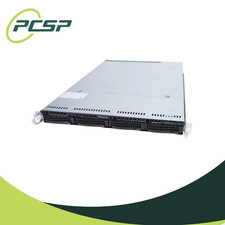
Supermicro CSE-815-5 4B LFF Xeon E3-1220v5 16GB DDR4 1x 9361-8i 4x 1TB SATA HDD
$477.00

HP ProLiant MicroServer Gen8 G1610T @2.3 GHz, 16GB, 712317-001 NO HDD/OS
$199.00

Supermicro 505-2 Server
$280.00

Supermicro 1U Network Server Appliance 16GB RAM 800GB SSD 6 LAN Ports Powers On
$450.00
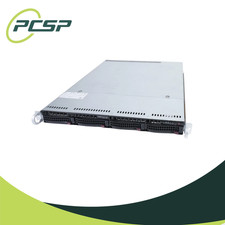
Supermicro CSE-815-5 4B LFF Xeon E3-1240v5 16GB DDR4 1x 9361-8i 4x 1TB SATA HDD
$484.00
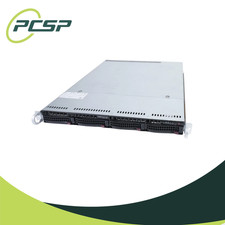
Supermicro CSE-815-5 4B LFF Xeon E3-1240v5 8GB DDR4 1x 9361-8i 4x 1TB SATA HDD
$453.00
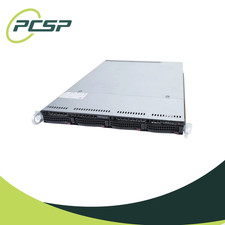
Supermicro CSE-815-5 4B LFF Xeon E3-1240v5 32GB DDR4 1x 9361-8i 4x 1TB SATA HDD
$545.99

HP PROLIANT MICROSERVER GEN8 E3-1220LV2 @ 2.30GHz, 8GB RAM, NO HDD/OS
$164.97

Nasuni NF-50 Supermicro Server, Atom CPU C2558, @ 2.40GHz, 8GB RAM-No HDD/OS/AC
$250.00

Supermicro CSE-937 3U Storage Chassis No CPU No HDD No Ram Tested & Reset
$129.99



 Reply With Quote