-
Senior Member
registered user
Re: streamlining after hd-install

Originally Posted by
todsr1
After an hd install on a system with limited disk space I thought I'd clean off the bits of Knoppix that I don't actually need... most of this went fine, just a couple of probs.
(1) How do I purge the system of openoffice.org - nice tool, just too bulky in this case - it gets installed in /opt/openoffice and while I could just delete this directory it won't purge the system of the config files and remove openoffice.org from the 'KDE menu'.
apt-get --purge remove openoffice-de-en
(2) What about getting rid of KDE...? It's eating too much memory and I'm quite happy in something like evilwm. I've tried apt-get --purge remove kde*, but that wants to remove a whole chunk of other things that I'd rather not lose like hotplug, initrd-tools, pcmcia-cs, and others... I've removed bit by bit a bunch of KDE apps, but that's a pretty time consuming and not particularly helpful... surely there's a neater way of doing this?
apt-get --purge remove kdelibs4
(3) I guess I also don't need the knoppix specific stuff... it's a great installer, but some of that stuff ain't necessary if a hd-install is supposed to be just plain ole' Debian!
Many thanks...
dpkg -l | grep knoppix* then remove the packages listed.
 Posting Permissions
- You may not post new threads
- You may not post replies
- You may not post attachments
- You may not edit your posts
-
Forum Rules

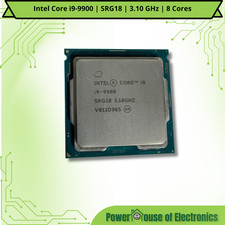
Intel Core i9-9900 | SRG18 | 3.10 GHz | 8 Cores | LOT OF 10
$1505.77

Corsair RM750e 750W Fully Modular 80 Plus Gold ATX 3.1 PSU Certified Refurbished
$44.99

PS5 Over Heating Problem Solver 1.5 Grams Liquid metal thermal paste CPU, GPU
$15.99
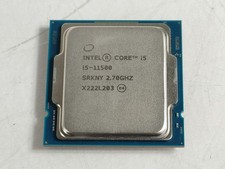
Intel Core i5-11500 2.70 GHz LGA 1200 Desktop CPU Processor SRKNY
$94.99
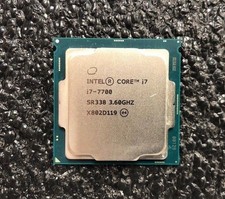
Intel Core i7-7700 Kaby Lake Quad-Core 3.6 GHz Processor LGA 1151
$39.99

Intel SRG17 Core i7-9700T Desktop Processor CPU
$74.99

Intel i7-8700 Coffee Lake 3.2GHz 6-Core Max Turbo 4.6GHz Processor
$69.99

Intel Core i7-7700T 2.9GHz 8MB Socket LGA1151 Quad Core Processor SR339
$39.99

HP ProDesk 405 G8 Desktop AMD Ryzen 5 PRO 5650GE 16GB RAM 512GB SSD W11P
$319.99

INTEL CORE I9-10980XE PROCESSOR | 3.00GHZ | SRGSG
$299.99



 Reply With Quote