-
KNOPPIX_V3.2-2003-07-26 - display problems
Managed to boot from the CD
During logout, removed the CD and hit Enter
nothing happens
reboot to WinXP
my God!!!
missing operating sytem
unable to boot to WinXP
Pop in Knoppix CD and all my hda - lost interrupts
Used a bootable CD to DOS and no hard disk is detected
BIOS detects my hard disk though
checked the cables are secured and reboot
Finally WinXP appears but screen resolution is fixed at 800x600 4 bits 
Reboot to safe mode, changed screen settings and reboot
still no good
shutdown system and boot
remove display adapter and reboot
reinstall nvidia drivers and all is well
dispaly card is 4MX440 and was using beta drivers and Knoppix detects the card
going to try booting to Knoppix without using beta drivers and see whether I can reboot to WinXP
-
Senior Member
registered user
-
Re: Try this?

Originally Posted by
Tortoise
http://www.knoppix.net/forum/viewtopic.php?t=795#3134http://www.knoppix.net/forum/viewtopic.php?t=795#3134
thanks for the link
I am no alone
-
Senior Member
registered user
Well did the advice there help? Particularly the part about changing the boot order. Also try unpluging the machine, holding the power button in for 10 seconds, then putting the power back in and trying to boot windows. I know it sounds strange, but as I recall some others with this problem found that this helped.
-
Originally Posted by
aay
Well did the advice there help? Particularly the part about changing the boot order. Also try unpluging the machine, holding the power button in for 10 seconds, then putting the power back in and trying to boot windows. I know it sounds strange, but as I recall some others with this problem found that this helped.
No, I couldn't boot to WinXP. Used a bootable CD to try to boot to DOS and DOS couldn't detect my hard disk although it was detected by BIOS. Tried switching the display card to another one and had the same problem.
Apparently Knoppix corrupted my hard disk somehow, and I lost my WinXP's updates. Had to reinstall about 7 updates. Changed my version of DirectX to 8 instead of DirectX 9.0b. Booting to WinXP works (but I didn't find the cause) but it is slow. A black screen shows now when booting.
Similar Threads
-
By A. Jorge Garcia in forum General Support
Replies: 5
Last Post: 01-07-2004, 09:17 PM
-
By gneumarke in forum General Support
Replies: 3
Last Post: 11-03-2003, 02:32 PM
-
By lacostej in forum Hardware & Booting
Replies: 0
Last Post: 10-26-2003, 01:38 PM
-
By yhw22 in forum Customising & Remastering
Replies: 2
Last Post: 07-20-2003, 07:13 PM
-
By audioaficionado in forum General Support
Replies: 2
Last Post: 02-05-2003, 10:07 PM
 Posting Permissions
- You may not post new threads
- You may not post replies
- You may not post attachments
- You may not edit your posts
-
Forum Rules


Rare Vintage Macintosh Apple Wooden Disk Storage Box Dovetailed
$69.95

Vintage 1998 iMac G3 M4984 Mac OS + Keyboard Working but Needs Some Repair Read
$295.00

Apple Power Macintosh PowerPC 7300/200 VTG w Keyboard Mouse Storage Drive Read
$199.99

Apple Macintosh DuoDock Duo Dock M7779 & Powerbook 230 Vintage Mac RARE Vintage
$249.00
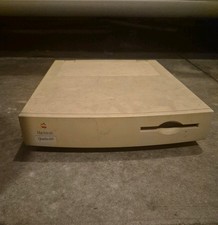
Apple Macintosh Quadra 605 Vintage Desktop Computer, Model M1476 Untested
$299.00

LARGE LOT Vintage Apple Macintosh Mouse Cables Accessories SCSI etc - UNTESTED
$80.00

185--Sonnet Crescendo G3 PPCG3-375-5-K-06 G3 Add-On Card for Vintage Mac
$99.00
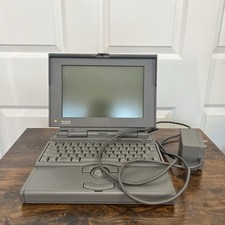
Apple Macintosh Powerbook 170 M5409 for Parts Clean Mac Vintage Laptop
$100.00
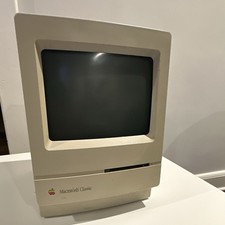
Apple Macintosh Classic M1420 Vintage All-in-One Desktop Computer
$95.00

Mixed Lot Vintage Mac Windows media / Graphics / Sound Software - CDs 37 Pieces
$40.99



 Reply With Quote