

 Reply With Quote
In the control center>sound there is an option to change the sampling rate.


I know there have been alot of topics about this, but Ive read them all and they aren't offering me any help.
My PC uses i810_audio, and rather than produce no sound, it plays everything at around 10x speed. For example, itll play a 3 minute song in 30 seconds.
I've tried some things people have said, like editing modules.conf but it hasnt worked. Also, Im a bit of a linux n00b so I'm not really sure whats going on.
I apologise if this has been asked before, thanks!
In the control center>sound there is an option to change the sampling rate.
OK, I opened up control centre and setup the arts soundserver to run, I then went into sound I/O, left detect sound device as auto detect and set a custom sampling rate of 48000 with 16 bit sound quality.
I rebooted and Knoppix is telling me it cant open the audio because it's either busy or set up wrong, i tried setting my custom sound device as i810_audio, but it just tells me it doesnt exist and sets sound to null.
 Posting Permissions


OPNsense pfSense 8-Core Atom C3758 2.2GHz 8GB DDR4 64GB SSD 8x NIC QAT AES VPN
$115.00

Ubuntu Server 26.04.1 LTS Bootable USB Flash Drive – Latest September 2026
$12.99
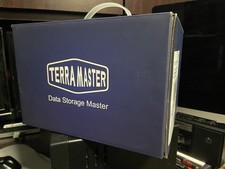
TerraMaster F2-210 2-Bay NAS Server Cloud Storage
$199.95

OPNsense Firewall VPN QAT 8-Core Atom C3758 2.20GHz 16GB DDR4 128GB SSD 8xNIC
$175.00

Start9 Server Pure 32GB 4TB Intel i7 Node StartOS — Box + PSU
$649.00

ZimaBoard 2 1664 Home Server 16GB
$350.00

Novell SUSE Linux Enterprise Server 9, Linux Professional 8.2 / 9.1 — 3 DVD Set
$58.00

All New Ubuntu 26.04 LTS Linux Bootable USB Flash Drive
$15.95
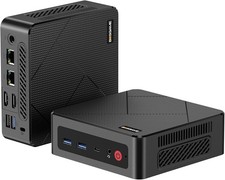
BOSGAME E4 Air Mini PC, AMD Ryzen 5 3500U 8GB DDR4 256GB SATA SSD
$169.99

SQL Server 2022 Enterprise 96 Core License & DVD Unlimited CALs with CoA
$284.99