-
-
Senior Member
registered user
Re: "Mismatched timestamp", WTF?!?!?!? I can't boo

Originally Posted by
three eyes open
When I started up my Linux box a little while ago it wouldn't boot up! All I got was a black screen with the words "LILO_Mismatched Timestamp" in the upper left hand corner. I couldn't figure out how to boot it up so I booted Knoppix from the cd and tried to reinstall it. I didn't do anything different this time than when I installed Knoppix to my hard drive a few days ago but when I tried to boot up my freshly installed system, same thing, "LILO_Mismatched Timestamp". How do I fix this?

And can someone tell me how to use cfdisk correctly during the install? Like how to exit it after the partition table has been written? And how do you assign what each partition is for, like which one you mean to be the swap partition? I searched online and all I could find was info on what size the three basic partitions should be. I already knew that.
Dammit, it was just about perfect! I was planning to apt-get a few apps today and then it would have been perfect.

It's a bug with lilo you should be able to boot from the CD and mount the / partition and run LILO to write to the MBR. When booted from the CD open a console window and sudo mount /dev/hd?? /mnt/hd?? to mount the drive then sudo chroot /mnt/hd??/ /sbin/lilo -v to actually write LILO to the MBR of the drive. replace the ?? with the drive letter and partition number of the / partition.
[edit]
One package you should install when you get it running is apt-listbugs that where I seen this no more than a hour ago when I upgraded.
[/edit]
-
Thank you so much, Stephen! 
But, please, could someone answer my questions about using cfdisk? I'm really confused here, and when I'm at that screen I can't get out of it without exiting the installation. The way I installed it before was to put in my Mandrake disk and let it partition the hard drive and then reboot with knoppix.
-
Senior Member
registered user
Originally Posted by
three eyes open
Thank you so much, Stephen!
But, please, could someone answer my questions about using cfdisk? I'm really confused here, and when I'm at that screen I can't get out of it without exiting the installation. The way I installed it before was to put in my Mandrake disk and let it partition the hard drive and then reboot with knoppix.
You would just select the quit option and it exits the program it is on the bottom left IIRC, then it continues with the install.
-
You would just select the quit option and it exits the program it is on the bottom left IIRC, then it continues with the install.
But....but....it doesn't continue, it just stops.
-
When booted from the CD open a console window and sudo mount /dev/hd?? /mnt/hd?? to mount the drive then sudo chroot /mnt/hd??/ /sbin/lilo -v to actually write LILO to the MBR of the drive. replace the ?? with the drive letter and partition number of the / partition.
Didn't work. 
Sigh........
-
Senior Member
registered user
Which version are you using? Could you post from a CD boot the output of sudo fdisk -l /dev/hd? so I can see the partitions on the drive also which installer are you using the knx-hdinstall of the new knoppix-installer? replace the ? with the drive letter you are trying to install to some other machine specs may be helpfull also.
-
I'm using the new 3.2 with Fabian Franz's script (sudo knoppix-installer).
The machine is a AMD Athlon 1800 (which is 1550 megahertz), 256 DDR ram, 2 hard drives, one 40 gig and one 20 gig. The 40 gig hd was the one I installed Knoppix/Debian on. It has a Via Rhine ethernet and a Via sound module (which means it has no actual sound card; I'm planning to get a Sound Blaster soon) and a 128 mb Nvidia Geforce4. The 20 gig hd was left blank for now.
I tried to use my Debian Woody cd as a rescue disk but it just went into a kernel panic.
I must say, nothing like this ever happened with the old knx-hdinstall when I used it. I used the new script because I had sound for the first time with the new version.
I'm going to try again in about an hour and a half, when I have the time.
Sorry to cause you so much trouble, Stephen. When I get home, I'll boot from the cd and post the partition table like you asked.
-
Senior Member
registered user
If you have had no problems with the old installer then I would give that a try again it will still install the system even with the new version of Knoppix although I'm not sure if it is included but you could just boot from an old version and copy the file somewhere if it is not included and then use it.
Your not causing me any trouble I'm here to help, it's all part of the master plan world domination one user at a time we have secret meetings on IRC so don't tell anyone. 
-
Well, it seems to be working now; sixth times the charm, I guess. I'm an exceptionally stubborn person.
First of all, knx-hdinstall just gives you a "permission denied" mesage with the new script.
I see the problem with cfdisk - after the partitions are written to the disk, they're not initialized or mounted. I initialized mine with the Debian disk (that's how I found this out).
But I have an important question:
If I do have to reinstall with the previous release of 3.2 (knx-hdinstall), where would I get the improved sound driver the newest release is using? Apt-get update didn't install it, and I updated just a day before the new release was available for download (I downloaded it as soon as it came out).
Similar Threads
-
By onnrmf in forum General Support
Replies: 4
Last Post: 03-18-2009, 02:38 PM
-
By pau1knopp in forum Hdd Install / Debian / Apt
Replies: 1
Last Post: 05-17-2004, 10:27 PM
-
By oreo in forum General Support
Replies: 11
Last Post: 07-23-2003, 06:33 PM
-
By geebee2000 in forum Hardware & Booting
Replies: 9
Last Post: 05-21-2003, 07:29 PM
-
By Juny in forum General Support
Replies: 4
Last Post: 03-14-2003, 09:02 AM
 Posting Permissions
- You may not post new threads
- You may not post replies
- You may not post attachments
- You may not edit your posts
-
Forum Rules


Genuine OEM Apple MagSafe 2 45W AC Adapter Charger for Macbook Air 2015 11" 13"
$14.24

OEM Apple Data Migration Toolkit for A1706 A1707 MacBook Pro PN 076-00236
$549.99

Genuine Apple Power Adapter Extension Cable 6FT White OEM MacBook MK122LL/A
$10.99

Genuine Apple OEM A2164 30W USB-C AC Power Adapter with USB-C Cable, Very Good
$21.05

OEM 45w T-Tip Power Adapter charger for Apple macbook air 2012-2017 A1436 A1466
$19.99

OEM Apple 45W A1436 Power Charger AC Adapter for MacBook Air MagSafe 2
$12.99
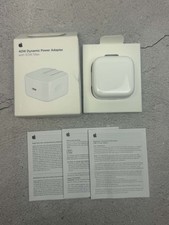
Apple 40W Dynamic Power Adapter 60W Max for iPhone/iPad/AirPods/MacBooks OEM
$17.99
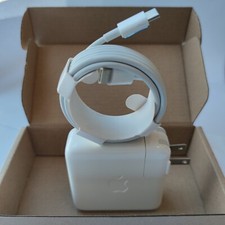
Genuine OEM 61W USB-C Power Adapter Charger For Apple MacBook PRO 13 inch A1718
$22.00

apple oem cube 5w charger
$6.99
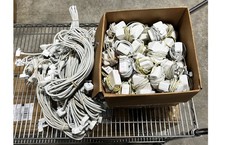
Lot of 100 OEM Apple Magsafe 2 45W AC Adapter A1436 with Power Cable - Grade D
$339.99



 Reply With Quote