-
Dial up problem.
I have an ethernet card in my machine which connects with my wife's machine. Her's is set up as 192.168.0.1, this one is 192.168.0.2. I also have a modem in both machines. When knoppix boots up it finds the ethernet card and says we're gonna use that come hell or high water. I had the same problem with Mandrake and finally found the solution there in the set up.
Now under knoppix these things I did under Mandrake don't work.
route -n #this finds the IP address I am dialled into
route del default
route add default gw x.x.x.x #(x.x.x.x is what was found above)
would always work to get me out on the internet after I have dialled up.
This does not do the job under knoppix, even tho it says it has done right. I know it is Debian, so what is different that I have to do under it?????
-
Senior Member
registered user
Re: Dial up problem.
--Sounds like an overly-complex way of getting around a problem... (But then again, I've never gotten route commands to work.) What are you using to dial? wvdial, kppp? As long as you're the only one using the Internet and the browser is set for "direct connection to the internet" you shouldn't need to mess with route commands.
--Another way of approaching this problem is to make 1 machine an Internet dialup / proxy cache server. This is how I have my network setup: You can modify /etc/ppp/options for dial-on-demand whether it's using phone-modem or dynamic-IP DSL. Then setup Squid proxy cache (which speeds up things a great deal for multiple accesses *and* allows a bunch of machines to all use the Internet at the same time) and point all browsers to servermachine:3128. You can also set some environment variables so that commands like wget and apt-get all point to the proxy.
--If you allocate enough disk space to Squid (I typically give it at least a gig and a half and modify the config file to retain large files) you can speed up Windows updates and apt-get updates for multiple machines, cuz they all find the files in the web cache after the 1st update. 
--Yeah, yah, I know, not what you were expecting.  But Squid is one of the best uses of my Linux box that I know of. If you want further help on this kind of solution I'll be glad to send you my config files and help out.

Originally Posted by
Wayne W
I have an ethernet card in my machine which connects with my wife's machine. Her's is set up as 192.168.0.1, this one is 192.168.0.2. I also have a modem in both machines. When knoppix boots up it finds the ethernet card and says we're gonna use that come hell or high water. I had the same problem with Mandrake and finally found the solution there in the set up.
Now under knoppix these things I did under Mandrake don't work.
route -n #this finds the IP address I am dialled into
route del default
route add default gw x.x.x.x #(x.x.x.x is what was found above)
would always work to get me out on the internet after I have dialled up.
This does not do the job under knoppix, even tho it says it has done right. I know it is Debian, so what is different that I have to do under it?????
Similar Threads
-
By bigkahuna in forum Networking
Replies: 2
Last Post: 05-10-2005, 09:35 AM
-
By rrfish72 in forum General Support
Replies: 3
Last Post: 08-30-2004, 05:09 AM
-
By oldgeezer in forum General Support
Replies: 1
Last Post: 03-11-2004, 01:57 PM
-
By waynejkruse10 in forum General Support
Replies: 8
Last Post: 10-25-2003, 11:50 PM
-
By shadowcAt in forum The Lounge
Replies: 1
Last Post: 04-21-2003, 05:44 PM
 Posting Permissions
- You may not post new threads
- You may not post replies
- You may not post attachments
- You may not edit your posts
-
Forum Rules


Intel Core i7-3770K 3.5 GHz Processor
$39.00

INTEL CORE I7-870 SLBJG 2.93GHZ LGA1156 4 CORE CPU PROCESSOR
$23.00

INTEL CORE I9-10940X X-SERIES PROCESSOR | 3.30GHZ | SRGSH
$179.99

Intel Core i9-9900K SRG19 3.60GHz 16MB 8-Core LGA1151 B Grade CPU Processor
$175.00

AMD Ryzen 5 5500 Processor ( read Description)
$59.00

Intel Core i5-12500T SRL5W 2GHz 18MB 6 Core Socket LGA1700 Desktop CPU Processor
$114.99

Intel i7-8700 Coffee Lake 3.2GHz 6-Core Max Turbo 4.6GHz Processor
$67.99

Intel SR3XE Core i5-8500 3.0GHz 9M Socket 1151 6-Core CPU Processor *Tested*
$32.99

AMD Ryzen 5 PRO 4650GE 100-000000153 6-Core 3.30GHz 8MB AM4 CPU Processor
$59.99
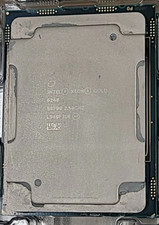
Intel SRF90 Xeon Gold 6248 2.50GHz 20 Core LGA 3647 Server CPU Processor
$55.99



 Reply With Quote