-
Senior Member
registered user
Unreadable fonts when using knoppix xserver=XF86_SVGA
A friend of mine is trying out my remaster, overclockix. He has an old PCI et4000 video card, and has to use the alternate Xserver in order to boot. But fonts for things like xchat and gaim are all messed up and unreadable. He's tried changing the fonts but it doesn't work. Is there a config for the XF86_SVGA xserver where fonts can be changed?
-
Senior Member
registered user
Re: Unreadable fonts when using knoppix xserver=XF86_SVGA

Originally Posted by
arkaine23
A friend of mine is trying out my remaster, overclockix. He has an old PCI et4000 video card, and has to use the alternate Xserver in order to boot. But fonts for things like xchat and gaim are all messed up and unreadable. He's tried changing the fonts but it doesn't work. Is there a config for the XF86_SVGA xserver where fonts can be changed?
Most all of the fonts are accessed in in the FontPath lines in the file /etc/X11/XF86Config-4 you should make sure in this file that the 75dpi line is above the 100dpi one and that the Type1 font path is at the bottom of the section and if the font server UNIX:7100 is uncommented then comment it out also check in the file /etc/kde3/kdm/Xservers and make sure the you change the -dpi 100 instances to 75 if they are not already set that way.
-
Senior Member
registered user
I'm going to have a hard time adjusting XF86Config-4, since it is generated by auto-detection scripts when booted from the live CD. I'll look into /etc/kde3/kdm/Xservers though...
I could tell me friend to boot into textmode, then make his own /home/knoppix, generate an .xinitrc, and also cp a bunch of files from /etc/skel into /home/knoppix and chown them. Then edit teh /etc/X11/XF86Config-4 that was made by scripts at boot-time. Then su knoppix and startx.
Similar Threads
-
By rookworm in forum General Support
Replies: 2
Last Post: 02-05-2004, 08:53 PM
-
By TheKid965 in forum General Support
Replies: 0
Last Post: 12-11-2003, 05:51 PM
-
By Gerardoj in forum General Support
Replies: 8
Last Post: 09-03-2003, 08:21 PM
-
By Ancer in forum General Support
Replies: 1
Last Post: 08-21-2003, 11:18 PM
-
By hammy in forum Hardware & Booting
Replies: 0
Last Post: 02-10-2003, 02:57 AM
 Posting Permissions
- You may not post new threads
- You may not post replies
- You may not post attachments
- You may not edit your posts
-
Forum Rules

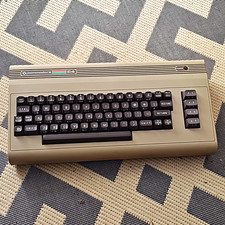
Commodore 64 Vintage Home Computer Without Box
$100.00

Commodore VIC-20 Diagnostic Cartridge & Test Harness Set - USA seller
$39.99

Commodore OS USB | Bootable LIVE + Install | The Ultimate Gaming Linux OS | NEW
$11.99
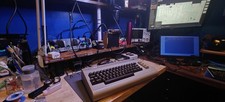
Commodore 64 C64 Breadbin Computer System TESTED READ
$159.00
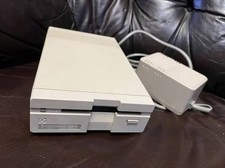
Commodore 1581 3.5" Floppy Disk Drive + PSU Cable Manual Vintage Untested
$309.99
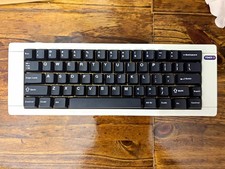
Hammerworks box60 Commodore 64 Mechanical Keyboard built
$77.77
Commodore 1581 Floppy Disk Drive w/ Power Supply, Cable & Disks
$300.00
Commodore Amiga 500 w/ power supply, no mouse - Kickstart 1.3 + 1MB RAM
$369.00

Commodore 64 Dead Test & Diagnostic Cartridge & Test Harness Set - USA seller
$39.99

Framethrower, Amiga HDMI output via a PiStorm A500 A2000
$40.00



 Reply With Quote