-
Senior Member
registered user

Originally Posted by
Stephen
XMMS worked fine with alsa also and if you put the soundblaster in you should install sndconfig version .69 not the .70 I have read posts in Debian User that the .70 is broken you will most likley need it to set up the sound configuration.
Stephen,
.70 is what is currently in Knoppix isn't it? If so, I hope Klaus will himself do a backstep.
-
Senior Member
registered user
Originally Posted by
aay
Stephen,
.70 is what is currently in Knoppix isn't it? If so, I hope Klaus will himself do a backstep.
I'm not sure I don't have knoppix on this computer and I checked the packages list it has a reference to sndconfig but I don't see it there.
Code:
ii  smpeg-xmms               0.3.5-2                  SDL MPEG Player Library - XMMS plugin
ii  sndconfig-knoppix        0.57-7                   Easy soundcard configuration
ii  sodipodi                 0.31-1                   Vector based drawing program
ii  sound-recorder           0.06-6                   Direct-to-disk recording and play-back programs.
ii  soundcardconfig-knoppix  0.5-2                    Starts sndconfig as root
It was just in couple of posts on DU so it could be one of those it's broken now as in it can't be installed because of unmet dependencies that was not there when the ISO was made and it may in fact be installable now if things have moved through to allow that.
-
Konquerors Preview Option blockes Sounddeamon

Hi , I hope this Questions is still alive
I had the same Prob, now solved, so here's my result:
XMMS is not the Problem, it's Konqueror an the Preview Option
Disable the Preview Options in the Konqueror settings and XMMS will work fine !
HTH
Good Luck to u all :O)
John
-
First post... I've had similar problems with XMMS player. Sometimes it works, sometimes not. I'm new to Knoppix (first time with Linux was this week!) and was listening to mp3's on XMMS, worked fine. Then I was trying out some of the other players on the LiveCD (4.0.2) and when I went back, it quit working. It would just freeze up. I had to run ksysguard from Konsole to kill it.
The way I fixed it:
Open Control Center from the Knoppix menu
Expand 'Sound & Multimedia', and select Sound System
Place a check in Enable Sound System
Now XMMS works. Not sure what caused it to disable, or what really happened, but it stopped it from locking up and now works fine.
Similar Threads
-
By dhaddox in forum Networking
Replies: 2
Last Post: 06-11-2005, 11:19 PM
-
By jinzora in forum The Lounge
Replies: 2
Last Post: 05-11-2005, 12:46 AM
-
By knu in forum General Support
Replies: 6
Last Post: 09-13-2003, 02:40 AM
-
By Lando in forum General Support
Replies: 0
Last Post: 03-01-2003, 10:37 PM
-
By Pewe in forum Hardware & Booting
Replies: 0
Last Post: 01-31-2003, 09:07 PM
 Posting Permissions
- You may not post new threads
- You may not post replies
- You may not post attachments
- You may not edit your posts
-
Forum Rules


Dell 6P85J 4TB ST4000NM0063 7.2k 6Gb/s 3.5” SAS SED Hard Drive with Tray
$39.99

Western Digital HUS726T4TAL5204 4TB 7.2K SAS 12Gb/s 3.5" 512e HDD NetApp X375A
$64.00

(ST8000NM0045) SEAGATE ENTERPRISE 8TB 7200RPM 4Kn SATA 6Gb/s 3.5" HARD DRIVE
$199.99

DELL 2TB Enterprise HDD (7200RPM, 3.5", SATA III, 128MB Cache) HUS722T2TALA600
$49.95

Seagate ST500DM009 BarraCuda 500 GB 3.5" SATA III Desktop Hard Drive
$14.99
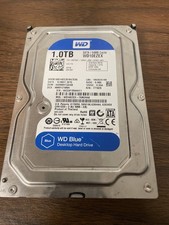
Western Digital WD Blue 1TB SATA 3.5in 7200RPM 64MB Internal HDD WD10EZEX
$14.99

HGST HUS724040ALA640 HDD 4TB SATA 6Gb/s 7.5K 3.5" 0F19459 512 b/s
$78.00

Dell ST6000NM0034 1HT27Z-150 NWCCG 6TB SAS 3.5 7.2K ENTERPRISE SERVER DRIVE
$68.99

Seagate ST12000NM0127 12TB 256MB 7200RPM 3.5" SATA 6.0Gb/s Enterprise Hard Drive
$318.99

Seagate ST8000DM004 8TB 3.5" 6Gb/s 256MB SATA HDD P/N: 2CX188-300 Tested
$149.99



 Reply With Quote