

 Reply With Quote
I go right to the source...
umount /dev/fd0

Under Knoppix, the floppy drive seems to have several names. I have found /mnt/floppy; /mnt/auto/floppy; /mnt/fd0; and floppy:/a/.
How does one u(n)mount the floppy from the KDE desktop? Which command (umount?; fdumount?) and name would be used from a terminal window?

I go right to the source...
umount /dev/fd0
stonent, thanks. That looks like it will work from a CLI.Originally Posted by stonent
Where do I find this in the KDE Desktop menu heirarchy?
OT: Cool avatar gif! But it seems to have a little glitch. The animation works the first time through. Then, the spread-arm image seems to persist "underneath" the clasped-hand image.
Don't know where kde keeps it.
As for my picture, it looks fine to me, and I've been using it for almost a year on the Dell forums before they killed custom icons.
If the reason you wanted to umount the floppy was because it did not seem to work properly, here is what I have had to do:
Often if you open the floppy from the kde icon and it opens it up in konqueror, you will not be able to hotswap the floppy until ALL instances of konqueror are closed.
 Posting Permissions


Crucial MX500 1TB 2.5" SATA III Internal SSD CT1000MX500SSD1
$99.99

Samsung 860 EVO 250GB SSD MZ-76E250 2.5" SATA III Solid State Drive
$39.99

Samsung New SSD 970 EVO Plus 2TB 1TB 500GB 250GB NVMe M2 Internal Hard Drive Lot
$79.99

Netac 2TB 1TB 512GB 256GB Internal SSD 2.5inch SATAIII Solid State Drive lot
$549.00

Western Digital PC SN740 256GB M.2 2280 NVMe Internal SSD (SDDPNQD-256G)
$34.99
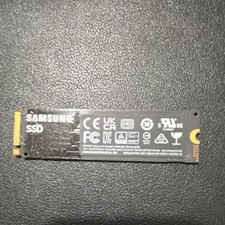
Samsung 980 500GB NVMe M.2 2280 SSD MZ-V8V500 - Tested Working.
$50.00
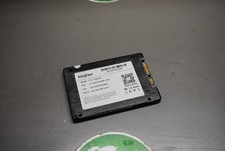
KingFast F10 256GB 2.5” SATA III SSD Tested Working 2710DCS23BF-256
$22.89

2 PACK 128 GB SSD M.2 2280 SATA Solid State Drive Major Brands, Samsung, LiteON
$28.80

Netac 120GB 256GB 1TB 2TB Internal SSD 2.5'' SATAIII 6Gb/s Solid State Drive lot
$119.99

SSD 2.5" SATA Hard Drive for Laptop Desktop Windows 10 pro 64 Pro Pre-installed
$42.00