

 Reply With Quote
I go right to the source...
umount /dev/fd0

Under Knoppix, the floppy drive seems to have several names. I have found /mnt/floppy; /mnt/auto/floppy; /mnt/fd0; and floppy:/a/.
How does one u(n)mount the floppy from the KDE desktop? Which command (umount?; fdumount?) and name would be used from a terminal window?

I go right to the source...
umount /dev/fd0
stonent, thanks. That looks like it will work from a CLI.Originally Posted by stonent
Where do I find this in the KDE Desktop menu heirarchy?
OT: Cool avatar gif! But it seems to have a little glitch. The animation works the first time through. Then, the spread-arm image seems to persist "underneath" the clasped-hand image.
Don't know where kde keeps it.
As for my picture, it looks fine to me, and I've been using it for almost a year on the Dell forums before they killed custom icons.
If the reason you wanted to umount the floppy was because it did not seem to work properly, here is what I have had to do:
Often if you open the floppy from the kde icon and it opens it up in konqueror, you will not be able to hotswap the floppy until ALL instances of konqueror are closed.
 Posting Permissions


Intel Core i5-12500T SRL5W 2GHz 18MB 6 Core Socket LGA1700 Desktop CPU Processor
$114.99
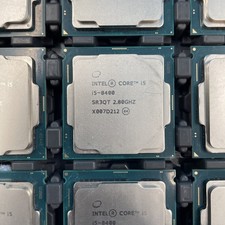
(LOT OF 20) Intel Core i5-8400 CPU 2.80GHz Desktop Processor (SR3QT)
$700.00

INTEL CORE I9-10940X X-SERIES PROCESSOR | 3.30GHZ | SRGSH
$179.99
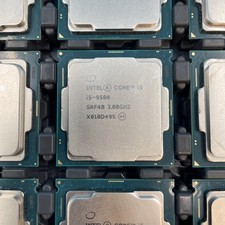
(LOT OF 12) Intel Core i5-9500 CPU 3.00GHz Desktop Processor (SRF4B)
$575.00

AMD Ryzen 5 5500 Processor ( read Description)
$59.00

Intel SR3XE Core i5-8500 3.0GHz 9M Socket 1151 6-Core CPU Processor *Tested*
$32.99

Intel Xeon E3-1230 v3 SR153 3.3GHz Quad Core LGA 1150 CPU Processor
$14.49

Intel Core i7-3770K 3.5 GHz Processor
$39.00
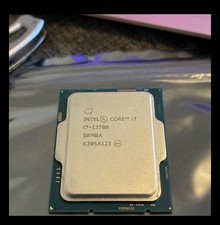
USED - Intel Core i7-13700 SRMBA 2.10GHz 30M 16-Core Socket 1700 CPU Processor
$250.00

Lenovo ThinkCentre M920s SFF Barebones PC Motherboard PSU DVD No CPU RAM SSD
$27.99