

 Reply With Quote
I go right to the source...
umount /dev/fd0

Under Knoppix, the floppy drive seems to have several names. I have found /mnt/floppy; /mnt/auto/floppy; /mnt/fd0; and floppy:/a/.
How does one u(n)mount the floppy from the KDE desktop? Which command (umount?; fdumount?) and name would be used from a terminal window?

I go right to the source...
umount /dev/fd0
stonent, thanks. That looks like it will work from a CLI.Originally Posted by stonent
Where do I find this in the KDE Desktop menu heirarchy?
OT: Cool avatar gif! But it seems to have a little glitch. The animation works the first time through. Then, the spread-arm image seems to persist "underneath" the clasped-hand image.
Don't know where kde keeps it.
As for my picture, it looks fine to me, and I've been using it for almost a year on the Dell forums before they killed custom icons.
If the reason you wanted to umount the floppy was because it did not seem to work properly, here is what I have had to do:
Often if you open the floppy from the kde icon and it opens it up in konqueror, you will not be able to hotswap the floppy until ALL instances of konqueror are closed.
 Posting Permissions

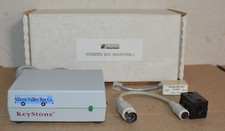
Kineses PS/2 Keyboard to Macintosh Adapter Converter Vintage Interface Apple
$60.00

Vintage Apple iMac G4 15" Lamp 700MHz 512MB Mac OS X 10.4.6 W/ Pro Speakers
$300.00

Apple Computer cards VTG 670-8020-B 607-0103-C 607-0291-C AST -Orange Micro ++
$169.00

Lot of 3 VIntage Apple Computer Rainbow Logo Sticker Decal Macintosh 1980s NOS
$7.00

Rare Vintage Macintosh Apple Wooden Disk Storage Box Dovetailed
$69.95
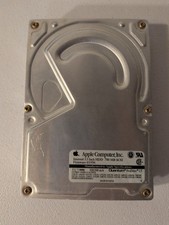
VINTAGE Apple Quantum ProDrive LT 700MB 3.5" OEM Hard Drive SCSI 50pin Mac
$89.99
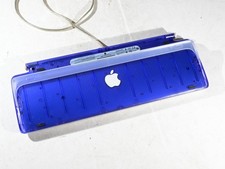
Vintage Apple USB Keyboard Purple Grape Translucent iMac 1999 M2452 Tested
$49.99
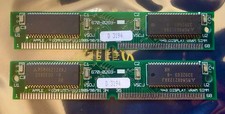
256k VRAM Vintage Apple Macintosh 670-0269 works with 630-0044 80ns QTY: 2
$76.20
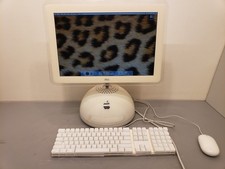
Vintage Apple iMac 2003 G4 15" 1GHz PowerPC G4 1GB 80GB HDD Mac OS X 10.4 M6498
$250.00

VINTAGE Apple Mac OS X Computer Monitor
$250.00