-
Network don't start auto
After instalation of Knoppix on my hd, the network not start. Only with command netcardconfig. But i have a DHCP server, and this machine is used on teaching, and the network must be activated an boot. I trying for a long time, but no success. Please anybody HELP-ME.
Sorry for my bad english....
Tanks.
-
Senior Member
registered user
You will need to edit the file /etc/network/interfaces and set it to start DHCP on boot. example file below.
Code:
# /etc/network/interfaces -- configuration file for ifup(8), ifdown(8)

# The loopback interface
auto lo
iface lo inet loopback

# The first network card - this entry was created during the Debian installation
# (network, broadcast and gateway are optional)
auto eth0
iface eth0 inet dhcp
After editing the file you can /etc/init.d/networking restart from a root console window to re-start the network with the new settings. If this does not work could you post back as many details as possible about the network you are using.
-
thanks, but don't work.
any other tip??
-
DHCP Server - Windows NT 4.0
eth0 = RTL 8029 found at 0xf780 irq 9
I use Windows terminal Server with another servers, and rdesktop on linux to emulation, on the other linux instaled (RH7.3, RH8, RH9, Mandrake, Slackware) the network its fine!!
I dont understand....
Thanks again..
-
Senior Member
registered user
Are the nameservers correct in /etc/resolv.conf and by not working what do you mean? Is there an error message produced that you can post. Something else you can do is post the output of lsmod from the booted HD so I can see if the module for the card is loaded and in use. What does ifconfig -a tell you from the Booted HD you may want to post that as well. The more details the better.
[edit]
Can you ping the server or an outside address try ping 212.100.234.54 (The Register website in the UK).
[/edit]
-
the file /etc/resolv.conf is OK!
The module for my network card it's OK!
the file /etc/network/interface is OK!
But don't start.
To start the networkcard i use the comman:
netcardconfig
But, no resolve my problem.
Any more tips??
-
I have serious thoughts the driver does not work quite well.
Doesn't work in debian 2.6.5, neither on morphix 0.4.1-d.
-
Senior Member
registered user
Open a console and post back the result of ifconfig > ifconfig.txt, as well as iwconfig > iwconfig.txt (if you're using wireless). Assuming you were able to connect to the network before and then lost it on reboot, you may have to use the command to bring it back up. Netcardconfig only sets the settings using ifconfig and iwconfig, respectively, and puts its results in /etc/network/interfaces and /etc/resolv.conf but that's not a guarantee that it will bring it up. If you didn't put in a gateway ip address, then that's probably why you can't pull an ip address, as you need to point the NT server as the gateway from which you'll be drawing an ip address from. The command to add that would be
Code:
route add gateway (NT server ip address)
Replace (NT server ip address) with it's ip address which should be something like 192.168.0.1, you get the idea.
HTH,
Durand
-
Re: Network don't start auto

Originally Posted by
lkornowski2
After instalation of Knoppix on my hd, the network not start. Only with command netcardconfig. But i have a DHCP server, and this machine is used on teaching, and the network must be activated an boot. I trying for a long time, but no success. Please anybody HELP-ME.
Sorry for my bad english....
Tanks.
I used the "Kurumin", a brazilian dist. Knoppix based, and I had the same problem after installing dhcp3-server. There is some kind of "bug" with pump (a dhcp client) when runs with debian server dhcp, but I solved it putting the string "pump" (whithout quotation marks) at final line of the /etc/init.d/bootmisc. Sorry for my bad english...
André
-
Junior Member
registered user
Local Network problems
I have some other problems - I've got an static IP, Gateway and nameserver, set up, but after restart, there's no network. Have to use the "netcardconfig" command. Do not have a DHCP server, so, what should I do now?
Similar Threads
-
By ELeahi in forum Networking
Replies: 0
Last Post: 10-15-2004, 09:40 AM
-
By techdesk in forum Networking
Replies: 7
Last Post: 09-26-2004, 09:35 AM
-
By jdoe in forum Networking
Replies: 5
Last Post: 07-20-2004, 10:34 PM
-
By mnomn in forum Hdd Install / Debian / Apt
Replies: 2
Last Post: 12-15-2003, 07:43 PM
-
By InstallScript in forum General Support
Replies: 2
Last Post: 02-09-2003, 10:58 PM
 Posting Permissions
- You may not post new threads
- You may not post replies
- You may not post attachments
- You may not edit your posts
-
Forum Rules

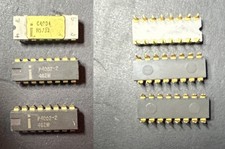
Intel C4004 Vintage Gold Ceramic original CPU 1971. + P4002
$2500.00
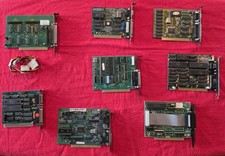
Lot 8 Vintage ISA Computer Expansion Cards VGA Video Network Parallel Retro PC
$149.99
Vintage Microsoft Internet Starter Kit, IE 2.0, Windows 95.
$85.00

Vintage Dell Dimension L933R Desktop PC Pentium III 933MHz 192mb RAM BIOS BOOTS
$130.00

NEW Vintage Apple Mac OS System 7 Icons Poker Hoyle Playing Cards SEALED
$200.00
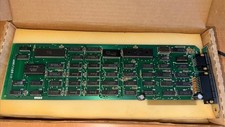
Vintage Original Hercules Graphics Card ISA 8-Bit - GB102 Rev A (1984) Tested
$149.98

Original Vintage Old Style STANDARD Black CD Jewel Case (Heavy Duty) 90g Lot
$316.95
Vintage Apple Macintosh Power PC Powerbook 5300cs NOT WORKING/PARTS
$79.99
PONG 🌈RaRe🌈 Vintage Tele Games Retro Video Game TV Console Computer
$1699.00
Vintage BTC (Behavior Tech Computer Corp) 32x Max CD-ROM Drive | Model BCD-32XH
$19.00



 Reply With Quote