-
After Install: How do I preserve my /etc/modules.conf?
Hi,
after a painless installation I like to get rid of knoppix's automatic hardware configuration, so that booting leaves my /etc/modules.conf unchanged.
What'd be your prefered way? 
thanxalot!
Shin
-
Senior Member
registered user
When you install to the HD the auto-detection that knoppix does is removed and the system is made as closely as possible to a "normal" Debian install you have to edit your /etc/modules and /etc/modutils/aliases by hand to make changes. Also the modules.conf is generated at boot and if you made any changes to the files I mentioned before and ran update-modules then the changes would be detected and used.
-
Senior Member
registered user
--If you *do* end up modifying your system with new hardware, a good suggestion is ' apt-get install discover '.

Originally Posted by
Stephen
When you install to the HD the auto-detection that knoppix does is removed and the system is made as closely as possible to a "normal" Debian install you have to edit your /etc/modules and /etc/modutils/aliases by hand to make changes. Also the modules.conf is generated at boot and if you made any changes to the files I mentioned before and ran update-modules then the changes would be detected and used.
Similar Threads
-
By giosoftware in forum General Support
Replies: 0
Last Post: 02-10-2004, 01:54 PM
-
By jojo in forum Hardware & Booting
Replies: 2
Last Post: 02-05-2004, 11:33 PM
-
By Ambrose in forum Customising & Remastering
Replies: 3
Last Post: 08-12-2003, 05:01 PM
-
By Joseph Schiller in forum Networking
Replies: 1
Last Post: 06-12-2003, 06:30 PM
-
By garyng in forum General Support
Replies: 0
Last Post: 05-19-2003, 11:05 AM
 Posting Permissions
- You may not post new threads
- You may not post replies
- You may not post attachments
- You may not edit your posts
-
Forum Rules


Intel Core i7-9700 Octa-Core 3 GHz Desktop Processor LGA 1151
$79.99
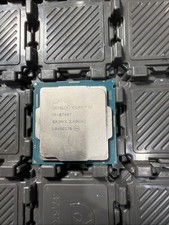
Intel Core i7-8700T SR3WX 2.40GHz Processor
$65.00
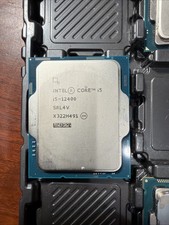
Intel Core i5-12400 Processor SRL4V
$115.00

INTEL CORE I9-10940X X-SERIES PROCESSOR | 3.30GHZ | SRGSH
$179.99

AMD Ryzen 5 5500 Processor ( read Description)
$59.00

Intel Core i7-3770K 3.5 GHz Processor
$39.00

Intel Core i5-12500T SRL5W 2GHz 18MB 6 Core Socket LGA1700 Desktop CPU Processor
$114.99

Intel i7-8700 Coffee Lake 3.2GHz 6-Core Max Turbo 4.6GHz Processor
$67.99
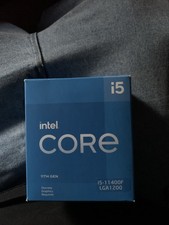
intel core brand new never used i5-11400f LGA1200
$75.00
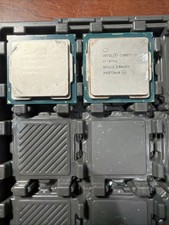
Intel Core i7-9700 3.0 GHz Octo-Core (SRG13) Processor
$150.00



 Reply With Quote