-
Senior Member
registered user
--Check /var/log/XFree86.0.log and see what it says. Mine is needlessly verbose, but here's where I verified 1280x1024 res:
Code:
(II) NVIDIA(0): Not using default mode "2048x1536" (bad mode clock/interlace/dou
blescan)
(**) NVIDIA(0): Validated modes for display device CRT-0:
(**) NVIDIA(0):      Mode "1280x1024": 108.0 MHz, 64.0 kHz, 60.0 Hz
(**) NVIDIA(0):      Mode "1152x864": 97.2 MHz, 62.0 kHz, 68.8 Hz
(**) NVIDIA(0):      Mode "1024x768": 86.3 MHz, 61.7 kHz, 76.9 Hz
(**) NVIDIA(0):      Mode "800x600": 67.6 MHz, 60.8 kHz, 97.1 Hz
(**) NVIDIA(0):      Mode "640x480": 47.9 MHz, 55.5 kHz, 110.7 Hz
(II) NVIDIA(0): Virtual screen size determined to be 1280 x 1024

**snip**

(II) NVIDIA(0): AGP 4X successfully initialized
(II) NVIDIA(0): Setting mode "1280x1024"
(II) NVIDIA(0): Using the NVIDIA 2D acceleration architecture
--Here are some relevant sections from my config-4, I have a Sony 17" Multiscan monitor and Riva TNT2 card. Make sure you have timings for 1024x768 in these sections (my DefaultColorDepth is 16, and 1280x1024 is default res in that mode.)
Code:
Section "Modes"
  Identifier   "Modes[0]"
  Modeline      "1024x768" 61.19 1024 1040 1216 1400 768 768 775 802
  Modeline      "1024x768" 71.39 1024 1040 1216 1400 768 768 778 802
  Modeline      "1024x768" 81.59 1024 1040 1216 1400 768 768 778 802
  Modeline      "1024x768" 86.32 1024 1040 1216 1400 768 768 778 802
  Modeline      "800x600" 37.44 800 816 928 1072 600 600 605 626
  Modeline      "800x600" 43.68 800 816 928 1072 600 600 610 626
  Modeline      "800x600" 49.92 800 816 928 1072 600 600 610 626
  Modeline      "800x600" 56.16 800 816 928 1072 600 600 610 626
  Modeline      "800x600" 62.40 800 816 928 1112 600 600 610 626
  Modeline      "800x600" 67.60 800 816 928 1112 600 600 610 626
  Modeline      "640x480" 23.96 640 656 720 864 480 480 484 501
  Modeline      "640x480" 27.96 640 656 720 864 480 480 490 501
  Modeline      "640x480" 31.95 640 656 720 864 480 480 490 501
  Modeline      "640x480" 35.94 640 656 720 864 480 480 490 501
  Modeline      "640x480" 39.94 640 656 720 864 480 480 490 501
  Modeline      "640x480" 43.93 640 656 720 864 480 480 490 501
  Modeline      "640x480" 47.92 640 656 720 864 480 480 490 501
  Modeline      "1152x864" 77.55 1152 1168 1384 1568 864 864 871 902
  Modeline      "1152x864" 90.48 1152 1168 1384 1568 864 864 874 902
  Modeline      "1152x864" 97.24 1152 1168 1384 1568 864 864 874 902
  Modeline      "1280x1024" 108.00 1280 1360 1472 1688 1024 1025 1028 1066
EndSection
Code:
Section "Screen"
        Identifier "Screen0"
        Device     "Card0"
        Monitor    "Monitor0"
        DefaultColorDepth 16
        SubSection "Display"
                Depth     1
                Modes "1280x1024" "1152x864" "1024x768" "800x600" "640x480"
        EndSubSection
        SubSection "Display"
                Depth     4
                Modes "1280x1024" "1152x864" "1024x768" "800x600" "640x480"
        EndSubSection
        SubSection "Display"
                Depth     8
                Modes "1280x1024" "1152x864" "1024x768" "800x600" "640x480"
        EndSubSection
        SubSection "Display"
                Depth     15
                Modes "1280x1024" "1152x864" "1024x768" "800x600" "640x480"
        EndSubSection
        SubSection "Display"
                Depth     16
                Modes "1280x1024" "1152x864" "1024x768" "800x600" "640x480"
        EndSubSection
        SubSection "Display"
                Depth     24
                Modes "1280x1024" "1152x864" "1024x768" "800x600" "640x480"
        EndSubSection
        SubSection "Display"
                Depth     32
                Modes "1280x1024" "1152x864" "1024x768" "800x600" "640x480"
        EndSubSection
EndSection
--BTW, my knoppix config-4 is hacked together with some stuff from the results of Suse Livecd 8.2's ' sax2 ' configuration file. Had to do it that way to get Vmware working in all video modes. If you're interested, you can get it here:
ftp://ftp.uniroma2.it/Linux/suse/pub...live-eval-8.2/

Originally Posted by
P2C2E
Thanks for the suggestion and clear instructions. I gave it try but it did not fix the problem. The nvidia driver still will not allow 1024x768.
Similar Threads
-
By Dioxin in forum Hardware & Booting
Replies: 2
Last Post: 05-26-2005, 03:29 PM
-
By colpitts in forum Hardware & Booting
Replies: 0
Last Post: 05-02-2005, 10:37 AM
-
By robelanator in forum Hdd Install / Debian / Apt
Replies: 49
Last Post: 10-06-2004, 10:10 PM
-
By MillTek in forum Hdd Install / Debian / Apt
Replies: 10
Last Post: 05-19-2004, 05:56 PM
-
By 3p0cHx in forum Hdd Install / Debian / Apt
Replies: 3
Last Post: 05-10-2004, 11:21 PM
 Posting Permissions
- You may not post new threads
- You may not post replies
- You may not post attachments
- You may not edit your posts
-
Forum Rules

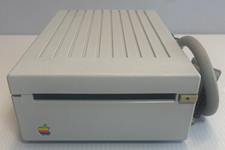
VINTAGE Apple 3.5 Drive External 3½" Floppy Drive DB-19 Beige | P/N A9M0106
$159.00
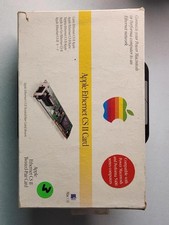
Apple Ethernet CS II Card BOX AND MANUAL ONLY- Vintage Network Interface
$59.99
![VINTAGE APPLE III COMPUTER FOR RESTORATION OR PARTS [NOT WORKING MISSING PARTS] picture](/store/img/g/LtgAAeSwBWFqwvf-/s-l225/VINTAGE-APPLE-III-COMPUTER-FOR-RESTORATION-OR-PART.jpg)
VINTAGE APPLE III COMPUTER FOR RESTORATION OR PARTS [NOT WORKING MISSING PARTS]
$299.99

Vintage Apple USB Mouse M4848 Bondi Blue iMac G3 Hockey Puck - Tested Working
$22.99
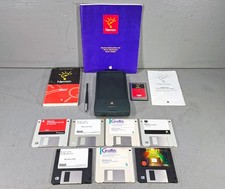
Vintage Apple Newton MessagePad 120 w/ Stylus Flash Card & Software *WORKS*
$99.99

Lot of 3 VIntage Apple Computer Rainbow Logo Sticker Decal Macintosh 1980s NOS
$7.00
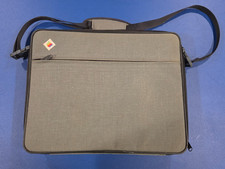
Vintage Apple IIc Computer Carrying Case Bag Grey Canvas Rainbow Logo 1980s
$74.99
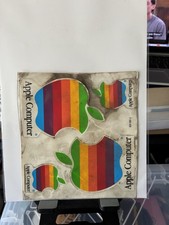
Vintage Apple Computer Rainbow Logo Sticker Sheet
$54.00

Vintage Apple Multiple Scan 15av Display Monitor M4681
$299.99

Apple cloth fabric banner iBook bondi blue orange NOS Vintage
$99.00



 Reply With Quote