-
So you can't access your BIOS either?
Not from the POST screen  and not from anything other than the app that they provide that runs under winblows only
It's called "Power Management" tool on mine, but whatever.
Yeah, why doesn't this surprise me in the least?
So yours doesn't go to half-brightness any more when booting something other than windows?
Nope, it works like a dream now in GNU/Linux or Windows, I remember this driving me crazy when I first started using it. Unfortunately, I'm at home now and won't be able to muck around with my laptop until I'm back at work tomorrow.
I'll get back to you on this tomorrow. I'll put it back into the old mode and follow the breadcrumbs in the opposite direction and document the process.
FYI I've got the Style Bay filled with the extra battery as well.
--stack
-
Ah, guess I'll have to find a service center near me, north of Boston?
Haha, and you know what they will say to you when you tell them what you're trying to accomplish? "I'm sorry, sir, but Toshiba Corp doesn't support Linux. As far as we're concerned, your issues with our laptop do not constitute a problem. Have a nice day and thank you for choosing Toshiba."
--stack
-
Hmm, it is indeed the 'Monitor Brightness' slider that does it for me, under the 'Power Save Mode' tab. When I do this, the brightness stays low after it switches, and does not brighten back up when I get a Windows desktop from a cold boot.
--stack
-
Junior Member
registered user
Toshiba support for linux
Here is a link to a toshiba webpage that supports linux unofficilay ofcourse
http://newsletter.toshiba-tro.de/main/
The only problem for u is to find the european modem that coressponts to your model ( eg. 5200-701 ) see the hardware specs for details the only thing changing is the model number . Anyway you will find someting I am sure.
ps. the inverter in my case would change brithness every 1-5 minutes even after I got to the desktop
-

Originally Posted by
stacksmasher
Hmm, it is indeed the 'Monitor Brightness' slider that does it for me, under the 'Power Save Mode' tab. When I do this, the brightness stays low after it switches, and does not brighten back up when I get a Windows desktop from a cold boot.
--stack
So it sounds like it's writing to the BIOS then, because this behaviour remains the same when you boot to Kroppix where there are none of those tools. And when in windows, you move the slider for the monitor brightness up to the max, which on mine says is "8", then click "OK, or "Apply" then "OK", then the monitor remains at full brightness throughout the boot process, whether it's windows or Kroppix?
If so, that's what I would have expected to happen when it's working "normally". Unfortunately mine starts at full brightness, then goes to "half" brightness after so many seconds during boot, then goes back to full brightness after getting to the desktop. With booting Kroppix, it never goes back to full brightness. I've even tried changing all the "battery" options to full power at all times with the same results.
And also unfortunately, as someone else pointed out, it's going to be very difficult to convince a repair center that it is a problem. 
Thanks,
Marcel
Similar Threads
-
By edburns in forum Laptops
Replies: 0
Last Post: 03-11-2005, 08:27 PM
-
By mkjtravel in forum Hdd Install / Debian / Apt
Replies: 5
Last Post: 10-30-2004, 03:16 AM
-
By denverc in forum Laptops
Replies: 0
Last Post: 08-18-2004, 06:00 PM
-
By softwaretester in forum General Support
Replies: 5
Last Post: 05-07-2004, 06:03 AM
-
By montanaembassy in forum Laptops
Replies: 0
Last Post: 08-13-2003, 07:16 AM
 Posting Permissions
- You may not post new threads
- You may not post replies
- You may not post attachments
- You may not edit your posts
-
Forum Rules


USB 3.0 Flash Drive 32GB 64GB 128GB Memory Stick Thumb Stick Lot Pack
$826.09
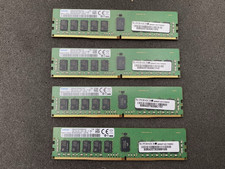
Lot of 4 SAMSUNG 16GB 1Rx4 PC4-2400T DDR4 ECC Server Memory M393A2K40CB1-CRC4Q
$320.00

2 in 1 USB 3.0 Card Reader Micro TF card Reader usb adapter High Speed Cardreder
$3.99

x4 Intel 128GB NMB1XXD128GPS Optane Memory 200 Series PMEM Module 3200 DDR4 RAM
$329.99
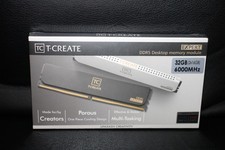
Team Group T-Create Expert RAM 32gb (2 x 16gb) 6000 Mhz DDR5 Desktop Memory Modu
$399.95
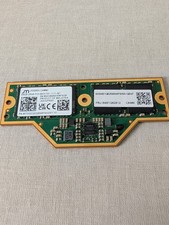
Micron 64GB LPCAMM2
$1100.00
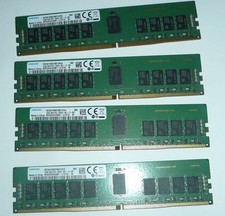
Samsung 64GB (4 x 16GB) PC4-2666V DDR4 ECC Server Memory M393A2K43BB1-CTD7Q
$324.95

Kingston 32GB 64GB 128GB 256GB USB 3.0 Flash Drive Thumb Memory Stick Pen lot
$285.90
Elixir 100GB (25x4GB) DDR3 PC3-10600R ECC Reg RDIMM 240-Pin M2L4G72CB4NA1N-CG
$149.99

MICRON MTA36ASF4G72PZ-2G6E1 | 32GB PC4-2666V ECC RDIMM Server RAM
$184.95



 Reply With Quote