

 Reply With Quote
I had to kill the process called:
artsd -F 10 -S 4096 -s 60 -m artsmessage -l 3 -f
and CDs now work!
Stephen thanks a bunch bro.
Now I have to find out where that process is getting started


I get the drain error also and xmms also appears to freeze but plays mp3 or ogg's fine after I kill off the arts sound server never tried playing a CD though. Try this ps xa | grep arts then use kill number_of_artsd_process ie.Originally Posted by ferreter
Code:[02:32 PM Wed Aug 13: stephen @ ~] >$ ps xa | grep arts 616 ? S 0:01 artsd -F 10 -S 4096 -a oss -d -b 16 -s 60 -m artsmessage -l 3 -f [02:32 PM Wed Aug 13: stephen @ ~] >$ kill 616
I had to kill the process called:
artsd -F 10 -S 4096 -s 60 -m artsmessage -l 3 -f
and CDs now work!
Stephen thanks a bunch bro.
Now I have to find out where that process is getting started
Go into the Control Center -> Sound & Multimedia -> Sound System in the aRts tab uncheck the start arts sound sever on KDE startup.
What exactly is the arts sound server used for anyways? If we have alsa, why would we need another sound server?
I apologize for all the questions but I'm slowly working my way to being completely MS free at home and always want to know what's going on in my systems
--To get a better XFree86 config file, you can DL the SuSE 8.2 LiveCD and use ' sax2 ' to generate it, then cp the file over to your Knoppix install and tweak it if necessary. This enables the best fullscreen modes in VMware.
ftp://ftp.uniroma2.it/Linux/suse/pub...live-eval-8.2/
)This is just one of the mirrors.(
Thanks! I'll definately look into doing that. Why would I get a better xf86config file this way though?
Right now I use the Gforce2 40/40 mx card in my machine and get a nice resolution in Xfree with only a slightly noticable refresh glich in the lower left corner of the screen.
 Posting Permissions


Samsung DVI to DVI Cable 6 ft Digital Video Interface Audio Video NEW
$30.89
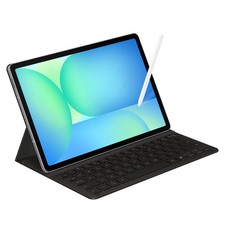
Samsung Galaxy S10 10.9" FE 128GB WiFi Tablet SM-X520NZACXAR S-Pen Keyboard 2025
$299.00
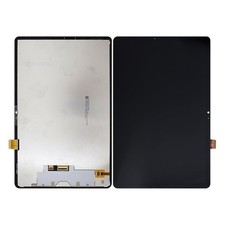
For Samsung Galaxy Tab S9 FE 10.9” SM-X510 SM-X516 LCD Display Screen Digitizer
$47.00
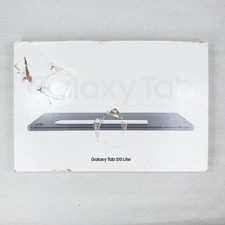
Samsung Galaxy Tab S10 Lite / 6GB RAM / 128GB / Gray / Brand New / Sealed
$269.99

Samsung JC93-01078A Transfer Roller T2
$89.00

Kids Case for Samsung Galaxy Tab A9+/A9 plus 11 Inch 2023 Case, with Strap, Shoc
$27.99

Samsung JC95-01514A Cover-Side Roller T2 Compatible
$39.00

Samsung SCXSTP000, SCX-STP000 (Swingline Staple Cartridge - 3 Refills)
$57.99

Samsung Galaxy View Tablet 18.4 SM-T670/677A Digitizer 100% Original Oem
$152.99

Samsung 24" S3 Essential IPS 100Hz Monitor | Sealed | Fast shipping
$55.00