

 Reply With Quote
After reading deeper in the forums, I've seen talk of people copying a file to thier HD's. How can I boot from floppy and open the knoppix os from the HD?


I couldn't say enough great things about Knoppix. I've decided to run a stable os on my p120 laptop which can't boot from it's cd. It's one of those laptops where you can only either have the CD in or the Floppy in. I was wondering if there was some sort of boot loader I could put on the harddrive that would work in place of the floppy drive in order to boot knoppix using the cd...
BTW It was knoppix that turned me on to Linux, so I'm a newbie. Any newbie instructions would be terrific.
Thanks for an opportunity to break free from the grasp of Bill.
After reading deeper in the forums, I've seen talk of people copying a file to thier HD's. How can I boot from floppy and open the knoppix os from the HD?
Hi. I've managed to copy the knoppix file (the really, really big one) onto my hard drive. That is now the only thing on my drive and now have just enough space for a swap after I get this working.
I've made a boot floppy from the CD and would like to know the command needed to type in to start knoppix off the file on the fat32 HD.
Any help is greatly appreciated.
--The big knoppix file needs to be in x:\knoppix directory. If you boot from the floppy, it will detect it there. If you boot with a Knoppix cd in the drive, it will run from CD regardless (this is a good thing.)
--BTW, the x:\knoppix doesn't have to be on C: - I've gotten it to work with F:\KNOPPIX\knoppix.
--If you want to be really hardcore, you can create a 1-cylinder primary partition (hda2 thru 4), zero it out and then DD the boot-en.img to it. Activate it, and it will boot from the HD with the syslinux stuff just as if it were running the Knoppix boot floppy: (DISCLAIMER - don't forget to DD the latest boot-en.img to HD/floppy when there's an upgrade!)
*The following cmd only works if you have free space at the end of the drive; use a partitioning tool such as PartitionMagic if you're not sure how to repartition your HD with fdisk.
' fdisk /dev/hda ' == 'n' ; 'p' ; '4' ; (enter, type the 1st number to make it 1 cylinder, enter) ; ' w ' == To write the new partition table.
' dd if=/dev/zero of=/dev/hda4 bs=1M ' == Write zeros to the new partition
' dd if=/cdrom/KNOPPIX/boot-en.img of=/dev/hda4 bs=1M ' == DD the boot-en.img to hda4
' activate /dev/hda 4 ' == TYPE AS SHOWN, WITH SPACE. (' man activate ')
' fdisk -l ' == Check that the boot flag is now on hda4
' reboot '
--It should boot to the Knoppix floppy image now. (BTW, you can ' mkdir /mnt/tmp; mount /dev/hda4 /mnt/tmp ' and view/edit the floppy image. There's interesting stuff if you gunzip miniroot.gz ((DON'T FORGET to gzip -9 it back again before you reboot!)) - the "linuxrc" file IIRC controls the boot process for Knoppix; that's where the "expert", etc stuff is evaluated.)
--To reset the boot flag to hda1, use a Win "startup disk" and run fdisk. '2', then '1' (Set active partition, partition 1; exit, then reboot.)
--To reset the boot flag from knoppix:
' activate /dev/hda 1 ' == Again, type AS SHOWN.
--Post results if you decide to try it.
Originally Posted by godsdog
Well, I found XOSL and installed it with ease. Now my old school laptop bootable from the CD and everything now. Plus, I have to admit that it's a very nice interface. The program was well documented and left me speachless. I'm going to give the folder name a shot because it takes my P120 laptop about 12 minutes to boot from the CD. heh heh....
Thanks again for the help.
(bTw: Can knoppix do 640x480 ???
Yes, Knoppix can run at 640x480. Check out the "cheat codes" text file on the CD or online. There is a parameter you add to the command when booting Knoppix.
Dave_Bechtel, your method of imaging a floppy to a small partition on the hard drive DOES work. The only quirk is that you must be in Linux to apply the method you suggested. But if you cannot boot into any form of Linux in the first place, you can't really make use of your method.
-SUO
ARRGGGHHH!!!!
...stole my thunder...
I was going to comment that I don't think that godsdog has linux running yet so he can't dd anything! Making a mini partition on the hdd to act like a boot floppy is a cool idea thoough, Dave. I mean, who needs a hdd if all that's on it is windoze??
I wonder if we could make that partition a bit larger and keep knoppix.sh and some user files there too....
BTW, gota love those palindromes, godsdog!
Sincerely,
dogsgod?
--This week, I replaced my 2.1G HD in the Dell laptop with a 20-gigger that had NO data on it. The laptop cannot boot from CD because of a BIOS EEPROM password (it's Used) that I haven't cleared yet. In addition, it's one of those rigs that has EITHER the floppy OR the CD-drive, NOT both. To get Knoppix and Windoze installed and the HD configged like I wanted, I had to use Tomsrtbt (floppy-based Linux) to fdisk the HD, enable a swap partition (mkswap -c /dev/hdaN) and set the boot partition flag.
--Then, since Tomsrtbt doesn't need its floppy after boot, I threw in the latest boot-en.img floppy and DD'ed it to the HD as described before.
--After doing all this, I booted to a W98 startup disk, ran ' fdisk/mbr ', formatted C:/s/v , swapped in the CD drive again with Knoppix, and booted it. I used mc to copy the Knoppix file to C:, restored my old backup of the former drive, and all was well!
--The point is, you don't have to run Knoppix to run a *basic* Linux that only needs to do maintenance stuff like I did.
Tomsrtbt page: http://www.toms.net/rb/
I was thinking about scoring in on a boot floppy for the pcmcia nic card and booting from Lan in order to do this.
If that didn't work, then I would just simply yank the drive out and drop it in a usb2.0 laptop hard drive enclosure kit and make the partitions needed either after booting with Knoppix on my desktop or just firing up PMagic on Wincrapdoze.
The 640x480 worked perfectly. So did moving that knoppix file into a knoppix directory and booting from the floppy. I couldn't use a swap file from the fat32 drive where the knoppix directory and file were kept. I suppose, I should use all remaining space for a swap file. Granted, it takes a while to boot, the computer has been left on without crashing running knoppix.
Thanks again all.
I didn't even think about dogsgod when I chose godsdog...
(Off topic food for thought...)
BirdRib
Do Good's deeds live on? No, Evil's deeds do, O God.
Are we not drawn onward, we few, drawn onward to new era?
"Miry rim! So many daffodils," Delia wailed, "slid off a dynamo's miry rim!"
Cigar? Toss it in a can, it is so tragic.
 Posting Permissions


Apple MacBook Air 13.6” M2 8GB 256GB SSD 2022 MLY33LL/A 8‑Core CPU 8‑Core GPU
$529.95
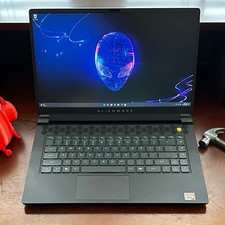
Dell Alienware m15 R7 AMD Ryzen 7 6800H 16GB DDR5 1TB SSD RTX 3070 Ti WIN 11 PRO
$920.00

8-core 10-core GPU baseboard 8654 to PCIE 5.0x16 GPU expansion baseboard
$377.77

Panasonic Toughbook CF19 MK8 Core i5 3610ME 2.7GHz 12GB RAM 512GB SSD Win 10 Pro
$319.00
HP - OmniBook 3 16" 2K Touchscreen Laptop - Intel Core Ultra 5 (2025) - 8GB M...
$479.99

(New) AMD Ryzen 7 5700X 8 Core 16 Thread AM4 Unlocked 3.4 GHz CPU OEM Tray
$169.99

Lenovo LOQ 15 15.6" FHD 144Hz 8-Core i5-12450HX 16GB 512GB SSD GeForce RTX 4050
$799.00
Lenovo ThinkCentre M720q Intel Core i3 8100t 8GB 256GB SSD M2
$110.00
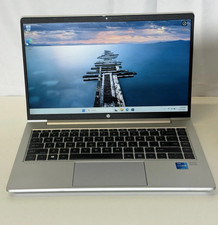
HP ProBook 640 G8 14" FHD IPS Intel Core i5-1135G7 2.4 GHz 16GB 256GB SSD W11P
$199.99
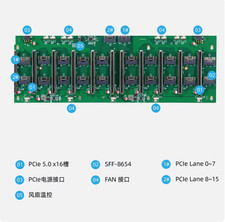
8-core 10-core GPU baseboard 8654 to PCIE 5.0x16 GPU expansion baseboard
$376.28

