View Poll Results: Did this procedure work for you?
- Voters
- 42. You may not vote on this poll
-
Bwah ... virgin Linux user having problems.
Hey... this is my first experience with Linux -- a friend gave me a Knoppix Live CD and I had an older system lying around and thought it would be slick to learn something new, so I installed it to the HD yesterday. 
I read up on types of installation procedures, partitions, etc., and although I'm sure I didn't do it as a pro would, I figured my setup would at least allow me to cut my teeth to a degree on Linux. So I went ahead a partioned my 15gb HD, making a 500mb swap partition first, a 5gb partition to Debian/Knoppix on the HD second, and a third and final partition for my WinXP (at the moment, I'm viewing this as my life-preserver). The Linux partition is ext3, and the WinXP partition is ntfs.
-= So, just to be clear, I believe I currently have this setup: /dev/hda1 is Linux swap, /dev/hda2 is Linux install, and /dev/hda3 is my ntfs WinXP, correct? =-
Long story short, for whatever reason my WinXP part came out as "Drive G:", my CD writer and second CD drive are "Drives E & F," and I've installed Ext2IFS v0.3, so my Linux partitions show up as "C & D." Weird and a bit clumsy, but for right now it'll do. 
Now, I opted to try the initial version of a dual boot as outlined by this guide, and declined any installation of LILO into the MBR. Unfortunately, at this point I can only boot Knoppix from the ERDisk created during installation as the dual boot guide, when followed to the best of my ability, leaves me with this Windows error message when I try to initialize Knoppix from the bootload screen: " ... Windows could not start because of a computer disk hardware configuration problem. Could not read from the selected boot disk. Check boot path and hardware ..." Currently, my boot.ini file has been modified with this line here; "g:\bootsect.knx = "Knoppix"", referencing my copied bootsect.knx file sitting in the root of my WinXP partition (g:\).
When checked, it reveals that the WinXP partition is set as the bootable partition ... other than that, I'm not sure what to look for, or what to change to get this to work?! Luckily, this system up to now has been unused so I don't have anything to worry about saving on the system should a full reinstall of Knoppix/WinXP be necessary.
If anyone of you fine Linux chaps could assist me, I would very much appreciate it! I'm excited to see what this world looks like from behind a different set of looking glasses (non-M$, if you take my meaning). Thanks again for being such ahelpful community to us Linux newbs!
Thx
BLO
Similar Threads
-
By mkyb14 in forum Hdd Install / Debian / Apt
Replies: 19
Last Post: 12-08-2004, 06:06 PM
-
By ishtvan22 in forum Hdd Install / Debian / Apt
Replies: 1
Last Post: 09-25-2004, 04:11 AM
-
By jimbo62 in forum MS Windows & New to Linux
Replies: 4
Last Post: 08-09-2004, 04:22 PM
-
By Termina in forum Hdd Install / Debian / Apt
Replies: 1
Last Post: 01-09-2004, 08:15 AM
-
By A. Jorge Garcia in forum General Support
Replies: 18
Last Post: 10-02-2003, 09:41 PM
 Posting Permissions
- You may not post new threads
- You may not post replies
- You may not post attachments
- You may not edit your posts
-
Forum Rules


Intel SR3XE Core i5-8500 3.0GHz 9M Socket 1151 6-Core CPU Processor *Tested*
$32.99

Intel Core i7-8700 3.2 GHz 8 GT/s LGA 1151 Desktop CPU Processor SR3QS
$67.99

INTEL CORE I9-10940X X-SERIES PROCESSOR | 3.30GHZ | SRGSH
$179.99
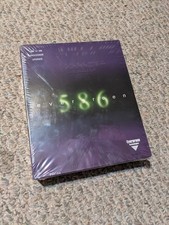
Evergreen 586 - Processor upgrade 486 to 586
$149.99

Intel Core i5-12500T SRL5W 2GHz 18MB 6 Core Socket LGA1700 Desktop CPU Processor
$114.99

Intel Core i7-3770K 3.5 GHz Processor
$39.00

Intel Core i7-7700K SR33A 4.20GHz 4-Core LGA1151 CPU Processor
$62.95

Intel Xeon E3-1230 v3 SR153 3.3GHz Quad Core LGA 1150 CPU Processor
$14.49

Intel Core i5-4590T 2 GHz 5 GT/s LGA 1150 Desktop CPU Processor SR1S6
$10.99
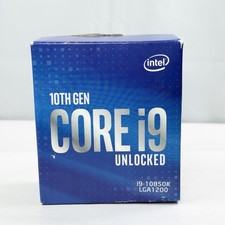
Intel i9-10850K 3.6GHz 10-Core Processor LGA1200 SRK51 / New Sealed
$234.99



 Reply With Quote