-
automount problems
Hi,
I want to use the Knoppix CD as a rescue tool for crashed window$ machines, usually older models. I therefore need to use the 'knoppix 2' option at bootup to use the minimum of memory and ressources and boot at runlevel 2 (single user - no GUI). I have only one problem. When knoppix boots-up the automount does not immediately boot up the hard disks. In runlevel five with KDE up and running I only click on "hda1' and the disk is mounted on /mnt. However, it needs this click to happen. Now how do I do this in runlevel 2?!
Interestinlgy (and confusingly) the floppy drive is immediately mounted at runlevel 2. Right after boot-up I just do 'cd /mnt/floppy' and I have access to it all. That does not work with 'cd /mnt/hda1" which exists, but is empty.
Any ideas why?
I really don't like the automount thing anyway (that's about the ONLY thing which does work better with Window$ IMHO). Can I disable it and mount disks manually?
Thanks for any help!
Andrei
-
Senior Member
registered user
Re: automount problems

Originally Posted by
andrei
Can I disable it and mount disks manually?
Thanks for any help!
Andrei
Indeed you can.
mount /dev/hd?? /mountpoint
You can mount a block device to any mount point (as long as said mount point exists of course) Just cd into /mnt and have a look at the mount points automatically created by Knoppix. If you need mount points just make them like so:
mkdir /mnt/hda1
So......assuming the mount point /dev/hda1 exists all you need to do is:
mount /dev/hda1 /mnt/hda1 and it will be there.
-
Yep!
Works fine. problems solved. thanks!
-
while I am on the topic:
do you know what the hardware minima (CD-drive speeds, RAM, proc) are for running knoppix 3.2 on runlevel 2?
thanks!
-
Senior Member
registered user
-
thanks. A Linux magazine I recently read wrote that you need a CD-drive faster then 24x but I suppose they were referring to the full KDE runlevel 5. any such limits for runlevel 2?
-
Senior Member
registered user
Originally Posted by
andrei
thanks. A Linux magazine I recently read wrote that you need a CD-drive faster then 24x
bah! my 8x runs kde fine.
-
Re: automount problems
Originally Posted by
rickenbacherus
Originally Posted by
andrei
Can I disable it and mount disks manually?
Thanks for any help!
Andrei
Indeed you can.
mount /dev/hd?? /mountpoint
You can mount a block device to any mount point (as long as said mount point exists of course) Just cd into /mnt and have a look at the mount points automatically created by Knoppix. If you need mount points just make them like so:
mkdir /mnt/hda1
So......assuming the mount point /dev/hda1 exists all you need to do is:
mount /dev/hda1 /mnt/hda1 and it will be there.
I'm new to this and have been trying to do this for days. I mounted it like this and it works fine. I saved a link to my desktop and everything was working very well. I rebooted and now it doesn't work anymore without remounting it again. How do I set it to mount automatically?
Similar Threads
-
By Halcyon-X12 in forum Hardware & Booting
Replies: 11
Last Post: 12-30-2004, 12:39 AM
-
By Halcyon-X12 in forum Hdd Install / Debian / Apt
Replies: 0
Last Post: 10-03-2004, 07:28 AM
-
By jhnphm in forum General Support
Replies: 0
Last Post: 08-22-2004, 08:05 AM
-
By PiotrS in forum Hdd Install / Debian / Apt
Replies: 2
Last Post: 03-24-2004, 07:46 AM
-
By Tech1 in forum Hdd Install / Debian / Apt
Replies: 1
Last Post: 07-31-2003, 04:45 AM
 Posting Permissions
- You may not post new threads
- You may not post replies
- You may not post attachments
- You may not edit your posts
-
Forum Rules


Dell EMC PowerEdge R740 8 Bay Server w/ 32GB RAM 2x GOLD 6132 2x 1600W PSU H730p
$499.88

Dell EMC PowerEdge R440 Xeon silver 4215 2.5GHz 16 GB ram 2x 550W PSU No HDD
$275.00

Dell Poweredge R630 2x Xeon E5-2680 v3 2.5ghz 24-Cores / 64gb / Raid / 2x 1Tb
$374.99

Dell Poweredge C4130 2x LGA2011-3 1U 4x GPU Rackmount Server CTO (NO CPU/NO RAM)
$299.95

Dell PowerEdge R730XD 28 Core Server 2X Xeon E5-2680 V4 H730 32GB RAM No HDD
$378.93

Dell Poweredge R810 4x Xeon X7560 2.26ghz 32-Cores | 256GB | 3x Trays | H700
$289.99

Dell PowerEdge C4130 1U AI GPU Server | 2x E5-2680 v3 | 32gb Ram | 2x 1600W
$409.99
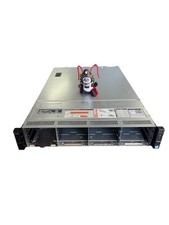
Dell Poweredge R730xd 12LFF + 2SFF 2x10/1Gbe H730 Mini 2x 750W Server
$348.00

Dell Poweredge R620 10x 2.5" bay with 256GB (16x16gb) DDR3, 2x E5-2690v2, H710
$349.99
Dell PowerEdge R740 E38S001 Server E38S
$660.00



 Reply With Quote