-
Senior Member
registered user
Webcams again
Tried various options, searched the archives but absolutely clueless about getting Creative (USB) Webcam (the one without any model number/letters) to function. Which utility is recommended? What driver? How to set it up, etc. (Creative itself is a useless company, appalling website - they don't actually make anything, of course. Any idea who was contracted to make this device?). Anything at all would be helpful, although this is not one IT-person!
Thanks,
-
Senior Member
registered user
Do you get anything from when you run xawtv? I have an adaptec cam that used to work fine on previous knoppix releases, but is having problems now - perhaps brought on with the kenerl upgrade to 2.4.21. I'm trying to look into it a little further now so if I get any more info I'll post back.
-
Senior Member
registered user
Found xawtv in /usr/bin but it wouldn't open at all? Tried gqcam, Kooka and a range of other interesting looking possibilities including, on recommendation, some scanning utilities, but none seemed to work. gtkam looked most promising but only had Creative PC-CAM600 listed which doesn't work. Couldn't get it to run in M9.1 either, mainly because it wasn't recognised nor listed in the drivers, again. If it were possible to ID the real manufacturer that might help.
-
Senior Member
registered user
Managed to get hold of an old Omnivision (PC-Eye) AV511 webcam. It fired up perfectly with both xawtv and gqcam. Any further thoughts about the Creative unit?
-
Senior Member
registered user

Originally Posted by
oldgeezer
Managed to get hold of an old Omnivision (PC-Eye) AV511 webcam. It fired up perfectly with both xawtv and gqcam. Any further thoughts about the Creative unit?
Sorry I'm not even sure if it's supported. You may want to google around. All I can say is that I'm having a lot of trouble with my webcam and the 2.4.21 kernel. Driver problem? I'm not sure. So your cam may work with the 2.4.20 kernel. Mine works with that one fine. To see what kernel your version of Knoppix is running type the following command from a shell: uname -r
-
Senior Member
registered user
Thanks for those comments, aay. Indeed, I had a look around and discovered that there are a lot of early, cheap webcams about that contain either the CPiA or OV511 sensor. These, apparently, can be a whole pile of trouble! There are other Linux apps to try: pwcx, xcam and Gnomemeeting, but if the others don't work and the cam doesn't appear in the lists, not a lot of hope. [I have since discovered that 'doze users also have their own webcam problems - there's a good chance that an error message relating to MMSYSTEM006 will show up. None of the third-party suggestions given on the web or the 'official' fix are guaranteed to work. This is a SW issue (of course!)].
Any and all additional suggestions very welcome. Thanks.
-
Senior Member
registered user
First you gotta realise that the main troubles come from the usb chip itself.
Experimenting with different usb chips is important to come to a solution.
This is especially trough for example for via-chipsets.
The best result you usually get with designated usb boards.
Also when using usb ,be sure to put not more then one device (webcam,usb printer,usb mouse,etc.) on each controller.
Secondly in most cases the autodetect from Klaus starts the device properly ,but sometimes a special cheatcode for the driver itself is needed.
The you'd better search which driver is used by the autoconfig script of klaus and search the net for more info about htis driver.
Hope this'll help you..
greetzzzzz
-
Senior Member
registered user
Very interesting and thanks, 'king. Yes, USB 1.0/1.1 was always slated for poor implementation on all boards. Perhaps a good strategy would be to disable onboard USB and fit a third-party PCI board? Maybe even fit a USB2.0 as it should be backward compatible? Not sure whether the penguin knows all about USB2.0, though. Notwithsatnding, there do appear to be additional problems with the two sensor chips mentioned above.
OG.
-
Senior Member
registered user
Yes indeed USB2.0 chips should be avoided for linux.
(good example are the ones from the newest compaq laptops ,they really suck  =>try to connect an HP officejet to it in W2K,you'll see)
To overcome problems with USB2.0 chips ,solutions are :
- use USB1.x chips instead
- put a USB1.x hub between your device and the USB2.0 controller
If ya wanna know more about USB versus linux check out
http://www.linux-usb.org
Really interesting..
-
interesting

I have a Logitech 4000 pro with a asus A7V8X motherboard that has USB 2.0 and I can't put my camera working.
This was writen in the Linux usb
If you're a 2.4 user, use 2.4.22-pre1 or later. That closely matches the Linux 2.6.0-test EHCI code, which seems to resolve the worst problems reported. (VT6202 problems still seem to remain, especially on 2.4 kernels.) Remember this is still classified as 'experimental'.
I hope that the new version for knoppix comes already whit the new kernel version.
Similar Threads
-
By Dany72 in forum General Support
Replies: 1
Last Post: 01-01-2005, 02:27 PM
 Posting Permissions
- You may not post new threads
- You may not post replies
- You may not post attachments
- You may not edit your posts
-
Forum Rules

AMD RYZEN 5 3600 PROCESSOR | 3.60GHZ | 100-000000031
$59.99
LOT OF 4 Intel Core i5-10505 6-Core 3.2GHz SRH38 CPU Processor
$349.95

READ Intel Core Ultra 9 285 Processor LGA 1851
$449.99
Intel Core I7-3770 Processor (3.40GHz, 4 Cores, Socket H2 LGA-1155) - SR0PK
$40.00
Intel Core i7-7700 3.6 GHz 8 GT/s LGA 1151 Desktop CPU Processor SR338
$39.99

Intel Core i5-12600 3.30 GHz Processor CPU
$119.99

AMD Ryzen 5 5600X Desktop Processor (3.7GHz, 6 Cores, AM4 CPU) 100-100000065
$135.00
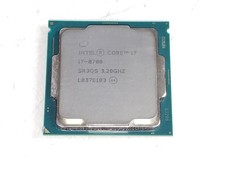
Intel Core i7-8700 3.2 GHz 8 GT/s LGA 1151 Desktop CPU Processor SR3QS
$67.99
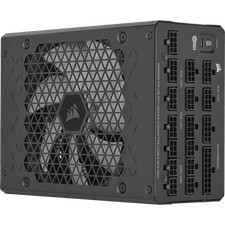
Corsair HX1500i 1500W 80+ Platinum Fully Modular ATX 3.1 PSU Certified Refurb
$207.99

INTEL CORE I7-870 SLBJG 2.93GHZ LGA1156 4 CORE CPU PROCESSOR
$23.00



 Reply With Quote