-
Too Big to Burn...
Hello,
I'm new working with Knoppix and have the 3.2 version. We read the fine document and happily added Cipe (cipe-common package) to the mix, which we need for a customer. Having done all this, we then created the iso image, but the size is a little large (746049397 bytes). Thus the CD image is also a little too large, 748312576 bytes). In the end, we're at 110% capicity of the CD and can't burn it. Now, there's no way the Cipe is 50MB in size, such that adding it only would make this too large to fit on the CD anymore. But, that's all we've done.
I admit to being a new at this, but the directions were pretty clear. Anyone else ever see this? If I've done some bonehead thing, feel free to flame me, I'd be happy to feel the heat if I can solve the problem.
Regards,
Mike
-
Senior Member
registered user
Welcome to the club 
Sometimes a small pkg added can make the final compressed cloop file larger that the size of the pkg you add.Be sure to apt-get clean after adding pkgs.The size of your compressed file can also vary depending on the speed of your box in mhz and your ram and probaly even your hdd rpm and things like is dma enabled.One of the hardest things (to me) about remastering is to decide what to nuke to make room and just what to include on the final iso.I am sure you can find some game or program that you wont use and apt-get remove it for some space.
mabey someone will give us some good tips here on tweaking the cdrecord setting so you can overburn more than usual too hint hint.I have heard of people getting quite a lot of overburn and putting like 800meg (final iso on a 700meg cdr)
Also check things like usr/share/docs and mabey selectively delete a few (did I say that hehe) and if you dont need a ton of languages on your cd the kde-i18n files can go and free like 112+meg (uncompressed).Also mabey apt-get install localepurge.
Theres many other tips on this site and mabey we will get some good ones on this post.
Those are my thoughts....NEXT 
-
Too big to burn...fixed.
Thanks for the response!
Looks like all we had to do was to get rid of a package so that there was room to add the cipe-common. We don't need the word processor so that one got cut. Now it looks like we can build our new version (though as soon as I hit "enter" someone will surely tell me we're haveing another problem ).
Thanks again for responding, glad (in some twisted way) that we weren't the only ones.
Regards,
Mike
Similar Threads
-
By keeris in forum General Support
Replies: 3
Last Post: 09-13-2004, 09:53 PM
-
By tup34 in forum The Lounge
Replies: 3
Last Post: 05-01-2004, 06:23 PM
-
By Exthero in forum Hardware & Booting
Replies: 4
Last Post: 03-20-2004, 10:09 PM
-
By Wishmaster in forum General Support
Replies: 8
Last Post: 08-24-2003, 03:36 AM
-
By frankino in forum General Support
Replies: 1
Last Post: 06-06-2003, 06:51 PM
 Posting Permissions
- You may not post new threads
- You may not post replies
- You may not post attachments
- You may not edit your posts
-
Forum Rules


Kingston 16GB DDR4 3200MHz PC4-3200AA-SA2-12 Laptop RAM SODIMM (HP32D4S2S8ME-16)
$64.99

16GB KIT (2x8GB) DDR4 Gamer Desktop RAM PC4 MIXED BRANDS
$65.00

Netac DDR4 32GB 16GB DDR4 3200MHz UDIMM C16 Desktop Internal Memory RAM Kit
$199.99
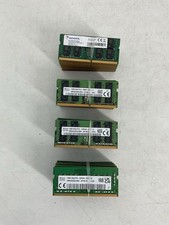
Lot of 40 Mixed 16GB Ram Sticks DDR4 Laptop Mixed Brands & Speeds - All Tested
$2399.99
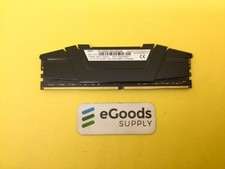
F4-3200C16D-64GVK G.Skill RipJaws 32GB RAM DDR4 3200MHz Memory
$159.00
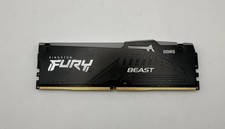
Kingston Fury Beast RGB 16GB(1x16GB) DDR5 5200MHz HP52U40S8MA-16FRAE
$170.00
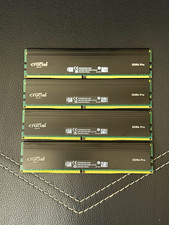
Crucial DDR4 Pro 128GB (4x32GB) DDR4-3200 UDIMM ECC 288-Pin CP32G4DFRA32A.M16FF
$640.00
Crucial 32GB (2x16GB) DDR4 2666MHz Desktop 288 -Pin RAM Kit -OPEN BOX
$114.99

16GB ( 4X 4GB ) MEMORY DDR3 PC3-10600 1333MHz FOR DELL OPTIPLEX 790 780 990 980
$39.99
Corsair Vengeance LPX DDR4 SDRAM DIMM 288-Pin Desktop RAM 2-Module Kit 2 x 8
$75.00



 Reply With Quote