

 Reply With Quote
The USB devices made by PNY work great.
The packageing even says support for the Linux 2.4 kernel or higher.
I bought one and use as a Persistent home device.
Works perfectly.
Good Luck,


I've been thinking about getting a little USB "keychain" drive to carry files to school and, of course, to use as a Persistent Home location for Knoppix. I searched Google for information about these, but there was a lot more noise than signal. Can anyone recommend sites that introduce the various options and rate what's available in each category? Do you have recommendations of your own?
If I take the plunge I'll be replacing a Zip disk. How much faster and more satisfying would a USB drive be?
Unamiccia
The USB devices made by PNY work great.
The packageing even says support for the Linux 2.4 kernel or higher.
I bought one and use as a Persistent home device.
Works perfectly.
Good Luck,
yeah, look for the drive to say it supports linux. I'm using a 64mb AVB pen drive.
How can I make mu USB flash drive my permanent home on 3.2 version?
It is explained for 3.1 but not for 3.2
Anybody would give me advice, please.
My USB drive is recognised as sdb1 and I can write to it using:
# mount -o remount, rw /mnt/sdb1
but I do not know how to make it a permanent home.
Please send me a e-mail:
[email protected]
Thank you for your help.
> How can I make mu USB flash drive my permanent home on 3.2 version?
Click on the "Start" menu, oops, I mean the "K" icon at the lower left, and select the KNOPPIX item, then Configure should lead you to a menu that allows you to make a permanent home directory. Apparently you can either use an ext2 partition or use (a container file within (?)) a FAT partition — the program will ask you which partition and format you want. I tried to use a FAT partition last night and got an error and gave up. Possibly because it was a FAT16 partition and shoulda been FAT32. Or maybe the partition was poorly located or sized. Or whatever; it was very late and my memory is fuzzy.
Tip: if you have a bunch of disks and Windows(tm) partitions, you might consider creating a directory in each partition to indicate the letter you use for that drive. E.g., for drive F, I create a directory "0-DRIVE-F" so that if I click on that device from KNOPPIX I can see it's my drive F. There's nothing in the directory, btw, but I use a directory since they get listed first. The leading 0 ensures the directory name is at or near the top of the list of files.
 Posting Permissions


Kingston 32GB 64GB 128GB 256GB USB 3.0 Flash Drive Thumb Memory Stick Pen lot
$285.90

24x Micron MT40A512M16LY-062E IT:E 8Gb DDR4-3200 96-FBGA Memory IC
$349.99

1/ 10/ 100pcs USB 2.0 2GB, 4GB ,8GB ,16GB ,32GB ,64GB 128GB USB Flash Drives Lot
$202.50

Microsoft Office 2021 Pro Plus USB for 1PC Windows 10 & 11
$62.55
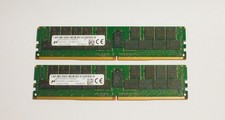
Micron 64GB PC4-2666V (2 X 64GB) DDR4-2666 LRDIMM Memory
$580.00

USB 3.0 Flash Drive 32GB 64GB 128GB Memory Stick Thumb Stick Lot Pack
$826.09

USB 3.0 Micro SD SDHC TF Card Reader Memory Adapter for PC Laptop Camera lot
$3.75

Samsung 32GB DDR4-2666V-2Rx4-RB2-12 RAM M393A4K40CB2-CTD6Q
$169.00

RAMAXEL Lenovo 32GB LPDDR5X CAMM2 7500MHz Laptop RAM | UNTESTED
$445.00

Micro SD Adapter To SD HC SDHC Memory Card Adapter Reader NEW
$1.39