-
ISO to HD
How can i take my linux partition and simply put the ISO of the knoppix CD on it...
Would that work to boot? or would i need something else. sine it seems that knoppix is only really knoppic from the CD.. .. . .. a regular HD install just gives Debian.
I want knoppix... in all it's glory .......
er.. something ;/
would there be reasons i couldnt' jsut copy the ISO onto my harddrive (little things like.. it WON"T WORK)...
I dont' knwo much about linux.. I 'm looking for 'my' distro ... and i liek knoppix the best so far.
any tips for installign knoppix woudl be mucha ppreciated!.... (i'm goignt o try to compile my own kernel.. and stick it into knoppix... i think i'm in over my head)
-
running knoppix iso from harddisk
Try doing this.
- Boot off a Knoppix CD ( whatever version you already have )
- Create a linux partition large enough to hold at least 2 iso images. ( at least 1.5 GB )
Let us call this /dev/hdXX for the following steps.
- Fomat this linux partition as ext2 or ext3 filesystem.
mkfs -t ext2 /dev/hdxx
- Mount this linux partition
mkdir -p /mnt/staging && mount /dev/hdxx /mnt/staging
- Download the iso image of a Knoppix CD ( whatever you want to test )
into the /mnt/staging directory. Le us call it Knoppix-new.iso
- Use md5sum to check whether the iso image is fine.
- Mount this iso image using loopback
mkdir -p /mnt/newknoppix
mount -t iso9660 -o loop,ro /mnt/staging/knoppix-new.iso /mnt/newknoppix
- Copy the contents of the knoppix-new.iso cd to /mnt/staging filesystem
cd /mnt/newknoppix
cp -a * /mnt/staging
sync;sync;sync
- Create a boot floppy using the boot.img from the newly downloaded knoppix-new.iso
dd if=/mnt/newknoppix/KNOPPIX/boot.img of=/dev/fd0
- Assuming everything went fine so far, we are ready to boot from the floppy.
- There should be no other linux filesystem on the machine with a valid KNOPPIX directory,
that comes earlier in the search order.
- Make sure to sync and unmount all filesystems mounted rw.
- Reboot leaving the floppy in the drive.
- Make sure the bios boots from the floppy drive.
As it boots the new Knoppix system should be discovered and booted into a full fledged knoppix
system as though running from CD.
- If it fails you will be thrown into a small recovery shell. If this happens, revisit the earlier
steps, read the man pages for all the commands, fix any errors, come back and update this
procedure.
- I hope this is useful to you.
Mani.
-
wow thank :]
I'm going to have to try that !
Would i alwyas need a bootdisk though?... Couldn't i boot the kernel image through LILO at my boot prompt... The reason i want it installed on my HD is so i dont' haev to carry around a CD and that so changes i make are saved each and every time...
-
So has anybody tried this methos successfully?
I tried and it didn't work.
-
So has anybody tried this methos successfully?
I tried and it didn't work.
-
booting knoppix iso off harddisk
I posted the steps after I tried them out myself.
Could you please make a step-by-step note of what you did,
with the exact commands, filenames and device names,
and post it here ?
I would like to know how far you could get.
Let me try to help you and also see if my procedure misled you
in any way.
Mani.
 Posting Permissions
- You may not post new threads
- You may not post replies
- You may not post attachments
- You may not edit your posts
-
Forum Rules

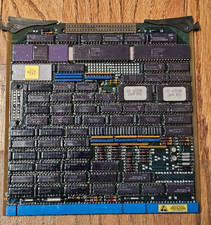
Vintage Intel 8085 CPU Processor Board Ceramic Gold IC Industrial Military Rare
$199.95

Vintage Computer Keyboard Northgate OMNIKEY Ultra
$120.00

Lot of 2 Vintage Plextor PX-43CS SCSI CD-ROM Caddy Drives + 4 Caddies Used
$55.99

Vintage Hewlett Packard HP 13181-60074 Circuit Card Assembly / Interface Board.
$135.37
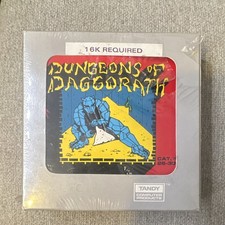
Dungeons of Daggorath TRS-80 Color Computer Tandy 26-3093 SEALED Vintage 1982
$119.99

Original Vintage Old Style STANDARD Black CD Jewel Case (Heavy Duty) 90g Lot
$316.95
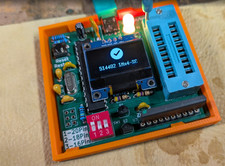
RAM-Tester for vintage RAM, 4816, 4164, 41256, 514402, and more - USA Seller
$35.00
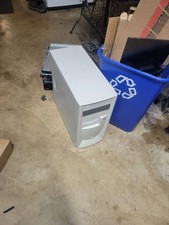
vintage pentium 3 pc turns on no display no post
$150.00

VINTAGE COLLECTIBLE Comp USA Maxtor 20 GB 3.5 Inch EIDE Hard Drive NEW SEALED
$500.00
Vintage HP DVD Writer dvd210i Internal IDE Drive Q2116A BRAND NEW FACTORY SEALED
$58.85



 Reply With Quote