

 Reply With Quote
enable incoming connections on you X11
then in your chroot do:
export DISPLAY=":0"
and it will work


I would like to be able to run X programs (e.g. synaptic) from my chrooted source directory and have them use the display of my host system. Can someone tell me what I need to do to make that happen. A recent post covered how to start kde from chroot using Xnest and that worked as advertized but its not what I need. I have started sshd on the chrooted system and used X forwarding via ssh but it seems there should be a simpler way. Sorry if this has been covered and I missed it.
enable incoming connections on you X11
then in your chroot do:
export DISPLAY=":0"
and it will work
Thanx. That did the trick.
It didn't work for me. I enabled x connections with xhost+ and it said clients could connect from anywhere but chroot still tells me can't connect to X server :0
How do I enable the connection?
It worked but I had to export my display to 127.0.0.1:0
thanks
 Posting Permissions


Vintage Cherry W. Germany G80-0486H/05 Mechanical 25-Pin D-Sub Keyboard M8
$170.99

Vintage Computer - PC Innovation Intel 486DX2 - Dos Ver 6.2 Windows 3.1
$250.00

Vintage Jetway J-620BF Socket 370 Celeron AT Motherboard SiS 620 Brand New
$75.00

Vintage HP Hewlett Packard 2112A 21MX 1000 M-Series 16-Bit Minicomputer
$419.99

Digital Equipment DEC RT101 PS/2 Vintage Keyboard Tested
$24.95

Vintage Timbuk2 Crossbody Messenger Bag Forest Green/ Black Y2k USA Made
$85.00

Vintage Digital Research Concurrent DOS 386 multi-user operating System software
$100.00

Microsoft Windows 98 Keyboard Unused Condition New With Original Box Vintage
$59.99
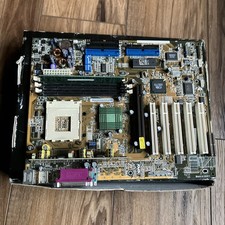
ASUS A7V333 Vintage Motherboard | Untested | For Parts
$44.89
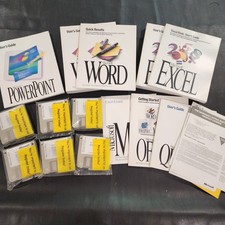
Vintage Microsoft Office 4.2 for Windows Original Floppy Disks & Manuals 1994
$119.99