-
nvidea kernel patch
Hello all,
I'm slowly getting everything up to par on my machine. One quick question though, I have a nvidea based card and noticed that when i was looking for the kernel-sources deb package that there is a nvidea-kernel patch that I can add to my kernel. Is this a recommended process to get the most out of my video card?
As always, Thanks 
-
Nvidia drivers
I downloaded the latest drivers from Nvidia's site and followed their directions. Works great.
-
Hmmm, not sure bout that one, but I also have Nvidia gfx (GF4Ti4200). I downloaded and installed the driver from www.Nvidia.com and after searching this forum for instructions had it up and running with full hardware acceleration in minutes.
Will check out the kernel patch, didn't know bout that 
-

Originally Posted by
Doc
Hmmm, not sure bout that one, but I also have Nvidia gfx (GF4Ti4200). I downloaded and installed the driver from
www.Nvidia.com and after searching this forum for instructions had it up and running with full hardware acceleration in minutes.
Will check out the kernel patch, didn't know bout that
I downloaded the nvidia script as directed ( NVIDIA-Linux-x86-1.0-4496-pkg2.run), they didn't appear to have the source availible. But when run it doesn't really accomplish anything other than producing errors. It seems that it cannot find the kernel sources I installed (2.4.21). Simply using the patch from the debian tree doesn't seem to work. I feel like I'm missing something totally obvious here.... I hate that feeling 
Should I perhaps move the source from /usr/src/linux-source-2.4.21 to /usr/src/linux?
-
Senior Member
registered user
--You need to post the *specific* error messages that the nvidia script is giving you. Outside of that you can try ' cd /usr/src; ln linux-2.4.21 linux -sfn ' to just create a symlink.
Originally Posted by
ferreter
Originally Posted by
Doc
Hmmm, not sure bout that one, but I also have Nvidia gfx (GF4Ti4200). I downloaded and installed the driver from
www.Nvidia.com and after searching this forum for instructions had it up and running with full hardware acceleration in minutes.
Will check out the kernel patch, didn't know bout that
I downloaded the nvidia script as directed ( NVIDIA-Linux-x86-1.0-4496-pkg2.run), they didn't appear to have the source availible. But when run it doesn't really accomplish anything other than producing errors. It seems that it cannot find the kernel sources I installed (2.4.21). Simply using the patch from the debian tree doesn't seem to work. I feel like I'm missing something totally obvious here.... I hate that feeling
Should I perhaps move the source from /usr/src/linux-source-2.4.21 to /usr/src/linux?
-
Similar Threads
-
By Albert in forum Customising & Remastering
Replies: 7
Last Post: 10-26-2004, 05:26 PM
-
By mazaal in forum Customising & Remastering
Replies: 3
Last Post: 03-12-2004, 07:10 AM
-
By Smoke187 in forum General Support
Replies: 1
Last Post: 02-25-2004, 12:58 AM
-
By arkaine23 in forum Customising & Remastering
Replies: 3
Last Post: 08-20-2003, 02:11 PM
-
By ozfrog in forum Customising & Remastering
Replies: 4
Last Post: 06-21-2003, 04:30 PM
 Posting Permissions
- You may not post new threads
- You may not post replies
- You may not post attachments
- You may not edit your posts
-
Forum Rules


Kingston 32GB 64GB 128GB 256GB USB 3.0 Flash Drive Thumb Memory Stick Pen lot
$285.90

Microsoft Office 2021 Pro Plus USB for 1PC Windows 10 & 11
$62.50

TF/SD Card Adapter Camera Reader Android Type-c For iPhone17 Pro Max Plusm lot
$573.98
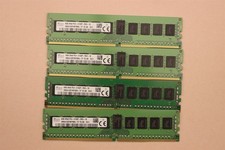
lOT OF 4 SKhynix 8GB (4 x 8GB =32GB) HMA41GR7MFR8N-TF 2R8 PC4-2133P DDR4 MEMORY
$89.00

128GB (4x32GB) SK hynix DDR4 PC4-2666V RDIMM ECC Server Ram HMA84GR7CJR4N-VK
$799.00

USB 3.0 Flash Drive 32GB 64GB 128GB Memory Stick Thumb Stick Lot Pack
$826.09

USB 3.0 Micro SD SDHC TF Card Reader Memory Adapter for PC Laptop Camera lot
$3.75

A-Tech 8GB DDR3 1600 PC3-12800 Laptop SODIMM 204-Pin Memory RAM PC3L DDR3L 1x 8G
$21.68
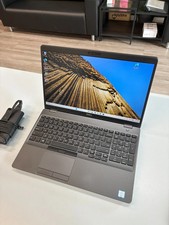
Dell Precision 3541 Laptop i5-9300H 2.4GHz 256GB SSD 16GB RAM Win 11 Pro
$189.99
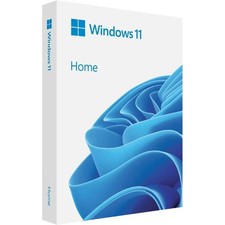
Microsoft Windows 11 Home 64-Bit USB Flash Drive + Key Retail Box - Original
$39.88



 Reply With Quote