

 Reply With Quote
I don't think you can do it out of the box. There are two options that I can think of :
1. extract boot.img and miniroot.gz from it then change linuxrc, that is where how large the ram disk is specified.
2. setup swap space, assuming you have a HD.


I have some Java development stuff on an external SCSI drive and actually no files in the /home/knoppix. From time to time Eclipse crashed, same for Konqueror. With 256MB RAM, Knoppix takes a full 199MB for ramdisk. I want to size this down as much as possible because it seems running out of RAM is the reason for the apps crashing?
I have checked the forum and google but the only cheatcode I found was "mem" which does NOT what I want. I do not want to set how much RAM is visible to Linux but how much of the total is taken up by that ramdisk.
Maybe someone can tell me how to do that or point me to a useful link!
I don't think you can do it out of the box. There are two options that I can think of :
1. extract boot.img and miniroot.gz from it then change linuxrc, that is where how large the ram disk is specified.
2. setup swap space, assuming you have a HD.
--The ramdisk should allocate memory dynamically depending on how much data is stored on it; the size reported by 'df' is the *maximum* size. There should be no need to resize it.
--Try starting ' konqueror ' and eclipse manually from a terminal window, and see what error messages they give when a crash happens. It's not at all uncommon for browsers to crash, sometimes it just happens.
Originally Posted by hnt
Thanks for the input! Ill try setting up some swap - could have really thought of that one
I tried to get some error-msg from Eclipse though the error came from the JVM itself (dialog popped up):
"JVM terminated. Exit code=-1 /usr/bin/java -cp /mnt/sdc2/java/eclipse/./startup.jar org.eclipse.core.launcher.Main -os linux -ws gtk -arch x86 -showsplash [...] -showsplash 600"
At that time, eclipse was still "running" in the console.
Once you closed it, eclipse was gone too without any message.
I let free check mem every 3 seconds, this is the worst output it gave me - that was shortly before JVM hang up.
Ill just try with some swap now...Code:total used free shared buffers cached Mem: 250 248 2 0 5 45 -/+ buffers/cache: 197 53 Swap: 0 0 0
Helpful tip - if you are using kDE, it's a resource hog. Try using icewm or other more lightweight WM to save on memory.
 Posting Permissions


🔀 Juniper Networks EX2300-C-12P 12× Gigabit PoE+ • 2× 10G SFP+ Compact Switch ⚡
$109.99

Juniper EX2300 12-Port Gigabit PoE+ Managed Network Switch P/N: EX2300-C-12P
$149.99

JUNIPER NETWORKS MIST AI AP63-US HIGH PERFORMANCE OUTDOOR ACCESS POINT - WHITE
$59.99

Juniper Networks EX2300-48P 48-Port PoE Gigabit Switch (Renewed)
$361.91

Juniper Networks EX2300-48P 48-Port Gigabit PoE Managed Ethernet Switch
$79.99

Juniper AP47 Mist Wi-Fi 7 802.11 6GHz 4x4 Wireless Access Point (NEW)
$999.99

New Sealed Juniper EX4100-F-12P 12x 1GbE PoE 2x 10GbE uplinks 1 Year Warranty
$895.00

Juniper Networks MX204-HW-BASE *BRAND NEW FACTORY SEALED* READ DETAILS
$8199.99
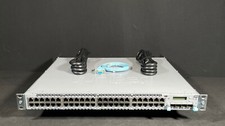
Juniper EX4300-48T-AFI 48x 1GB RJ-45 4x 40GB QSFP+ Switch w/ Rails- Fast Ship
$319.99

Juniper Networks EX3400-24T 24-Port Ethernet Switch w/Power Cord
$174.99
