-
Junior Member
registered user
Samba and network browsing....
I would like to first say that I really like knoppix....javascript:emoticon(%27%3AD%27)
but I need a little help from some of you... PLEASE
I have knoppix on my laptop and I have everything configured for using my wireless lan... but I can't seem to get use of lan browsing.... I can type smb://and the name of the computer I want into the address bar in konqueror and it works but if I use the network browse I don't get anything it sais that I can't connect to the localhost...????
and also when I am on my other computers WINDOWS THAT IS I can't see my knoppix computer and I can't share any folders it sais that the applet fails to start...
PLEASE HELP ME!!!!!!!!javascript:emoticon(%27%3Acry%3A%27)
-
John,
I just did a quick look at the default smb.conf on Knoppix and noticed the only share listed is [homes] (besides printers) and "browseable" is set to "No". In order for your Knoppix box shares to be seen from the Windows box make sure the "browseable" parameter is set to "yes". I think you can just remove it since by default browseable is yes. The other tricky issue with [homes] share is it is set up to only be accessable by the user logged in with a valid samba account. I would suggest saving your current smb.conf to something else and starting with the following as your smb.conf and expand from there
[global]
netbiosname = whatevername
workgroup = myworkgroup
security = user
encrypt passwords = yes
[public]
path = /tmp
read only = no
This comes from:
http://us3.samba.org/samba/ftp/docs/Samba24Hc13.pdf
which is an excellent guide to getting samba working right.
Hope this helps!
Mike
-
smb
How can i change the smb.conf when i am using knoppix boot from a cd rom. The smb.conf can't be changed because is is on a cd?!
How can i change the smb.conf?
-
Sorry, I usually work from an HD install. But try this:
Move your original smb.conf to smb.conf.orig by:
mv /etc/samba/smb.conf /etc/samba/smb.conf.orig
then copy it to smb.conf by:
cp /etc/samba/smb.conf.orig /etc/samba/smb.conf
This removes the link to the original smb.conf and creates an editable smb.conf. I tested and I can edit after I do the move and copy, though I have not tested if samba itself works after this.
Good luck, let me know how it goes.
By the way I did notice you are in Minnesota. Just thought you might like to know we spent the afternoon in the park. It was about 72 degrees (above zero).
Mike
Similar Threads
-
By Dominator in forum Networking
Replies: 5
Last Post: 10-28-2004, 02:55 AM
-
By kurtz25 in forum Networking
Replies: 2
Last Post: 08-04-2004, 05:32 AM
-
By thenexuscode in forum Networking
Replies: 1
Last Post: 02-11-2004, 01:54 PM
-
By smarchand291 in forum General Support
Replies: 0
Last Post: 11-08-2003, 11:41 PM
-
By robert01483 in forum Hardware & Booting
Replies: 4
Last Post: 09-15-2003, 12:56 PM
 Posting Permissions
- You may not post new threads
- You may not post replies
- You may not post attachments
- You may not edit your posts
-
Forum Rules

VINTAGE RARE Overland 9 Track tape drive for mainframe computer storage
$800.00
IBM MST-2 370 Integrated Circuit Computer Chips Lot Of 43 Rare 1970s Vintage
$249.00

HP 5060-8359 8K Semiconductor Memory Module 5080-9747 Vintage HP Computer
$165.58

Vintage Telex 952003-112 Mechanical Terminal Keyboard IBM 3270 Mainframe DB25
$679.15
IBM Prototype ES/9000 Mainframe Computer MCM CPU Vintage White Ceramic Gold
$1000.00
IBM 1401 Data Processing System Reference Manual, July 1960 Data Processing
$54.99

Vintage IBM #192726 Paper Tape Punch Mainframe Computer Programming Tool 1960s
$94.95
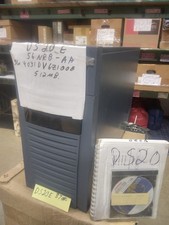
DEC ALPHA DS20E system complete, posts good. 512mb, no disks, Digital Equip Corp
$699.00
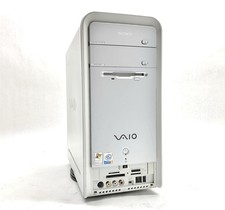
SONY VAIO PCV-C12L Pentium 4 3GHz 3GB 120GB SSD NO/OS Retro Desktop Vintage PC
$129.97
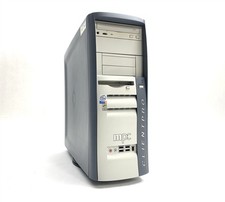
MPC ClientPro 545 Pentium 4 2.40GHz 512MB NO/HDD RV100 Vintage PC Retro Computer
$149.97



 Reply With Quote