


 Reply With Quote
You should take a look at fabianX's scripts which install applications into ramdisk/persistent home. That should show you it it takes to do it.


Hi everybody,
I know, this isn't really customizing and remastering but this topic was the one that fitted the best
Well, my question is (the exitement is.. exciting :P) :
How do you install apps onto the ramdisk when knoppix is running? Each time I try I get an error after running the 'make install' command telling mer that /usr/local/blablabla is on a readonly filesystem. That is not very suprising since knoppix after all is running from a cd but how do I change this so that the apps are placed on the ramdisk instead? I know, I know, the apps will be deleted at each reboot/shutdown but the computer with knoppix is always running
Any ideas? Maybe this is the most simple thing ever to do and the only reason I fail is because my not so very large skills in linux? Or maybe it isn't possible?
/Mikael
You should take a look at fabianX's scripts which install applications into ramdisk/persistent home. That should show you it it takes to do it.
 Posting Permissions


HP PROLIANT TPS-W003 MICRO- SERVER TOWER Gen 8, 16G RAM
$195.00

Supermicro CSE-937 3U Storage Chassis No CPU No HDD No Ram Tested & Reset
$129.99

Supermicro 1U Network Server Appliance 16GB RAM 800GB SSD 6 LAN Ports Powers On
$450.00

$280.00

HP ProLiant MicroServer Gen8 G1610T @2.3 GHz, 16GB, 712317-001 NO HDD/OS
$199.00

Supermicro 1027GR-TSF 1U Rackmount Server 2x Xeon 2.3GHz 128GB DDR3
$219.99

Supermicro 2U X10DRU-i 2x E5-2680 v3 2.5ghz 32gb Ram 240gb SSD 2x GPU *READ*
$369.99
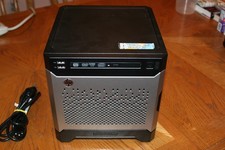
HP Proliant MicroServer Gen8, 4.5TB, (4) HDD, EXCELLENT COND.
$625.00

Supermicro CSE-216 No CPU No Ram No HDD Tested & Reset
$149.99

Supermicro CSE-216 No CPU No Ram No HDD Tested & Reset
$149.99