

 Reply With Quote
YES, SAME PROBLEM!


I noticed that there is a /usr/share/applnk directory, in addition to /etc/skel/.kde/share/applnk and ~/.kde/share/applnk. Is the one in /etc/skel the only one used to create the kmenu? Or is the one in /usr used as the basis for the kmenu, and the one in /etc/skel that gets copied to ~ when booting is like appended to the one found in /usr?
I'm having trouble right now with a new kmenu on my remaster, where before I didn't have any trouble. This time, though I went in and tried to remove things that have been uninstalled, instead of just adding new items. I saw the applnk in /usr/share and though maybe that was what was causing me so much trouble....
Edit: Ok, the ~/.kde/share/applnk is all ok getting copied from /etc/skel and is set the way I like it when I boot. Yet, KDE's menu is not derived from these files. It's still using the original kmenu. I've copied the applnk folder's contents to /usr/share/applnk, etc/skel/.kde/share/applnk, and to /usr/share/knoppix/profile/.kde/share/applnk. Now I'm recompressing the CD for like the 5th time today. I'm betting some script is overriding my kmenu. But as far as I can tell, any places where the original kmenu files were kept have been rewritten with my custom kmenu files.
I'd bet a lot of money that my custom kmenu works fine if I create a persistent home, which means its definitely a script somewhere causing this trouble.
YES, SAME PROBLEM!
Some more info:
When I'm in kde and I use kmenuedit, it show my kmenu- the one I'd like for it to use. Yet the actual Kmenu is still the original, and when I try to make changes using kmenuedit, nothing happens to the kmenu that they system is using.
My applnk files in ~/.kde and elswhere in the system are all set to they way I'd like the kmenu to look.
Persistent home does not fix the problem either.
I think maybe I might need to alter the /etc/X11/Xsession.d/45xsession script.
The only things different about my remaster are- its based o a 6-06 version of knoppix 3.2, it's got openoffice 1.1, mozilla firebird, mplayer, ogle, and I ran apt-get upgrade for all the other packages.
This is probably related: Mozilla and firebird icons in the kicker's "quick launch bar" don't work. It says that Mozilla.desktop can't be found, yet the definition file Mozilla.desktop exists and is where its supposed to be.
It works fine on my hdd when chrooted and when I copy and chown the files myself in text mode, give myself an .xinitrc, and then startx.....
The mozilla quick launch icons also work when I get into KDE this way.
I may just force a graphical boot, and edit .xinitrc enough to do all these commands, so that startx will copy and chown all of knoppix's files before it starts KDE.
See if this post helps with the kde menu edit on your remaster
http://www.knoppix.net/forum/viewtopic.php?t=1839
 Posting Permissions


RAM-HOL-SAM52CPU RAM USB-C Powered Dock Samsung Tab Active4 Pro & Tab Active Pro
$81.99

Samsung 32GB DDR4-2666 PC4-21300 288-Pin DIMM RAM M393A4K40CB1CRC0Q
$185.00

Samsung 2.5" 870 EVO SSD SATA III 250GB 500GB 1TB Internet Solid State Drive Lot
$90.00
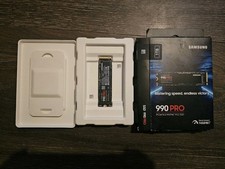
Samsung - 990 PRO 1TB Internal SSD PCle 4.0 NVMe M.2
$200.00

RAM-HOL-SAM60CPU RAM USB-C Powered Dock for Samsung Tab Active5 - 3 - 2
$81.99

RAM-GDS-SKIN-SAM54-NG-1 RAM Mounts IntelliSkin® Next Gen for Samsung Tab Active4
$93.99

Samsung Galaxy Tab SCH-1800 7" 4GB Wi-Fi + Verizon Tablet Working
$30.00

RAM-GDS-DOCK-SAM88CPU RAM GDS® Tough-Dock™ for Samsung Tab A9+
$174.99

Samsung Galaxy View Tablet 18.4 SM-T670/677A Charging Port 100% Original Oem
$98.99
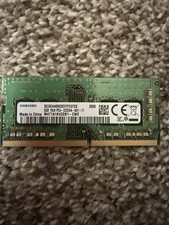
8GB Samsung 3200MHz SODIMM DDR4 Laptop RAM One Stick
$49.99
