

 Reply With Quote
Hi benmayim,
what is the output of
fdisk -l /dev/sda
Is there a FAT Partition no. 4 ?
Else try
file -s /dev/sda[1234]
This will give you some more information
Ciao Martin


As root, when I try to mount my zip drive with:
mount -t vfat /dev/sda4 /mnt/sda4
I get an error msg saying that this is the wront fstype. What is the correct fstype? Or is there any way to mount a zip drive that is fat32 from windows?
I've already tried the info from the only post in this forum, that is why I used the command above, but it does not work either.
Hi benmayim,
what is the output of
fdisk -l /dev/sda
Is there a FAT Partition no. 4 ?
Else try
file -s /dev/sda[1234]
This will give you some more information
Ciao Martin
fdisk -l /dev/sda gives the following info for partitions sda1,2,3,4Originally Posted by horo
Partition 4 has different physical/logical beginnings (non-linux)
Partition 4 has different physical/logical endings
Partition 4 does not end on cylinder boundary.
files -s /dev/sda[1234] gives the following info:
sda1,2,4 ERROR: Cannot read /dev/sda1 Input/Output error
sda3 just says /dev/sda3
Do you have an IDE zip drive, a parallel external one, or a usb one?
I have had to boot up with the zip disk in place when using an IDE zip drive.
With par-port external zip drives you'll either have to modprobe imm (for the newer ones) or modprobe ppa (for the older ones) to load the proper kernel module.
I don't have any usb stuff so I probably can't help you if you have usb.
~rock
Hi benmayim,
maybe your zip drive is formatted as a "superfloppy", i.e. there are no partitions. Then you must mount /dev/sda and not /dev/sda[1234].
Just an idea, maybe it helps, but first try Rock's tips.
Ciao Martin
My zip drive is an IDE internal, and it always has a zip disk (FAT32) in it when I boot knoppix 3.2 from CD.
I'm not sure what you mean as a "superfloppy" because on my KDE desktop in Knoppix 3.2 I have icons for sda1, sda2, sda4, and sda3 is oddly missing, but whenever I click on them it says it can't read them and I did not specify the filesystem for mounting. If I go to the /mnt folder, sda1, sda2, and sda4 are there and there is not sda3 in the folder.
Actually, I really don't care if I can read FAT32 zip disks (although that would be nicer), but I can't even format a blank zip disk with ext2 file system.
Also, I've tried mounding as sda [1234] and sda with no numbers, nothing works
 Posting Permissions

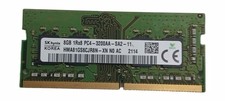
Sk Hynix 8GB PC4-3200AA PC4-3200 260-Pin SO-DIMM Laptop RAM
$37.99
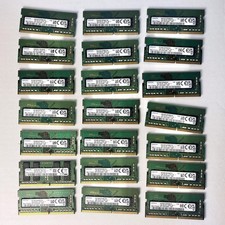
Samsung (21x16GB) 336GB 1Rx8 PC4-3200AA, PC4-2666V Laptop Memory DDR4
$1499.00

Corsair CMK32GX4M2B3000C15 Vengeance LPX DDR4 3000mhz Memory Kit - 32GB (2x16GB)
$164.95

Corsair Vengeance DDR3 8GB 16GB 32GB 1866MHz PC3-14900 Desktop RAM Memory DIMM
$43.00

RAMAXEL Lenovo 32GB LPDDR5X CAMM2 7500MHz Laptop RAM | UNTESTED
$445.00
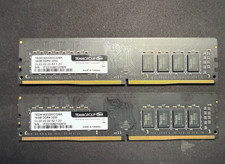
32GB DDR4 RAM (2x 16GB) TeamGroup Elite 3200MHz
$151.20
![[ BULK LOT OF 10 ] 8GB DDR3 LAPTOP RAM SAMSUNG, HYNIX, etc. picture](/store/img/g/qNwAAeSwPEtqobcJ/s-l225/-BULK-LOT-OF-10-8GB-DDR3-LAPTOP-RAM-SAMSUNG-HYNIX-.jpg)
[ BULK LOT OF 10 ] 8GB DDR3 LAPTOP RAM SAMSUNG, HYNIX, etc.
$89.99

Major Brand 16GB (2x8GB) PC3-12800U DDR3-1600MHz DDR3-12800 DESKTOP RAM NON-ECC
$29.99
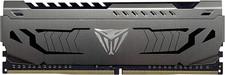
Patriot Viper Steel DDR4 RAM 16GB (1X16GB) 3200Mhz CL16 Desktop Memory
$182.23

LOT OF 23 Ram Sticks-Corsair Vengeance CMZ8GX3M2A1600C9 4GB (4GBx23=92GB Total)
$129.99