

 Reply With Quote
<snip>
How do I proceed?
</snip>
Where do you live? Who is your provider? What's your network card model? Which brand/model of DSL modem? This is needed information.

It's find Eth0, but no connection.
How do i proceed?

<snip>
How do I proceed?
</snip>
Where do you live? Who is your provider? What's your network card model? Which brand/model of DSL modem? This is needed information.
same problem here
I live in the netherlands, rotterdam, provider xs4all. I use an Speedtouch USB ADSL modem, it is detected as an usb device, but i cannot make a connection. First time i tried linux, so dont know much about it
Legolas wrote:
--------------------------------------------------------------------------------
same problem here
I live in the netherlands, rotterdam, provider xs4all. I use an Speedtouch USB ADSL modem, it is detected as an usb device, but i cannot make a connection. First time i tried linux, so dont know much about it
--------------------------------------------------------------------------------
Why don't you look first at the 'Documentation' and 'KnoppixFAQ' at the Knoppix-site?
You will find tons of answers (even for questions you did not think about asking yet)
http://howto.htlw16.ac.at/at-highspeed-howto-2.html
http://members.aon.at/gweb/gweb/linux/speedtouch.html
Die ComputerTotaal! heeft wel wat teweeg gebracht :P
CeesB
yep, zelfs in België. En ik heb hetzelfde probleem als jullie.Originally Posted by CeesB
Same issue here, it detects the network card as eth0, but that's all...
I don't understand why I can't simply configure the TCP/IP settings for the network card (eth0) as I've been able to do in any other Linux/BSD I've tried (FreeBSD, Slackware, Redhat, Mandrake)? I don't need any login etc procedures, so I have no idea what this ADSL configuration tool wants to do? I should be able to just set the IP, gateway, subnet mask and name servers for eth0 but I can't seem to do it anywhere
Forget it, problem solved
I was simply using the wrong config program
penguin.... how did u solve it... which program did u use?
Yes, please!
I used the network configuration tool in the Knoppix Tools folder in the KDE 'start menu'...
 Posting Permissions


Yealink T48S VoIP/SIP Phone, 2 x Gigabit Ports PoE 7" Color SIP-T48S | TESTED
$34.95

Cisco 8861 Gigabit IP Phone Phone 5-line business-class VoIP Wifi Bluetooth
$39.99

Grandstream VoIP Phone Adapter ATA 1-Line Black Ethernet (RJ-45) Micro USB
$27.07

SIM Bank 32 SIM Card Slots Ethernet SIM Server for GoIP
$600.00

Grandstream WP810 Portable Cordless Wi-Fi IP Phone
$49.28

Cisco/Linksys SPA2102 VoIP Phone Adapter Router 2FXS (Unlocked)
$17.99

Cisco / Linksys SPA2102 VoIP 2FXS Phone Adapter with Router (unlocked)
$18.99
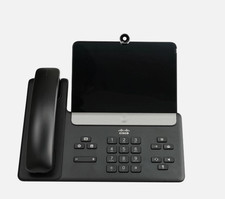
Cisco CP-8875-K9 Video Phone 8875 IP Desk Phone Bluetooth Wi-Fi - Brand NEW
$399.99

Poly CCX 400 Desktop Business Media Phone VoIP 2200-49700-019
$49.99

Cisco CP-8841 IP Phone Charcoal Handset And Stand Included
$27.99