
It's find Eth0, but no connection.
How do i proceed?

It's find Eth0, but no connection.
How do i proceed?

<snip>
How do I proceed?
</snip>
Where do you live? Who is your provider? What's your network card model? Which brand/model of DSL modem? This is needed information.
same problem here
I live in the netherlands, rotterdam, provider xs4all. I use an Speedtouch USB ADSL modem, it is detected as an usb device, but i cannot make a connection. First time i tried linux, so dont know much about it
Legolas wrote:
--------------------------------------------------------------------------------
same problem here
I live in the netherlands, rotterdam, provider xs4all. I use an Speedtouch USB ADSL modem, it is detected as an usb device, but i cannot make a connection. First time i tried linux, so dont know much about it
--------------------------------------------------------------------------------
Why don't you look first at the 'Documentation' and 'KnoppixFAQ' at the Knoppix-site?
You will find tons of answers (even for questions you did not think about asking yet)
http://howto.htlw16.ac.at/at-highspeed-howto-2.html
http://members.aon.at/gweb/gweb/linux/speedtouch.html
Die ComputerTotaal! heeft wel wat teweeg gebracht :P
CeesB
yep, zelfs in België. En ik heb hetzelfde probleem als jullie.Originally Posted by CeesB
Same issue here, it detects the network card as eth0, but that's all...
I don't understand why I can't simply configure the TCP/IP settings for the network card (eth0) as I've been able to do in any other Linux/BSD I've tried (FreeBSD, Slackware, Redhat, Mandrake)? I don't need any login etc procedures, so I have no idea what this ADSL configuration tool wants to do? I should be able to just set the IP, gateway, subnet mask and name servers for eth0 but I can't seem to do it anywhere
Forget it, problem solved
I was simply using the wrong config program
penguin.... how did u solve it... which program did u use?
Yes, please!
I used the network configuration tool in the Knoppix Tools folder in the KDE 'start menu'...
 Posting Permissions


Dell PowerEdge M630 Blade Server 2x Xeon E5-2680 v4, 2F3MP , 4GDP5 ,R10KJ ,JVFVR
$96.60

Cisco UCS 5108 Blade Server Chassis Enclosure N20-C6508 4x PSU 8x Fans 2x Fabric
$174.99

Dell PowerEdge M640 Blade Barebone Server Dell P/N: HHB006 Tested Working
$149.99
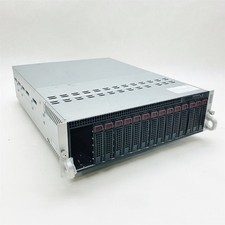
Supermicro 938-16 16-LFF MicroCloud SuperServer 5038ML-H8TRF *No Blade Servers*
$134.99
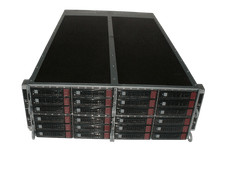
Supermicro 4U 32x 3.5 Bays 4-Nodes | 8x E5-2660 v3 2.6Ghz | 64gb RAM | 9207-8i
$699.99

Dell PowerEdge FX2 FX2s Server 10GbE CMC Blade Enclosure Chassis
$274.99

NETAPP HCI NAF-1701 SuperMicro Server 4X BLADE H410C 8X GOLD 5120 4 NODE SERVER
$1499.97
Dell PowerEdge FX2s Chassis 4x FC630 2x FN410S Server | NO CPU / RAM / HDD / PSU
$1999.99
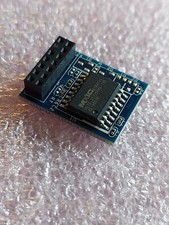
ASUS Blade Server LAN Web Remote Management KVM Module Chip IPMI 2.0 ASMB9-iKVM
$49.99
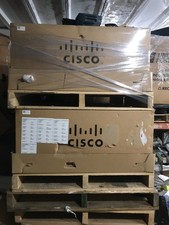
NEW Cisco UCSB-5108-AC2 Blade Server Chassis 8 Slot 6RU Chassis 4 X PSU - DW
$599.40

 Reply With Quote