-
Senior Member
registered user

Originally Posted by
ferreter
I did this, but still k3b has my burner listed under the reader section of the devices rather than the writer section and quite obviously will not burn anything. I changed the fstab entry to not be ro but rather rw as well if that makes a difference.
Most Linux apps will try to use /dev/cdroom by default. If this is the case with k3b then you just need to symlink /dev/cdromk to your burner. It's easy:
As root...
rm -f /dev/cdrom
ln -s /dev/scd1 /dev/cdrom
That should have made a symbolic link from /dev/scd1 (your cd burner) to /dev/cdrom. How do you find out?
ls -al /dev/cdrom
lrwxrwxrwx 1 root root 9 Aug 3 06:53 /dev/cdrom -> /dev/scd1
If your output looks like the above then you were successful. Also make sure you have selected the proper cdrdao driver in k3b configure. Usually generic-mmc will work.
As for the other odd issue, I was able to setup a new icon in my desktop to allow a right-click mount option where on the other icon it only gives me the option to play the CD. Can I not have both functionalities for the CD-ROM in one icon (both audio and data)?
Desktop icons? Hmmmm heard of em but that's about it.  It's just easier to mount them manually, besides do you actually ever see your desktop? I don't but that's just me.
Similar Threads
-
By unno in forum Hdd Install / Debian / Apt
Replies: 0
Last Post: 06-22-2005, 09:06 PM
-
By delamatrix in forum Hdd Install / Debian / Apt
Replies: 0
Last Post: 01-04-2005, 11:31 PM
-
By Chuckbaker in forum General Support
Replies: 3
Last Post: 09-09-2004, 07:48 PM
-
By alfredoj69 in forum General Support
Replies: 1
Last Post: 05-11-2004, 10:58 PM
-
By probono in forum General Support
Replies: 5
Last Post: 03-22-2004, 07:39 AM
 Posting Permissions
- You may not post new threads
- You may not post replies
- You may not post attachments
- You may not edit your posts
-
Forum Rules


Vintage Cherry W. Germany G80-0486H/05 Mechanical 25-Pin D-Sub Keyboard M8
$170.99

Vintage Computer - PC Innovation Intel 486DX2 - Dos Ver 6.2 Windows 3.1
$250.00

Vintage Jetway J-620BF Socket 370 Celeron AT Motherboard SiS 620 Brand New
$75.00

Vintage HP Hewlett Packard 2112A 21MX 1000 M-Series 16-Bit Minicomputer
$419.99

Vintage Timbuk2 Crossbody Messenger Bag Forest Green/ Black Y2k USA Made
$85.00
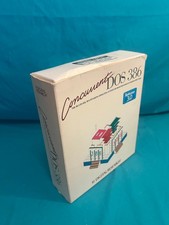
Vintage Digital Research Concurrent DOS 386 multi-user operating System software
$100.00

Vintage cross Apple computer branded pen rainbow logo In original box
$100.00
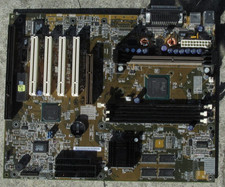
Vintage Rare HP Asus P2B-VT Intel 440BX Nvidia Riva TNT Pentium 3 128 MB DDR
$60.00
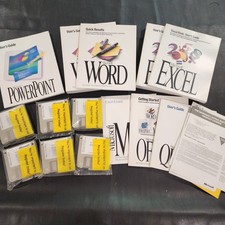
Vintage Microsoft Office 4.2 for Windows Original Floppy Disks & Manuals 1994
$119.99
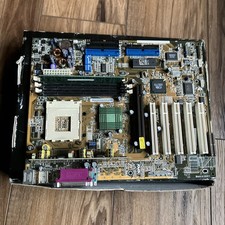
ASUS A7V333 Vintage Motherboard | Untested | For Parts
$44.89



 Reply With Quote