
I'm on an HP that is using intels 82810 graphics card... I was able to get x up and running once... in 640x480, but since then no luck! The screen just flickers... Any suggestions?


I'm on an HP that is using intels 82810 graphics card... I was able to get x up and running once... in 640x480, but since then no luck! The screen just flickers... Any suggestions?
Try this:
boot: knoppix lang=us xmodule=i810
You may need to add a screen size too.
I tried the following:
knoppix lang=us xmodule=i810 screen=1024x768
with no success...
however...I can hear the startup sound (voice)...but can't see a thing...
There is an error right before x attemps to start, but the screen changes too quickly...is there a way to pause?
Also, is it normal to get the message "You passed an undefined mode number." right at the begining?
Thanks
No it is not try adding the cheat code vga=normal and maybe noddc.Originally Posted by jclochesy
I tried adding the vga=normal noddc, but it still behaved the same... The "You passed an undefined mode number" shows up even before uncompressing starts! It wants me to hit 'enter' or 'space'... 'enter' brings up a list of what looks like resolutions? I have no idea.
Also...is there a way to pause the screen so that I can read the message that appears later... when entering run level 5?
You could try knoppix-txt then when you get to the prompt then /etc/init.d/xsession start you may have to put sudo in front of the command it's been awhile so I can't be certain. Other than that have you tried to actually pass one of the numbers when it asks you too and see what happens with booting that way. You may also want to try as many of the cheat codes as possible and for sure just failsafe all alone on the command line to boot with minimal hardware detection.
I had a similar problem. I was trying to run Knoppix in failsafe. After a certain point the monitor kept going from "Power saving will be enabled" to a black screen, and back every split second. This repeated forever even when the system showed no sign of activity. Unfortunatly unless you are trying to run in failsafe I can not help you. The problem I had was a multiprocessor problem, which knoppix nosmp fixed. This was on a standard VGA monitor though.
 Posting Permissions


Samsung 2.5" 870 EVO SSD SATA III 250GB 500GB 1TB Internet Solid State Drive Lot
$90.00

Samsung 860 EVO 250GB SSD MZ-76E250 2.5" SATA III Solid State Drive
$39.99

Samsung New SSD 970 EVO Plus 2TB 1TB 500GB 250GB NVMe M2 Internal Hard Drive Lot
$79.99
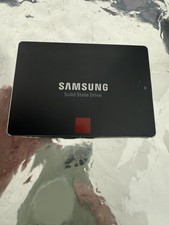
Samsung 850 PRO 512GB 2.5" SATA SSD MZ-7KE512 MZ7KE512
$65.00

Crucial MX500 1TB 2.5" SATA III Internal SSD CT1000MX500SSD1
$102.99

Netac 2TB 1TB 512GB 256GB Internal SSD 2.5inch SATAIII Solid State Drive lot
$549.00

Fanxiang 1/2/5/10Pcs 2.5'' SATA SSD Lot 1TB 2TB 4TB 512GB 256GB TLC Internal SSD
$129.99

Samsung 256 GB Internal SATA SSD Fully Tested 50%-79% Health
$24.00

Micron MTFDDAK256TBN 256 GB, Internal ,2.5" SSD
$23.00

SSD 2.5" SATA Hard Drive for Laptop Desktop Windows 10 pro 64 Pro Pre-installed
$42.00

 Reply With Quote