

 Reply With Quote
All I do for ext2,3 and riserfs is to get root and say mount /dev/hdax
I know its already mounted read only but I dont remount or anything and that works fine for me.


I have a Debian system with a ext2 fs that has a VERY bad xwindows display.
Knoppix on the other hand has a perfect xwindows display.
I wanted to copy my config-4 file to the debian partition and merge some of it into my conifg-4 file.
I right clicked on the partition and did a 'change read/write mode' but still cannot write to that partition!
This is driving me crazy because it works perfectly on fat32 drives and you would think that it would work on ext2 on a debian system of all things!!!
Please help
James Ray Kenney
All I do for ext2,3 and riserfs is to get root and say mount /dev/hdax
I know its already mounted read only but I dont remount or anything and that works fine for me.
I have never had a problem mounting the partition r/w from the command line also perhaps you should try that method as Tech2k suggests above to add one more thing if all else fails and you can't mount the partition for some strange reason then copy the Knoppix XF86Config-4 file to a floppy and then boot your normal install and get the file from the disk.
I did a mount /dev/hda1 and it said that is was already mounted.Originally Posted by Tech2k
So I did a umount /dev/hda1 and then a mount /dev/hda1
tried to create a file in /etc and was told that access was denied.
try
knoppix single (at boot time)
startx
now you are rootand everything is easy for roots

Mabey try "umount /dev/hdax" first or for ext2 try
"mount -t ext2 -o remount,rw /dev/hdax /mnt/hdax"
like I said..as root i just say mount /dev/hdax and its fine here.All my partitions are primary mabey if your is logical that makes a differiance?Just a guess.
 Posting Permissions

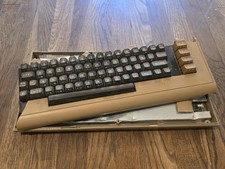
Commodore 64 Vintage Computer System *PARTS/AS IS*
$70.00

TeensyROM+ TR+ v0.4 Cartridge for C64/128 - w/ Case & 32GB SD Preloaded
$89.50

Commodore 64 Dead Test & Diagnostic Cartridge & Test Harness Set - USA seller
$39.99

Commodore VIC-20 Diagnostic Cartridge & Test Harness Set - USA seller
$39.99
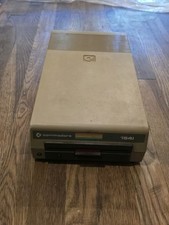
Commodore 1541 Floppy Disk Drive TESTED/WORKING
$70.00
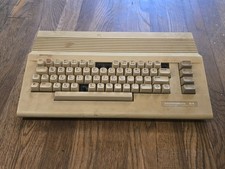
Commodore 64C Vintage Computer System WORKING/MISSING KEYS
$95.00

Commodore 64 Serial Cable 6PIN DIN 1541 1571 C64 128 C128 Disk Drive Printer USA
$10.49
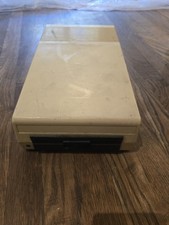
Commodore VIC-1541 Floppy Disc Drive *PARTS*
$45.00
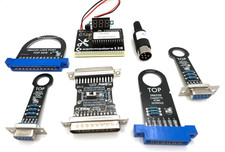
Commodore 128 Diagnostic Cartridge & Test Harness Set - USA seller
$39.99
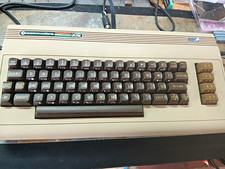
COMMODORE 250466 REPLICA BUILD | NTSC | VIC-II KAWARI | NEW CHIPS
$379.99