
Results 1 to 9 of 9

Thread: Initialization error.

  1. #1
    Junior Member
    Join Date
    Aug 2003
    Location
    Buenos Aires
    Posts
    5

    Initialization error.

    I can boot and use Knoppix from the console, but there is a problem (I'm new to Linux) and I get the following message:

    [drm:drm_init] *ERROR* Cannot initialize the agpgart module /lib/modules/2.4.20-xfs/kernel/drivers/char/drm/i810.o: init_module: Cannot allocate memory.

    I don't know the Knoppix version I have. It's a Spanish version I bought here (in Buenos Aires).

    That problem happens at work. At home I booted OK. Maybe I must configure something (IRQ?)

    Thanks guys,

    Gustaw

  2. #2
    Senior Member registered user
    Join Date
    Mar 2003
    Location
    colorado springs, colorado
    Posts
    1,933
    Check dmesg for any errors regarding agpgart. Get into your BIOS and see if you can bump the AGP aperture up.

  3. #3
    Junior Member
    Join Date
    Aug 2003
    Location
    Buenos Aires
    Posts
    5
    Quote Originally Posted by rickenbacherus
    Check dmesg for any errors regarding agpgart. Get into your BIOS and see if you can bump the AGP aperture up.
    dmesg states:

    agpgart: Maximum main memory to use for agp memory: 93M
    agpgart: detected an Intel i815 chipset. AGP aperture is 64M @ 0x84000000

    [drm] AGP 0.99 @ 0x84000000 64MB
    [drm] Initialized i910 1.2.1 20020211 on minor 0.


    Unfortunately I can't modify the AGP aperture. (The box I use at work is ACER Veriton 5100).

    Thanks anyway,

    Gustaw

  4. #4
    Senior Member registered user
    Join Date
    Mar 2003
    Location
    colorado springs, colorado
    Posts
    1,933
    Try booting w/ noagp.

  5. #5
    Junior Member
    Join Date
    Aug 2003
    Location
    Buenos Aires
    Posts
    5
    Quote Originally Posted by rickenbacherus
    Try booting w/ noagp.
    Didn't work either.

    I failed to mention that earlier I got the following message:

    you passed an undefined mode number
    press <RETURN> to see video modes available <SPACE> to continue.


    Then I hit <RETURN> and select mode 0 (or 1, 2, 3, 4, 5, 6)

    And the problem persists...

    Gustaw

    PS: Same problem has the guy who started the "Video or RAM conflicts?"

  6. #6
    Senior Member registered user
    Join Date
    Mar 2003
    Location
    colorado springs, colorado
    Posts
    1,933
    maybe you can boot expert and configure the xserver yourself. Get the specs for your video card and monitor.

    for video...
    ram
    chipset

    for monitor..
    horizontal refresh rate
    vertical refresh rate

  7. #7
    Junior Member
    Join Date
    Aug 2003
    Posts
    3
    Quote Originally Posted by Gustaw
    I failed to mention that earlier I got the following message:

    you passed an undefined mode number
    press <RETURN> to see video modes available <SPACE> to continue.

    Then I hit <RETURN> and select mode 0 (or 1, 2, 3, 4, 5, 6)
    If you use the cheatcode vga=0 then you won't get the "undefined mode number" message on startup. I use:

    boot: knoppix mem=1280M floppyconf vga=6 home=scan <enter>

  8. #8
    Junior Member
    Join Date
    Aug 2003
    Location
    Buenos Aires
    Posts
    5
    Quote Originally Posted by rickenbacherus
    maybe you can boot expert and configure the xserver yourself. Get the specs for your video card and monitor.

    for video...
    ram
    chipset

    for monitor..
    horizontal refresh rate
    vertical refresh rate
    OK, I got the information. What must I do now?

    Thx,
    Gustaw

  9. #9
    Senior Member registered user
    Join Date
    Mar 2003
    Location
    colorado springs, colorado
    Posts
    1,933
    At the boot prompt enter expert and set the xserver up yourself. You will be given the opportunity to enter the specs for your vide card and monitor manually. You may also be able to select your video card from a list.

Similar Threads

  1. Black Screen on KDE initialization
    By GATORbyte80 in forum Hdd Install / Debian / Apt
    Replies: 2
    Last Post: 08-31-2004, 02:52 PM
  2. Knoppix initialization graphics
    By Arbiter in forum Customising & Remastering
    Replies: 3
    Last Post: 01-04-2004, 10:32 PM
  3. Hang on CD boot initialization
    By robm in forum General Support
    Replies: 11
    Last Post: 12-31-2003, 12:31 AM
  4. Crash @ perphipial initialization KDE
    By eXisTeNz in forum General Support
    Replies: 0
    Last Post: 09-27-2003, 01:09 AM
  5. Running programs on fluxbox initialization
    By brainlessdumb in forum Customising & Remastering
    Replies: 0
    Last Post: 04-28-2003, 02:23 PM

Posting Permissions

  • You may not post new threads
  • You may not post replies
  • You may not post attachments
  • You may not edit your posts
  •  


Yealink T48S VoIP/SIP Phone, 2 x Gigabit Ports PoE 7

Yealink T48S VoIP/SIP Phone, 2 x Gigabit Ports PoE 7" Color SIP-T48S | TESTED

$34.95
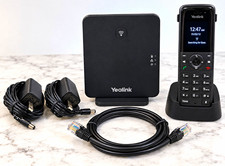


Yealink W70B W73H DECT IP VoIP Cordless Phone Handset Base Charger Never Used picture

Yealink W70B W73H DECT IP VoIP Cordless Phone Handset Base Charger Never Used

$109.00
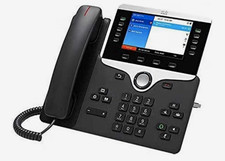


Cisco IP Phone 8851 CP-8851-K9= Black 5-Line VoIP Speakerphone RJ-45 picture

Cisco IP Phone 8851 CP-8851-K9= Black 5-Line VoIP Speakerphone RJ-45

$86.00



Grandstream VoIP Phone Adapter ATA 1-Line Black Ethernet (RJ-45) Micro USB picture

Grandstream VoIP Phone Adapter ATA 1-Line Black Ethernet (RJ-45) Micro USB

$27.07



Yealink SIP-T33G IP Phone 4-LineSpeakerphone VoIP Desk Phone Black w/ Power Sply picture

Yealink SIP-T33G IP Phone 4-LineSpeakerphone VoIP Desk Phone Black w/ Power Sply

$25.00
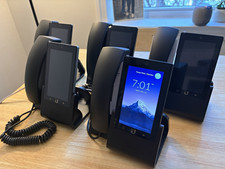


Ubiquiti UniFi Talk UVP-Touch VoIP IP Phone PoE Touchscreen Tested Reset picture

Ubiquiti UniFi Talk UVP-Touch VoIP IP Phone PoE Touchscreen Tested Reset

$64.99
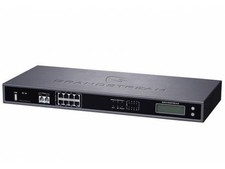


Complete Office VoIP System: Grandstream UCM6208 IP PBX + (14) GRP2614 Wi-Fi IP picture

Complete Office VoIP System: Grandstream UCM6208 IP PBX + (14) GRP2614 Wi-Fi IP

$800.00
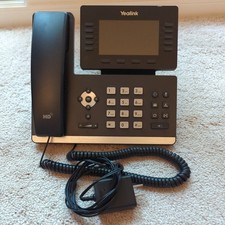


Yealink SIP-T54W 16-Line Color Display Business VoIP Phone Bluetooth Wi-Fi PoE  picture

Yealink SIP-T54W 16-Line Color Display Business VoIP Phone Bluetooth Wi-Fi PoE

$89.99



Poly CCX 400 Desktop Business Media Phone VoIP 2200-49700-019 picture

Poly CCX 400 Desktop Business Media Phone VoIP 2200-49700-019

$49.99



Yealink MP54 - VoIP Phone - Black Teams phone Android POE WIFI Bluetooth picture

Yealink MP54 - VoIP Phone - Black Teams phone Android POE WIFI Bluetooth

$49.95
