

 Reply With Quote
Thats a good one...but I dont believe a word of it.What do you think guy's?


I recently booted knoppix 3.2 on a Dell Optiplex machine. Knoppix worked fine, but when I shut down and tried to restart I discovered that the computer was no longer working - It would not even get to the Bios setup, the screen stayed entirely blank and the diagnostic lights on the motherboard indicated it is a Bios problem. I had to get the motherboard replaced. I would STRONGLY recommend avoiding using Knoppix on a Dell Optiplex or any other Dell machines as it may affect them as well.
Thats a good one...but I dont believe a word of it.What do you think guy's?
Knoppix does no such thing. If you search the forum there are several instances of people being affected by this issue (like this one for example). There is a relatively painless fix.
Remove the power cable from your dell.
Push in the power button in the front until the power clears.
After that you should be able to get into your bios, boot Windows etc. I'm sorry that this happened to you and even more so that Dell does this, but please try searching the forums first before making an announcement like this. The blame for this falls squarely on Dell and their buggy bios and not on Knoppix
Whoa...I have never heard of anything like this...sorry Birkett
Still sounds like it would have been an easy fix and no real damage though.Thanks for the heads-up aay.
could be someone from m$
I did not know it was an issue that was already known about - I should have looked harder before posting. Shame about the motherboard that was replaced, but it was under warrantyand it sounds like it was Dell's fault anyway...
My apologies,
James Birkett
Never had a problem like this with my Dell Dimension 4100 PIII 866!
impossible...
First try to reset the BIOS once for yourself (Jumper on motherboard or remove battery - READ THE MANUAL BEFORE DOING SO !!!)
OK, now I have 25 Dell Optiplex GX270s (PIV 2.4Ghz, 770MB ram, 40GB hdd, etc). But these machines have some sort of intel integrated video and audio chips. I get no sound and only 640x480 res!
Help, what can I do with this. I'm booting the CD and trying all kinds of cheats to no avail!
Frustrated,
I just tested 25 Dell Optiplex GX270s booting from a class set of V3.2 CDs several times a day for a week. I had no BIOS problems except possibly one of the 25 PCs did not reboot the first day.
I'm not sure if I ever got it to boot KNOPPIX in the first place. The BIOS settings are now incorrect (ie: missing hdd when there's a 40GB hdd in there) and may never even have booted M$ WINDOZE XP in the first place. But I'm not sure about that! It may be the case that it was running XP before I booted the CD, and the CD booted OK once, but then the PC never booted correctly again (CD or no CD). I have a feeling that's what happened now that I think of it! My memory ain't what it once was....
So there may well be some BIOs sensitivity here. This is not a KNOPPIX problem, however, in my view. I would think that nothing should be able to change BIOS settings without using BIOS password and the setup screen (unless we got some sort of surge on that PC which is unlikely). So, perhaps, Dell is using some sort of low quality BIOS?
What do ya think?
Regards,
 Posting Permissions

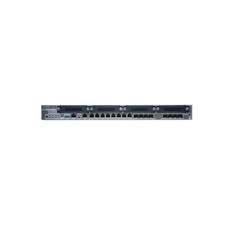
New Juniper SRX345-SYS-JB-2AC Junos Router Firewall Services Gateway 16GbE SFP
$570.65

Juniper EX2300 12-Port Gigabit PoE+ Managed Network Switch P/N: EX2300-C-12P
$149.99
Juniper QFX5100-48T-AFO 48-port 1G/10G RJ-45 ports 6 QSFP ports
$519.99

Juniper Networks EX2200-C 12T-2G 12 Port Gigabit Switch Compact + Cord Tested
$64.99

Juniper EX3400-48T-AFI Ethernet Network Switch 48x1GbE 4x10GbE SFP+ 2x40GbE QSFP
$139.00

Juniper EX2300-C-12P 12 Port Gigabit PoE+ 2x10G SFP+ Managed Compact Switch
$179.99

Juniper EX4100-F-12P Switch 12x 1GbE PoE 2x 10GbE Uplinks 4x 10GbE Stack Ports
$900.00

Juniper EX2300-C 12 Port Compact Gigabit Switch EX2300-C-12p Discounted Cosmetic
$71.87

Juniper Networks AP33 Wireless Access Point Bluetooth WiFi 6 Cloud Managed NIB
$54.99

Juniper Networks EX2300-48P 48-Port Gigabit PoE Managed Ethernet Switch
$79.99
