


 Reply With Quote
apt-get remove kde kdebase
apt-get install kde
and it's fixed. Oh well...
The root partition isn't mounted as read only at the start anymore, so fschk fails. Should it be changed back and if so how?
Cheers,
Danx


Hi,
I followed the instructions in this post to upgrade and it went ok until I tried to login to kde as a lesser mortal. It goes nuts, restarts the xserver and shows the login screen again. Root is fine though.
I am gonna log out and see if Gnome or the others work... edit:nope, they go mad and restart the server too. Hmm...
Any ideas? I removed the user .kde and .kderc dirs/files, but no joy. It just keeps going mad. Other people seem to have had this problem with kde in the past but they don't seem to post solutions...
Cheers,
Danx
apt-get remove kde kdebase
apt-get install kde
and it's fixed. Oh well...
The root partition isn't mounted as read only at the start anymore, so fschk fails. Should it be changed back and if so how?
Cheers,
Danx
 Posting Permissions


AMD Ryzen 5 5500 Processor ( read Description)
$59.00
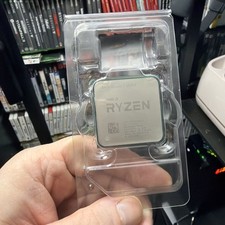
AMD Ryzen 7 5800X Desktop Processor (4.7GHz, 8 Cores, Socket AM4)
$150.00

Intel Core i7-4770 3.40GHz Quad Core SR149 LGA 1150 CPU Processor tested
$35.00

(LOT OF 20) Intel Core i5-8400 CPU 2.80GHz Desktop Processor (SR3QT)
$700.00

Intel Core i7-3770K 3.5 GHz Processor
$39.00

Intel Core i7-9700 Octa-Core 3 GHz Desktop Processor LGA 1151
$79.99

Intel Core i5-12500T SRL5W 2GHz 18MB 6 Core Socket LGA1700 Desktop CPU Processor
$114.99

Intel i7-8700 Coffee Lake 3.2GHz 6-Core Max Turbo 4.6GHz Processor
$67.99

INTEL CORE I9-10940X X-SERIES PROCESSOR | 3.30GHZ | SRGSH
$179.99

Intel Core i7-10700 8-Core 16-Thread 2.9GHz Desktop CPU LGA1200 SRH6Y Z490 Z590
$129.00