

I've been running a HDD install of Knoppix for a few months now, and it's been great. However, I just added a wireless NIC, and things got odd fast.
Basically, I've been running a 3Com 905TX NIC the whole time I've had Knoppix with zero problems. When I stuck the wireless card -- a D-Link DWL-520 -- in, it was recognized, but the 3Com disappeared from my hardware list (dmesg only has the D-Link). I know this isn't right, because I didn't touch the old 3Com card, and it was always recongized before.
After searching this forum, I found a reference that multiple NICs don't work, for some odd reason, under the default Knoppix config. Further searching and a thorough Googling turned up nothing on this subject, however.
Does anyone know anything about this? I'd really like to enable both cards, as the Knoppix box will be acting as a gateway for a wireless-enabled laptop.
Thanks,
Alex Kirk
 Posting Permissions


Dell ST6000NM0034 1HT27Z-150 NWCCG 6TB SAS 3.5 7.2K ENTERPRISE SERVER DRIVE
$68.99

Western Digital HUS726T4TAL5204 4TB 7.2K SAS 12Gb/s 3.5" 512e HDD NetApp X375A
$64.00

Toshiba 1TB 2.5" SATA HDD MQ01ABD100V 5400RPM 9.5mm Laptop Internal Hard Drive
$53.99

HDD 3.5" SATA Hard Drive with Windows 10/Win 11 64x Installed Legacy
$35.00

HGST HUA723030ALA640 3TB SATA 7200 RPM 3.5 in Enterprise HDD | 0F14044 (100%)
$45.00

Seagate ST6000NM0115 6TB 256MB 7200RPM 3.5" SATA 6.0Gb/s Enterprise Hard Drive
$159.99

HGST HUS724040ALA640 4TB 7200 RPM SATA 3.5" Internal Desktop Drive 100% Health
$78.00

Hitachi / HGST Travelstar HTS541010B7E610 1TB 2.5" SATA III HDD
$29.99
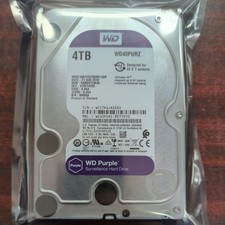
WD Purple Surveillance 4TB WD42PURZ 3.5" SATA Hard Drive - 31 AUG 2018
$95.00

HUS726060ALA640 HGST Ultrastar 6TB SATA 6Gbps 7.2K 3.5" Hard Drive OF21860
$129.99


 Reply With Quote