

 Reply With Quote
No, it isn't. I caught onto that the first time I tried to fix my resolution.
sl


Just a thought: could this be a "simple" XF86Config error?
From memory Knoppix has always used
/etc/X11/XF86Config-4
No, it isn't. I caught onto that the first time I tried to fix my resolution.
sl
sorry to be the one to say this but setting up the nvidia drivers on debian(knoppix) is a pain in the bum hole. It comes down to downloading two packages through apt-get or aptitude or synaptec, whichever you prefer. then its down to reading the included documentation really. basically you are compiling a driver module for the nvidia driver and the glx library. I wish I could be more help but it was a while ago. I'm going to be doing a debian install tonight or tomorrow so maybe i'll write a little tutorial when i do it. good luk til then!
--It wasn't that bad for me. I only have a Riva TNT2 and a 900MHz AMD Duron, but I can play 12 videos at once using xine.
--If you go to nvidia's site and download their .run file, chmod +x it, run it, and modify your XF86Config-4 file according to their instructions, things should work. However, you should run the NVidia script outside of the GUI. Boot into runlevel 2 and of course, be root.
Originally Posted by padlamoij
I was really amazed how simple it was to install nvidia drivers on my knoppix hd-install... I downloaded the script from this thread: http://www.knoppix.net/forum/viewtopic.php?t=4016 then started it. I got an error, cuz this script is for the knoppix live cd, but the script automatically downloaded the hd-install script! I just started it, and worked on in kde. after some time, x was restarted, and everything was fine... I didnt do ANYTHING else than just start the script!
try it out
btw KXconfig (in the kde control center, under X) helped me out, before, with the X-setup. I had been trying to get my screen res up to 1024x768, but I was unable to get it higher than 800x600. then I just started KXconfig, changed resolution, restarted - and everything was fine.
seems like you just have to find the right tool... (I tried almost all text-based x-config-programs, and none of them worked!)
Most useful thing anyone's said yet. Now I got my resolution changed, so I'm not going to worry about the NVidia driver for a while. THANKS!!!
To all of you who keep telling me "it's easy, just try!": I did. All day yesterday. I wish it were that easy for me, but it isn't, and all of you telling me how easy you had it does not make me feel better about it.
sl
I had the same. had been trying a whole day. late in the evening, before I went to bed, I tried kxconfig, but didnt reboot. next day, I booted, and i've been gazing at my screen (1024x768!!!) for some time, wondering what the hell happened... posted a msg in this forum - telling I dont understand it anymore, linux was behaving as irrational as winBlow$
then I remembered - KXcontrol!
THATS why I love KDE
I don't care why it works, I just want it to work.
Eventually I'll need my nvidia drivers, but maybe by that time there'll be a new version out that works. :/
well, its handy to know how to get something to work, for there might be a time you'll need it again, isnt it?
 Posting Permissions


Gigabyte 4U AI Server 10x Nvidia GPU 2x Xeon Gold 6150 36 Core 2.7GHz DDR4 RAM
$1499.00

Dell EMC PowerEdge R440 Xeon silver 4215 2.5GHz 16 GB ram 2x 550W PSU No HDD
$275.00

867959-B21 HPE ProLiant DL360 G10 CTO Server W/ 2x 865414-B21 1x 840140-001
$245.00

Dell PowerEdge FX2s + 8x FC430 Blades 16x E5-2630v4 160 Cores Rails No PSU/RAM
$699.00

Dell PowerEdge C4130 1U AI GPU Server | 2x E5-2690 v3 | 64gb Ram | 2x 1600W
$524.99

Dell PowerEdge C4130 1U AI GPU Server | 2x E5-2680 v3 | 32gb Ram | 2x 1600W
$409.99

Dell PowerEdge C4130 1U AI GPU Server | 2x E6-2699 v3 | 128gb RAM | 2x 1600W
$899.99

Dell Poweredge R730xd 12LFF 2*2660v4 4*1Gbe h730 2x 750W Server CTO
$308.00

RDS CAL - Remote Desktop Services Windows Server 2019 50 User/Device Connections
$63.00
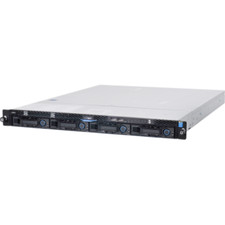
1U Server Intel Xeon E3-1240 V5 3.5Ghz 4C 32GB RAM 2x M.2 2280 OCP RJ45 Rails
$310.00
