

 Reply With Quote
No, it isn't. I caught onto that the first time I tried to fix my resolution.
sl


Just a thought: could this be a "simple" XF86Config error?
From memory Knoppix has always used
/etc/X11/XF86Config-4
No, it isn't. I caught onto that the first time I tried to fix my resolution.
sl
sorry to be the one to say this but setting up the nvidia drivers on debian(knoppix) is a pain in the bum hole. It comes down to downloading two packages through apt-get or aptitude or synaptec, whichever you prefer. then its down to reading the included documentation really. basically you are compiling a driver module for the nvidia driver and the glx library. I wish I could be more help but it was a while ago. I'm going to be doing a debian install tonight or tomorrow so maybe i'll write a little tutorial when i do it. good luk til then!
--It wasn't that bad for me. I only have a Riva TNT2 and a 900MHz AMD Duron, but I can play 12 videos at once using xine.
--If you go to nvidia's site and download their .run file, chmod +x it, run it, and modify your XF86Config-4 file according to their instructions, things should work. However, you should run the NVidia script outside of the GUI. Boot into runlevel 2 and of course, be root.
Originally Posted by padlamoij
I was really amazed how simple it was to install nvidia drivers on my knoppix hd-install... I downloaded the script from this thread: http://www.knoppix.net/forum/viewtopic.php?t=4016 then started it. I got an error, cuz this script is for the knoppix live cd, but the script automatically downloaded the hd-install script! I just started it, and worked on in kde. after some time, x was restarted, and everything was fine... I didnt do ANYTHING else than just start the script!
try it out
btw KXconfig (in the kde control center, under X) helped me out, before, with the X-setup. I had been trying to get my screen res up to 1024x768, but I was unable to get it higher than 800x600. then I just started KXconfig, changed resolution, restarted - and everything was fine.
seems like you just have to find the right tool... (I tried almost all text-based x-config-programs, and none of them worked!)
Most useful thing anyone's said yet. Now I got my resolution changed, so I'm not going to worry about the NVidia driver for a while. THANKS!!!
To all of you who keep telling me "it's easy, just try!": I did. All day yesterday. I wish it were that easy for me, but it isn't, and all of you telling me how easy you had it does not make me feel better about it.
sl
I had the same. had been trying a whole day. late in the evening, before I went to bed, I tried kxconfig, but didnt reboot. next day, I booted, and i've been gazing at my screen (1024x768!!!) for some time, wondering what the hell happened... posted a msg in this forum - telling I dont understand it anymore, linux was behaving as irrational as winBlow$
then I remembered - KXcontrol!
THATS why I love KDE
I don't care why it works, I just want it to work.
Eventually I'll need my nvidia drivers, but maybe by that time there'll be a new version out that works. :/
well, its handy to know how to get something to work, for there might be a time you'll need it again, isnt it?
 Posting Permissions

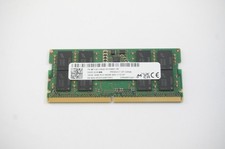
MTC8C1084S1SC56BD1 Micron 16GB DDR5 1Rx8 PC5-5600B 5600Mhz SO-DIMM Memory
$149.99

TF/SD Card Adapter Camera Reader Android Type-c For iPhone17 Pro Max Plusm lot
$573.98

Windows 11 Pro Install/Recovery/Repair USB Flash Drive
$35.00

5 in 1 Memory Card Reader USB 3.0 OTG Adapter SD Card Reader For iPhone/iPad LOT
$9.99

USB 3.0 Flash Drive 32GB 64GB 128GB Memory Stick Thumb Stick Lot Pack
$826.09

USB 3.0 Micro SD SDHC TF Card Reader Memory Adapter for PC Laptop Camera lot
$3.75

Samsung 32GB DDR4-2666V-2Rx4-RB2-12 RAM M393A4K40CB2-CTD6Q
$169.00
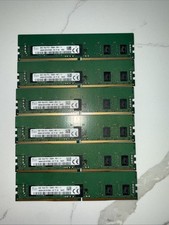
6 LOT - SK Hynix 8GB 1Rx8 PC4-2666V-RD1 HMA81GR7AFR8N-VK Server RDIMM 48GB
$200.00
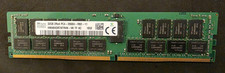
SK HYNIX 32GB 2RX4 PC4 2666V ECC SERVER RAM
$199.00

SMART(Micron)SafeStor 32GB(1X32GB) 1RX4 NN4-3200AA(DDR4) HPE Server Memory
$159.98
