-
swapping boot partitions
Hello all,
I realized recently that when I installed knoppix it defaulted everything, including the boot stuff to hda3. (I created a 100mg boot partition which is unused, and a 500mg swap partition which is being used). So how do I transfer my boot files to the first partition? I know that I'll have to edit lil.conf to point to hda1 but that's about all I know.
Thanks.
-
This worked for me.
do a su
mount destination by
mount /dev/hdax /mnt/hdax
"x" being the destination partition
cd to current boot directory
cd /boot
copy the folder
cp -Rp * /mnt/hdax
"x" being the destination again
edit fstab
mcedit /etc/fstab
add the line
/dev/hdax /boot auto rw,auto,user,exec 0 0
"x" the destination again
change the line in lilo.conf "/etc/lilo.conf" to
boot=/dev/hdax
that "x" again
run lilo
lilo -C lilo.conf
reboot
i use gag to select the partition i want to boot.
good luck
-
sorry i didn't read your discription carefully
hdax
should be
hda1
hda1 being the new boot folder
-
Thanks greatly. I couldn't ask for a more concise answer 
What did you mean you use gag to select your boot partition?
Thanks again.
-
Senior Member
registered user
Re: swapping boot partitions
--FYI, 100meg for a /boot partition is way overkill. 8-16Meg should be plenty.

Originally Posted by
ferreter
Hello all,
I realized recently that when I installed knoppix it defaulted everything, including the boot stuff to hda3. (I created a 100mg boot partition which is unused, and a 500mg swap partition which is being used). So how do I transfer my boot files to the first partition? I know that I'll have to edit lil.conf to point to hda1 but that's about all I know.
Thanks.
-
Originally Posted by
ferreter
Thanks greatly. I couldn't ask for a more concise answer
What did you mean you use gag to select your boot partition?
Thanks again.
I have multiple operating systems
eg.
hda1: swap
hda2: windows xp
hda3: linux boot
hda5: linux boot
hda6: linux boot
hda7: knoppix
hda8: yoper
hda9: testing (slackware at the moment)
gag http://gag.sourceforge.net/
is a boot manager that easily lets you select a os to load
check it out. it is very easy to use, edit and config.
by putting lilo in the separate partitions instead the mbr you just config gag to select
hda3 for example and it will load lilo from hda3 and knoppix.
or hda5 to load yoper etc.....
have fun!
jaws75
Similar Threads
-
By masticate in forum Hardware & Booting
Replies: 3
Last Post: 05-01-2005, 04:37 PM
-
By SunnyB in forum Hardware & Booting
Replies: 0
Last Post: 03-31-2004, 02:42 PM
-
By mrmr96 in forum General Support
Replies: 4
Last Post: 03-07-2004, 04:27 AM
-
By speedy in forum Hdd Install / Debian / Apt
Replies: 2
Last Post: 12-24-2003, 02:35 AM
-
By stukennedyuk in forum Hardware & Booting
Replies: 2
Last Post: 11-28-2003, 07:00 PM
 Posting Permissions
- You may not post new threads
- You may not post replies
- You may not post attachments
- You may not edit your posts
-
Forum Rules


USB 3.0 Flash Drive 32GB 64GB 128GB Memory Stick Thumb Stick Lot Pack
$826.09
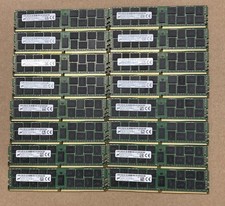
Lot Of 16Micron MTA36ASF2G72PZ-2G1A2IJ 16GB 2Rx4 PC4-2133P-RB0-10 ECC Server Ram
$960.00

Microsoft Office 2021 Pro Plus USB for 1PC Windows 10 & 11
$62.50

TF/SD Card Adapter Camera Reader Android Type-c For iPhone17 Pro Max Plusm lot
$573.98
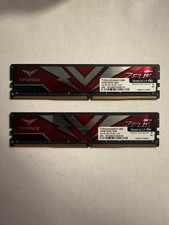
TEAMGROUP T-Force Zeus 64GB (2x32GB) DDR4 2666MHz PC4-21300 Desktop RAM Kit
$199.99
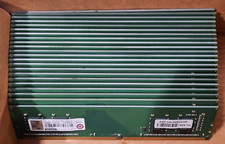
Lot of 88GB (22x4GB) ADVANTECH 1RX16 DDR4 PC4-2400U AQD-D4U4GN24-HP MEMORY RAM
$286.00

USB 3.0 Micro SD SDHC TF Card Reader Memory Adapter for PC Laptop Camera lot
$3.75

128GB (4x32GB) SK hynix DDR4 PC4-2666V RDIMM ECC Server Ram HMA84GR7CJR4N-VK
$799.00
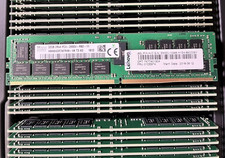
HYNIX HMA84GR7AFR4N-VK 32GB PC4-2666V 2RX4 RDIMM MEMORY HMA84GR7AFR4N-VK
$189.99

Micron 32GB 1x32GB DDR5 5600 CL46 ECC Unbuffered SO-DIMM MTC20C2085S1TC56BD1
$399.00



 Reply With Quote