

 Reply With Quote
For anyone looking for the answer:
/etc/X11/default-display-manager
the syntax is obvious, i'm now changing mine to read:
/usr/bin/fluxbox
However, how do I launch a persistant app?

I've been looking everywhere and can't seem to come across a straight answer. What file do you need to edit to change default desktop environment?
Also, how would you launch a default application and make sure it stays persistent (example, knoppix-mame loads into fluxbox then immediately launches gxmame, if you exit the app, it relaunches)? This would be great for kiosk-type environments and demo CDs.
For anyone looking for the answer:
/etc/X11/default-display-manager
the syntax is obvious, i'm now changing mine to read:
/usr/bin/fluxbox
However, how do I launch a persistant app?
 Posting Permissions

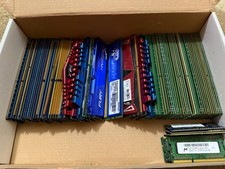
57pc UNUSED RAM Memory Lot DDR2 DDR3 DDR4 G.SKILL HyperX ADATA Kingston Micron
$750.00
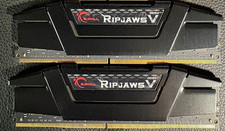
RAM G. SKILL Ripjaws V Series 32GB 2x16GB DDR4 3200 CL16 F43200C16Q64GVK Matched
$149.99

16GB KIT (2x8GB) DDR4 Gamer Desktop RAM PC4 MIXED BRANDS
$65.00

Netac DDR4 32GB 16GB DDR4 3200MHz UDIMM C16 Desktop Internal Memory RAM Kit
$99.99

Kingston 16GB DDR4 3200MHz PC4-3200AA-SA2-12 Laptop RAM SODIMM (HP32D4S2S8ME-16)
$64.99

A-Tech 8GB DDR3 1600 PC3-12800 Laptop SODIMM 204-Pin Memory RAM PC3L DDR3L 1x 8G
$21.68
![OWC RAM DDR4 64GB 2666mhz SODIMM [2x32GB Modules] + [2x16GB FREE] = 96GB picture](/store/img/g/O2MAAeSw8DZqxEUA/s-l225/OWC-RAM-DDR4-64GB-2666mhz-SODIMM-2x32GB-Modules-2x.jpg)
OWC RAM DDR4 64GB 2666mhz SODIMM [2x32GB Modules] + [2x16GB FREE] = 96GB
$600.00

MINT Micron Cisco 32GB PC4-2400T DDR4 2Rx4 RDIMM RAM MTA36ASF4G72PZ-2G3 LOT
$155.19
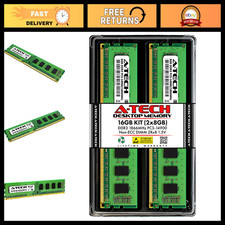
16GB DDR3 RAM Kit (2x8GB) 1866MHz PC3-14900 UDIMM Non-ECC 240-Pin Memory Upgrade
$121.99
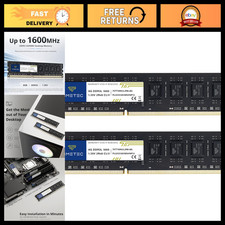
16GB DDR3L 1600MHz RAM Upgrade Kit (2x8GB) Non-ECC Unbuffered 240-Pin UDIMM
$75.99