-
Junior Member
registered user
vncserver: connection to "Knoppix:1.0" refused by
When I run svncviewer, I get the following error:
Xlib: connection to "Knoppix:1.0" refused by server
Xlib: Invalid MIT-MAGIC-COOKIE-1 key
xsetroot: unable to open display 'Knoppix:1'
This is running on the CD, remastered to have svncviewer.
Does anybody know how to rectify that?
Thanks!
Hugo.
-
Junior Member
registered user
I don't know if this helps or not, but XFree86 has the TCP/IP ports closed by default for Debian. You may have to grep for all occurances (there are 3 to 5, I can't remember) of the line " -nolisten tcp" in the major directories such as /etc and /usr. ***Warning: this will lower your security, allowing someone to run displays on your machine. Use with caution!*** You may also need to edit files according to the following advice I got from Kodjo Agbenu at the following website:
http://bizforums.itrc.hp.com/cm/Ques...9cd0f9,00.html
**********************************
Hello Khalid,
I guess you are using XDMCP for that connection (X Display Manager Control Protocol). To read more about it, read the manpage of "xdm" on any Unix-like system.
XDMCP implements security mechanisms that are disabled by default on Hp-ux 11.00, but enabled on Linux.
On your Mandrake system, you will then have to disable that security before being able to connect.
=> Edit /etc/X11/xdm/xdm-config. Make sure that the DisplayManager.requestPort variable is set to 177 instead of 0.
=> Edit /etc/X11/xdm/Xaccess. There should be a line with a single star "*" at beginning.
* #any host can get a login window
You can also enable the line :
* CHOOSER BROADCAST #any indirect host can get a chooser
=> This applies only if you are using gdm (Gnome Display Manager) : edit /etc/X11/gdm/gdm.conf (may be also located in /etc/opt/gnome2/gdm/gdm.conf). In the [xdmcp] section, make sure that "Enable" is set to "true" and optionally "HonorIndirect" too.
=> This applies only if you are using kdm (KDE display manager) : edit /usr/share/config/kdm/kdmrc. In the [Xdmcp] section, make sure that "Enable" is "true" and "Port" is "177".
After you applied that changes, close all graphical connections, open a telnet or local console and kill the xdm (or kdm or gdm) process. It will be automatically restarted with the new settings.
Then you will be able to use Exceed.
Good luck.
Kodjo
**************************************
You will then need to run xhost xxxxx:0.0 where xxxxx is the name of the machine you want run the program from. If this does not help, then you will want to change the settings back where they were because security on your machine will be lower, so make backups! Good luck!
Similar Threads
-
By LeManu in forum General Support
Replies: 9
Last Post: 05-20-2004, 10:19 PM
-
By victorhooi in forum General Support
Replies: 1
Last Post: 05-11-2004, 08:25 AM
-
By jasperlevink in forum Hardware & Booting
Replies: 2
Last Post: 09-22-2003, 10:59 PM
-
By oreo in forum General Support
Replies: 11
Last Post: 07-23-2003, 06:33 PM
-
By andyed in forum Hdd Install / Debian / Apt
Replies: 6
Last Post: 01-12-2003, 04:36 AM
 Posting Permissions
- You may not post new threads
- You may not post replies
- You may not post attachments
- You may not edit your posts
-
Forum Rules


Kingston 16GB DDR4 3200MHz PC4-3200AA-SA2-12 Laptop RAM SODIMM (HP32D4S2S8ME-16)
$64.99

16GB KIT (2x8GB) DDR4 Gamer Desktop RAM PC4 MIXED BRANDS
$65.00

F4-3200C16D-64GVK G.Skill RipJaws 32GB RAM DDR4 3200MHz Memory
$159.00

Netac DDR4 32GB 16GB DDR4 3200MHz UDIMM C16 Desktop Internal Memory RAM Kit
$99.99
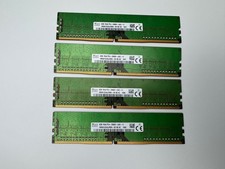
SK Hynix 32GB Kit (4x8GB) DDR4 2666 MHz Desktop RAM
$115.00

A-Tech 8GB DDR3 1600 PC3-12800 Laptop SODIMM 204-Pin Memory RAM PC3L DDR3L 1x 8G
$21.68

RAMAXEL Lenovo 32GB LPDDR5X CAMM2 7500MHz Laptop RAM | UNTESTED
$445.00

Corsair Vengeance DDR3 8GB 16GB 32GB 1866MHz PC3-14900 Desktop RAM Memory DIMM
$43.00

16GB ( 4X 4GB ) MEMORY DDR3 PC3-10600 1333MHz FOR DELL OPTIPLEX 790 780 990 980
$39.99
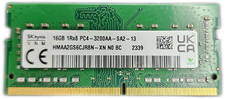
SK HYNIX 16GB DDR4 3200MHz PC4-25600 SO-DIMM 260-Pin Laptop RAM MEMORY
$79.99



 Reply With Quote