-
Screen Resolution Won't Change
I'm trying to change the screen resolution to 1024x768 by using the:
knoppix screen=1024x768 command at start up but it keeps booting up with the default 640x480. I've even tried 800x600 and it ignores this too. I've also tried on various PCs and same thing happens.
Suggestions on how to fix?
BTW, I've searched the forum and read the FAQs and have tried the various incantations.
Thanks,
Dale
-
Senior Member
registered user
Hi Dale-
Have you tried booting with the 'expert' cheat code? When you boot expert you are allowed the opportunity to set certain parameters, resolution & scan rates included.
-
Senior Member
registered user
What kind of video card, desktop or laptop, etc.
maybe try:
knoppix xmodule=vesa screen=1024x768
HTH
rock
-
RE: Screen res
I've got the exact opposite problem...
I tried bumping down the resolution from the default 1600x1200 to something more readable (like 1280x1024 or 1024x768 ... which are supported by the video card on Linux).
Everytime I try it just bounces back to 1600x1200.
Normally I wouldn't mind, but I've been doing some video editing and it is simply too large a display for the 8MB AGP card to be able to edit video in real time...it's pretty fast, but not that fast.
I've used knoppix screen=1280x1024 and knoppix screen=1024x768 to no avail.
Mach64 (ATI Rage Pro)
-
I don't know what the "cheat codes" are. Where can I find them? The PC is a Dell Optiplex with an integrated video card (I know, I know...  ).
).
Thanks,
Dale
-
Senior Member
registered user
-
Senior Member
registered user
ve a similar problem with a Dell Optiplex GX270 (PIV, 770MB ram, 40GB hdd,etc). I've tried knoppix nosmp to get rid of the "only one processor found" error.
However, I get invalid mode number passed right after the boot screen and the sound card is not recognized at all. The video xmodule is recognized as i810. In any case, I get no sound and only 640x480.
Has anyone fixed anything like this before? I'd really appreciate some help on this! I've tried all kinds of cheats and nothing but nosmb did anything for me!
I tried "knoppix nosmp alsa" and it tried to configure alsa and I get no error message when playing *.oggs with XMMS anymore, but I don't hear anything....
TIA,
Similar Threads
-
By god in forum General Support
Replies: 10
Last Post: 02-02-2008, 04:33 AM
-
By boge in forum Hardware & Booting
Replies: 5
Last Post: 09-02-2004, 11:33 PM
-
By brainstorm in forum The Lounge
Replies: 0
Last Post: 04-08-2004, 06:49 AM
-
By mheight in forum General Support
Replies: 1
Last Post: 03-15-2004, 12:54 PM
-
By ndori in forum Laptops
Replies: 1
Last Post: 06-24-2003, 01:03 PM
 Posting Permissions
- You may not post new threads
- You may not post replies
- You may not post attachments
- You may not edit your posts
-
Forum Rules


Dell Poweredge R720 8SFF 2.5" x Xeon E5-2680 v2 2.8GHz 20-Cores 128gb 4x Trays
$349.99

Dell PowerEdge R730XD Server 2x E5-2695 V4 = 36 Cores H730p 32GB RAM 4x trays
$649.99

Dell EMC PowerEdge R440 Xeon silver 4215 2.5GHz 16 GB ram 2x 550W PSU No HDD
$275.00

Dell Poweredge R720 8SFF 2.5" 2x Xeon E5-2680 v2 2.8GHz 20-Cores 64gb 4x Trays
$259.99

Dell PowerEdge R620 2x Xeon E5-2630 v2 3.1GHz 2.5" 4-BAY 32GB RAM No OS 2x 495w
$174.95

Dell Poweredge R630 2x Xeon E5-2680 v3 2.5ghz 24-Cores / 64gb / Raid / 2x 1Tb
$374.99
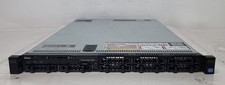
Dell PowerEdge R620 Dual Intel Xeon E5-2640 v2 @2.00GHz 192GB RAM No HDD H710P
$250.00

Dell Poweredge R630 2x Xeon E5-2680 v4 2.4ghz 28-Core | 32GB | HBA330 | 2x 1100w
$359.99

Dell PowerEdge R530 2x E5-2630v4 H330 iDRAC8 Port Card Riser No PSU/RAM/HDD
$99.99

DELL R640 10SFF Server 2x Gold 6152 2.1GHz =44 Cores 64GB H730p 4xRJ45
$959.00



 Reply With Quote