-
Knoppix 4.0, screen locking not working...AT ALL
Hello All,
I'm rather frustrated with this. I want to lock the screen after booting the live CD of Knoppix v4.0. However all suggestions I've seen do *not* work for me.
First, without setting any passwords, KDE session lock is *not* disabled...I _can_ select it. However, the mouse just goes away and when I move the move...I'm back as normal. So I set both the root and knoppix user passwords and try again...same thing.
Second, I see about launching xscreensaver...not even there...at least not in the $PATH.
Next, I tried the suggestion of booting into text-only mode (knoppix 2, specifically) setting the passwords and launching 'kdm'. I get the login screen, attempt 'knoppix' and it "cycles" back to the login screen. The password is accepted because if not, I get an invalid login attempt. This does attempt a login, fails to launch KDE, and goes bounces me back to the login screen.
*sigh* Ideas? I'm looking for the best security I can. I'd like to have the screen locked and *not* have anyone able to walk up and "ctl-alt-f1" to switch to a root console also if possible.
--David
Similar Threads
-
By black_out in forum General Support
Replies: 2
Last Post: 06-08-2005, 07:39 PM
-
By atrick-pay in forum Hdd Install / Debian / Apt
Replies: 1
Last Post: 05-03-2005, 05:04 AM
-
By Zeus in forum MS Windows & New to Linux
Replies: 3
Last Post: 03-21-2005, 03:52 AM
-
By hobbes5683 in forum Hardware & Booting
Replies: 1
Last Post: 02-03-2005, 04:43 PM
-
By darksky in forum General Support
Replies: 1
Last Post: 07-09-2003, 02:37 AM
 Posting Permissions
- You may not post new threads
- You may not post replies
- You may not post attachments
- You may not edit your posts
-
Forum Rules

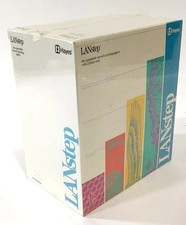
VINTAGE 1990 Hayes LANstep Network Computer Operating System v1.00 SEALED NEW
$888.00

Vintage Computer - PC Innovation Intel 486DX2 - Dos Ver 6.2 Windows 3.1
$250.00

Vintage Microsoft Visual Studio.NET Professional Software suite Version 2002 New
$82.00

Vintage Jetway J-620BF Socket 370 Celeron AT Motherboard SiS 620 Brand New
$75.00
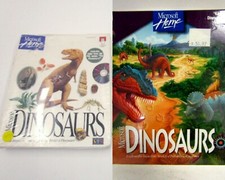
Vintage 1993 & 1994 Microsoft Home DINOSAURS PC Mac Game Software CD-Rom NEW
$299.99
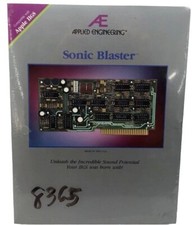
Vintage 1991 Applied Engineering AE Sonic Blaster Apple IIGS Sound Card SEALED
$699.99

Vintage 2006 Juicy Couture House of Juicy Velour Laptop Sleeve Y2K NWT Rare
$199.99
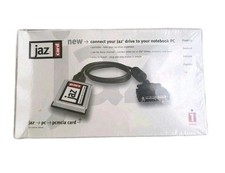
SEALED Iomega PCMCIA to Fast SCSI II Adapter Jaz Card & Cable | VINTAGE NEW
$169.99

🔥 RARE VINTAGE HP 2112A 21MX M-SERIES 16-BIT MINICOMPUTER HP
$299.99

🔥 RARE VINTAGE HP 2113A 21MX 1000 E-SERIES MINICOMPUTER CHASSIS BACKPLANE
$249.00



 Reply With Quote