

Hey all, I've been playing around with XPde for a while, it launches fine with startx with .xinitrc setup to launch it, but I'd like to add it to KDM. I found a tutorial for Mandrake, but there seems to be some differences with debian:
Mandrake instructions:
The problem I have is that my /etc/X11/Xsession file dosent have those lines,Edit your /etc/X11/Xsession: vi /etc/X11/Xsession
Between the lines
if [ -n "$DESKTOP" ]; then
case $DESKTOP in
and
failsafe)
insert the following lines:
XPde)
export LD_LIBRARY_PATH=/opt/xpde/bin
exec $SSH_AGENT /opt/xpde/bin/XPde full &
exec $SSH_AGENT /opt/xpde/bin/XPwm
;;
3. Edit your /usr/share/config/kdm/kdmrc: vi /usr/share/config/kdm/kdmrc
In the line beginning with SessionTypes= insert an entry XPde
That's it!
Now you can select XPde in KDM to start it.
I've looked in every Xsession file I can find and a lot of other files that seem to be called from them, but nothing.
Anyone have any idea where the lines should be added?
Also I want to add XFCE4 to KDM, it's installed, and launches fine from GDM, but dosent show up in KDM and I'd prefer to keep using KDM.
Any help on either of these would be greatly appreciated
Thanks in advance.
 Posting Permissions


Samsung 2.5" 870 EVO SSD SATA III 250GB 500GB 1TB Internet Solid State Drive Lot
$100.00

Western Digital Blue 3D NAND 500GB Internal 2.5" SSD - WDS500G2B0A
$49.99

Samsung 860 EVO 250GB SSD MZ-76E250 2.5" SATA III Solid State Drive -
$36.99

Netac 120GB 256GB 1TB 2TB Internal SSD 2.5'' SATAIII 6Gb/s Solid State Drive lot
$119.99
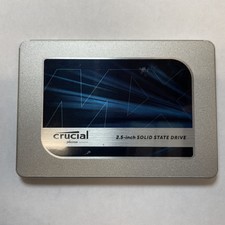
Crucial MX500 1TB 2.5" SATA III Internal SSD CT1000MX500SSD1
$99.99

Fanxiang 256GB 512GB 1TB 2TB 4TB SSD Lot 2.5'' SATA Internal Solid State Drive
$42.99

Fanxiang 1/2/5/10Pcs 2.5'' SATA SSD Lot 1TB 2TB 4TB 512GB 256GB TLC Internal SSD
$129.99

2 PACK 128 GB SSD M.2 2280 SATA Solid State Drive Major Brands, Samsung, LiteON
$28.00

Netac 2TB 1TB 512GB 256GB Internal SSD 2.5inch SATAIII Solid State Drive lot
$259.00
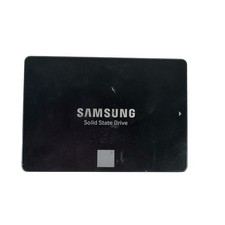
Samsung 250GB SSD 850 EVO 2.5" Internal Solid State Drive MZ7LN250 MZ-75E250
$25.99


 Reply With Quote