-
Senior Member
registered user
--Well, I had quite a long post here explaining various things, and accidentally closed the browser window. 

--This is one reason why I hate NTFS, and still use Win98se. There are plenty of utilities in Linux to help you rename files, but we can't write the changes back to an NTFS file system!!
--Basically, I don't allow weird chars (yes, that includes spaces) in my filenames (except for system-default stuff like Program Files, that can't be changed.) If it's not a-z, a dash or a number, it ain't in my filename. (That's right, I don't even like _UNDERSCORES_. Why type one of those when you can have a dash instead?) Moreover, my filenames are lower-case wherever possible. It's just faster to type all lower-case and dashes, when you don't have to hit Shift.
--My suggestion is to take note of which filenames are coming up weird, and rename them to something simpler in Windows. Google is your friend - here are some links that I hope will help. PLEASE let the board know if one of them helps!!
http://dmoz.org/Computers/Software/F...agers/Windows/
http://www.techalchemy.net/
http://mfr.queryweb.com/
http://www.renwiz.com/
http://www.powerrenamer.com/
--To make things simpler in the future, I recommend doing what I do: If you click on "Save As" in your browser and the filename looks goofy, change it RIGHT THERE before it hits the hard drive. Just my $2.02.

Originally Posted by
foobar13
Here is what I type:
# mount -r -t ntfs -ouni_xlate=1 /dev/sda2 /mnt/sda2
Here is what I get:
NTFS: unkown option 'uni_xlate'
mount: wrong fs type <etc, etc>
I have read the man page a number of times--this doesn't work.
When I less a directory after utf8, I get some weird characters in the output in brackets.
Thanks for your attention.
W
Similar Threads
-
By zette in forum MS Windows & New to Linux
Replies: 2
Last Post: 05-04-2005, 03:03 PM
-
By harry66 in forum General Support
Replies: 1
Last Post: 03-30-2005, 05:03 PM
-
By itaydagani in forum MS Windows & New to Linux
Replies: 3
Last Post: 02-02-2005, 12:53 AM
-
By David Ormsby-Gore in forum MS Windows & New to Linux
Replies: 4
Last Post: 07-08-2004, 09:45 AM
-
By terminator in forum General Support
Replies: 0
Last Post: 05-12-2004, 10:52 PM
 Posting Permissions
- You may not post new threads
- You may not post replies
- You may not post attachments
- You may not edit your posts
-
Forum Rules


M.2 SATA SSD 2280 128GB 256GB 512GB major brands | Very Good health
$35.99

SSD 880EVO SATA III 2.5 4TB INTERNAL STATE DRIVE
$214.99

Samsung 860 EVO 250GB SSD MZ-76E250 2.5" SATA III Solid State Drive
$39.99

M2 2280 PCIe 4.0 solid-state drive high-speed storage device 1080P RO 2TB NGFF
$99.00

2 PACK 128 GB SSD M.2 2280 SATA Solid State Drive Major Brands, Samsung, LiteON
$28.80
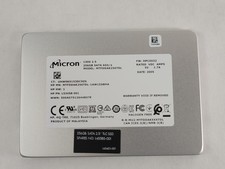
Micron 1300 MTFDDAK256TDL 256 GB SATA III 2.5 in Solid State Drive
$24.99

M.2 NVMe SSD 2280 Single Notch 128GB 256GB 512GB | Very Good health
$38.99
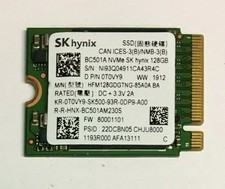
128GB SSD M.2 PCIE NVME Solid State Drive Mix Brand Samsung, WD, SK Hynix Kioxia
$16.59
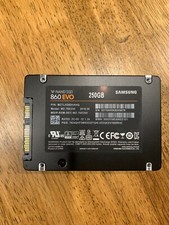
Samsung 860 Evo 250GB MZ-76E250 - Internal 2.5 inch SSD
$39.50

Samsung 850 EVO 250GB SATA III 2.5" Internal SSD (MZ7LN250HMJP) dell Lenovo hp
$32.99



 Reply With Quote