


 Reply With Quote
alex, any idea when it would be possible to release the lan party server edition? sorry i've been disconnected given that work calls..


Hey MichielioZOriginally Posted by MichielioZ
Hmm, where did you get stuck? Maybe it isn't clear enough, although everyone that tried (and succeeds) always think it's way too easy!
Anyway, the howto (as is morphix) is a work in progress
Hmm, true, i'm thinking about integrating the translucency and nvidia modules into base. The ideas that i saw in the other thread were great, so i'm hoping on not having to install nvidia at all. On the downside, every mainmodule needs some finetuning (as the nvidia minimodule doesn't work for every mainmod, something very un-morphix)
The next KDE mainmodule will have kde 3.1.1, i hope it'll fix the smb problem. If it wasn't ready yet i would indeed deactivate it, only sane thing to do :P
Just let me know where you stranded, it's no rocketscience
ktheking, yes and no, the 3D games are located on the iso. Speed is actually quite good, good enough for a few rounds of fraggin'
take a look on morphix.org (and the still-in-development website on morphix.sf.net) for more info. Nice work on your own remasterings, good to see everyone busy on their own livecd's btw! If you need a hand just ask, always have (make) time to help out
alex, any idea when it would be possible to release the lan party server edition? sorry i've been disconnected given that work calls..
Hey bloodmire, havn't been all that busy on your servers, sorry. I do have a small screenshot of the server module on http://am.xs4all.nl/gfx/server-menu.png
I hope to get to it somewhere next weekend, kinda busy atm
Ok Alex, here I go with what went wrong :
First of all : I am trying to remaster from a HDD installation of your KDE 3.1 release.
I was/am trying to make a simple bash-script to remaster the mainmod-bare...
I got the script to make a "Morphix" directory from where it is executed.
Then I got the script to download the tools.tar.gz and the cloop-utils deb from "your" FTP to that directory ... so far so good.
First I get it to install the cloop-utils deb package... gives no errors there.
Then I untar the tools.tar.gz (automatically untars to a "tools" directory in the "Morphix" directory) and after this it untars the cloop-mod and compressloop inside... seems to be no problem.
Here comes the tricky part
When I try to execute ./cloop-0.66/extract_compressed_fs MorphixMain-bare-0.3-3.mod > ./tempimage.iso
it didn't do anything, so I tried specifying the folders a bit.
I don't really know if it was right after the modification, but at least it gave an output of some sort
Major problem comes when I try to : mount ./tempimage.iso /mountpoint -o loop
It just states that the directory /mountpoint doesn't exists...
(may be a really dumb interpretation on my part though
So I made the script to make such a directory beforehand, but it keeps on stating it doesn't exist...
This is how far I've come, maybe I should just try it manually... ?!
(really would like to make a script out of it someday though...)
Thanx again for your reply.
edit : Posting on your "own" forum with the entries of the script now...
Wow, nice script! Havn't really looked into all those scripts that were made for Knoppix, but you are nearly there
first: /mountpoint was an example
second: you should further make sure you aren't using a '/' before some of the directories, i don't think people will be pleased to find directories made in their root dir!
Anyway, you're nearly there, just make sure you are using the right directories!
Alex,
OK, as per usual, you were right about my "slow" PC at home. I just had to say "y" to the nvidia drivers and everything sped up again. I thought that I hadn't done that the first time I booted MORPHIX, but I guess not!
As to the GeForce PCs at school, morphix xmodule=vesa with or without nvidia doesn't work. I've tried every graphics related cheat code with and without nvidia always with the same result: xfree returns no screen found!
Arrggghhhh! What's going on here?? BTW, KNOPPIX (2003.0101) autodetects the video on these machines no problem, so why not MORPHIX???
What irks me is that MORPHIX works fine on every over machine I've tried (my PCs at home and in 2 other labs), just not in this one lab!
Sorry to bother you so much about this, but I really would like to figure out this problem!
TIA,
same here, weird problems, the recent knoppix 3.2 hardware detection seems to break a few things
i could really use the /var/log/XFree86.0.log and /etc/X11/XF86Config-4 files. You _could_ try out the newest knoppix 3.2 iso's on the same computer and see if that works, but only try this if you can't get to the two files, as they would really help
In other news, morphix.sf.net is up and running, morphix.org should point to it soon. Also, MichielioZ has made a nice new mainmodule-unpack script, take a look at http://morphix.sourceforge.net/modules/mydownloads and try it out!
So far the only machine I've ran MorphixKDE-3.3 on is goofed up because of the transparent cursor. At times posting on this forum the cursor disapears in the text box, whole words become invisible with cut and paste, and in mozilla and konqueror there are orphan dialog box pieces left on top of the browser window where the transparent cursor was.
It's fine if I don't use the mouse, but we all know how far that'll get you nowdays.
rock
Hmm, remark noted, i'll take a look if i can deactivate it. Personally, i've gotten pretty used to it, but i havn't seen those problems you describe. Then again, having a transparent cursor is pretty useless imho...
Oh, and if the newest gameiso doesn't seem to work you might want to try xvrefresh=60, i think knopper tried to boost the refreshrate, not sure it this will work though...
OK, I'm wondering if maybe I'm inputting the cheat codes wrong.
I've tried "morphix xvrefresh=60" is that right or is it just "xvrefresh=60" on the boot line? Also, if I use "morphix xmodule=fbdev" do I also have to specify "fb800x600" or whatever res I need? BTW, if I'm putting more than one cheat code on the boot line, do I say morphix each time, do I use spaces or commas too?t
BTW, I see in your dpkg for the MORPHIXgame iso that you have kde and gnome games? How do I run these when using icewm?
Thanx,
 Posting Permissions


Dell 6P85J 4TB ST4000NM0063 7.2k 6Gb/s 3.5” SAS SED Hard Drive with Tray
$39.99

Western Digital HUS726T4TAL5204 4TB 7.2K SAS 12Gb/s 3.5" 512e HDD NetApp X375A
$64.00
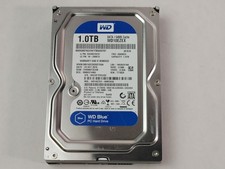
Western Digital WD Blue WD10EZEX 1 TB 3.5" SATA III Desktop Hard Drive
$23.99

Western Digital 1TB 3.5" SATA III 7200RPM Desktop Hard Drive
$34.99

Seagate Exos ST20000NM003C 20TB CMR 7200RPM SATA6Gb/s 3.5" Enterprise Hard Drive
$509.99

Dell ST6000NM0034 1HT27Z-150 NWCCG 6TB SAS 3.5 7.2K ENTERPRISE SERVER DRIVE
$68.99

Seagate Exos ST2000NX0253 HDD 2TB SATA 7.2K 2.5" 512b/s
$55.00

Toshiba 14TB MG07 MG07ACA14TEY 7.2K RPM SATA 6Gb/s 512e 3.5" Enterprise HDD
$339.00

DELL 2TB Enterprise HDD (7200RPM, 3.5", SATA III, 128MB Cache) HUS722T2TALA600
$49.95

Seagate ST12000NM0127 12TB 256MB 7200RPM 3.5" SATA 6.0Gb/s Enterprise Hard Drive
$318.99
