-
Senior Member
registered user
As root in a console window /etc/init.d/alsa-autoconfig to setup the alsa devices then edit the file /etc/init.d/bootmisc.sh and put the line aumix -w 75 -v 75 at the bottom of the file for the volume to be set at boot time. For the network card make sure the file /etc/network/interfaces looks like this:
Code:
 # /etc/network/interfaces -- configuration file for ifup(8), ifdown(8)

 # The loopback interface
 auto lo
 iface lo inet loopback

 # The first network card - this entry was created during the Debian installation
 # (network, broadcast and gateway are optional)
 auto eth0
 iface eth0 inet dhcp
Then /etc/init.d/networking restart to re-start the network with the new settings. You may still need the noapic in the GRUB config but I can't be much help there never use it.
Similar Threads
-
By Luke Riches in forum Networking
Replies: 2
Last Post: 10-20-2004, 06:39 PM
-
By frank34 in forum The Lounge
Replies: 3
Last Post: 07-26-2004, 02:49 PM
-
By Sukrillux in forum Hardware & Booting
Replies: 5
Last Post: 03-12-2004, 05:39 AM
-
By pwchicken in forum Hardware & Booting
Replies: 1
Last Post: 08-28-2003, 11:41 PM
-
By laffer in forum Hardware & Booting
Replies: 1
Last Post: 08-06-2003, 08:35 PM
 Posting Permissions
- You may not post new threads
- You may not post replies
- You may not post attachments
- You may not edit your posts
-
Forum Rules


Dell PowerEdge R620 2x Xeon E5-2630 v2 3.1GHz 2.5" 4-BAY 32GB RAM No OS 2x 495w
$174.95

Dell EMC PowerEdge R440 Xeon silver 4215 2.5GHz 16 GB ram 2x 550W PSU No HDD
$275.00

Dell Poweredge R720 8SFF 2.5" 2x Xeon E5-2680 v2 2.8GHz 20-Cores 64gb 4x Trays
$259.99
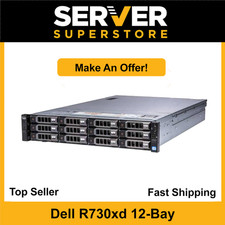
Dell PowerEdge R730XD Server 2x E5-2620 V4=16 Cores | H330 | 32GB RAM | 2x trays
$594.99

Dell Poweredge R720 8SFF 2.5" x Xeon E5-2680 v2 2.8GHz 20-Cores 128gb 4x Trays
$349.99

Dell Poweredge R630 2x Xeon E5-2680 v4 2.4ghz 28-Core | 32GB | HBA330 | 2x 1100w
$359.99

Dell PowerEdge R640 8xSFF Server Barebone 2 x Heat Sink w / 2x 1100W PSU
$315.00

Dell Poweredge T420 SFF 2x E5-2430 v2 2.5Ghz / 64gb / H710 / 8x Trays / 2x 495w
$394.99

Dell Poweredge R630 2x Xeon E5-2680 v3 2.5ghz 24-Cores / 64gb / Raid / 2x 1Tb
$374.99

DELL R640 10SFF Server 2x Gold 6152 2.1GHz =44 Cores 64GB H730p 4xRJ45
$939.00



 Reply With Quote